Installation
Page 3-13
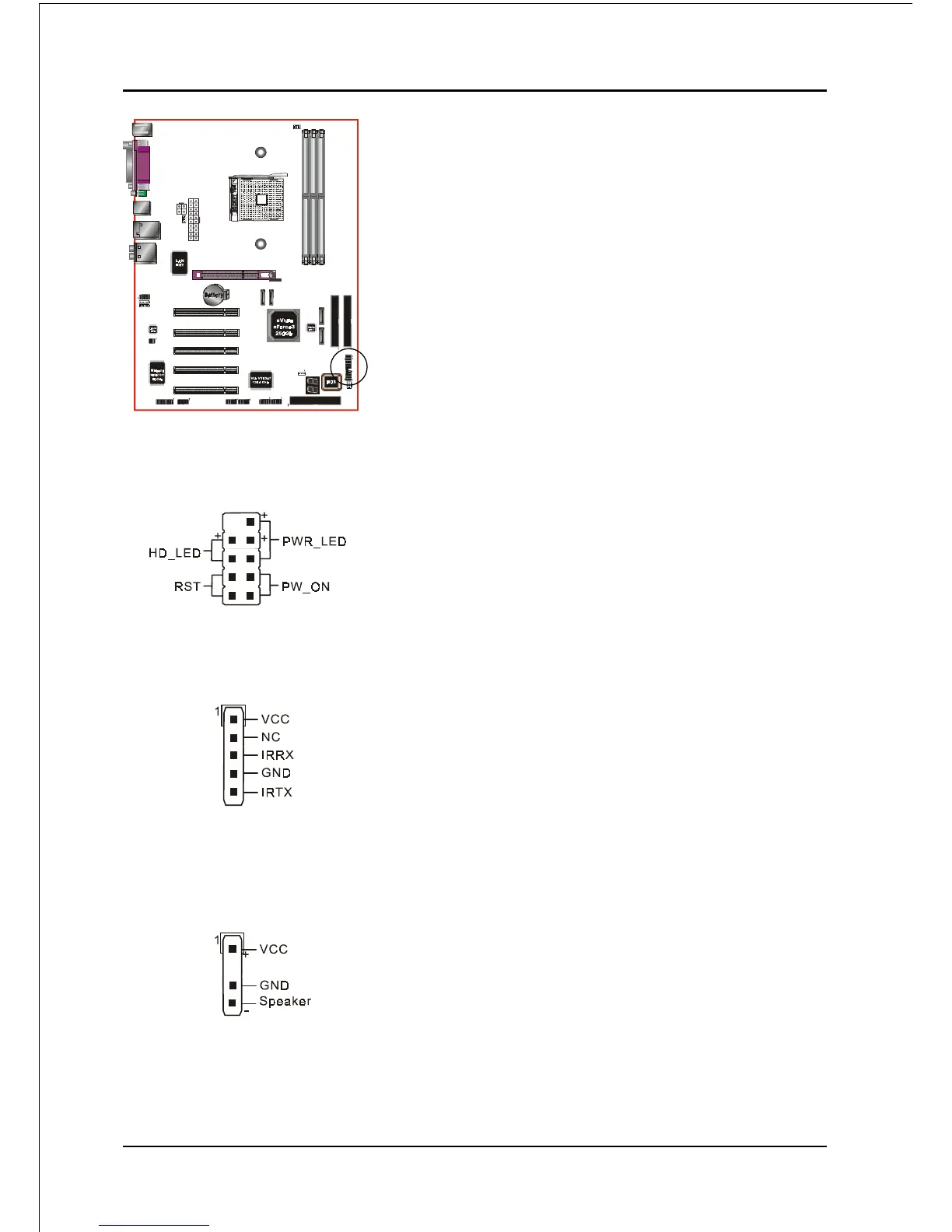
CFP: Front Panel Connector
HD_LED
This LED will light up whenever the hard drive
is being accessed.
PWR_LED
This connects to the power button of the
system chassis
RST
This switch allows you to reboot without
having to power off the system thus prolonging
the life of the power supply or system.
PW_ON
This is connected to the power button on the
case. To use the Soft-Off by PWR-BTTN
feature, refer to the Power Management Setup
in the BIOS setup section of this manual.
CIR: IR connector
Connect the IrDA cable (if available) to this IR
connector.
CSPK: Speaker
Connect to the system’s speaker for beeping
CFP
CIR
CSPK



 To Next Page