Installation
Page 3-14
3-7 External Modem Ring-in Power ON and
Keyboard Power ON Functions (KBPO)
Modem-Ring Power ON Function
The mainboard supports External Modem Ring-in Power ON function. Once you connect
an external modem to COM port, you can turn on the system through remote and host
dial-up control.
Keyboard Power ON Function
The mainboard features a keyboard power on function to turn on the power supply
using a keypress. Refer to the Power Management Setup in the BIOS setup section
for details. To enable this feature, the BIOS default setting is Keyboard Hot Key
(<Ctrl> + <F1>). To power off the system, use the Soft-OFF function under Windows
XP/ME/2000/98. (refer to Windows online help).
3-6 Power-On/Off (Remote)
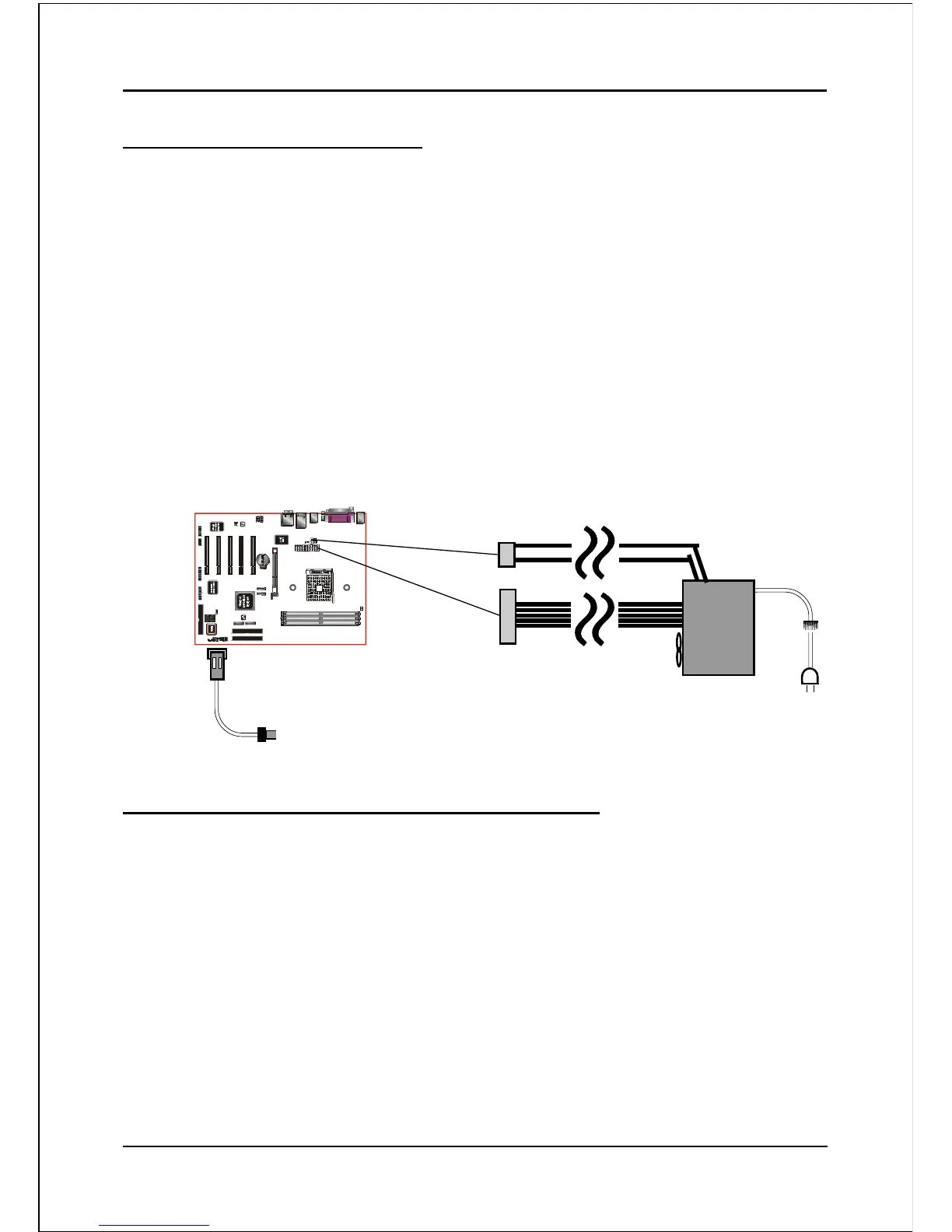
This board has a 20-pin ATX and a 4-pin ATX12V power supply connector to support
power supplies with Remote On/Off feature. The 4-pin ATX12V connector must be
plugged in for the system to operate safely. The chassis power button should be
connected to the mainboard front panel PW_ON header (Figure 11).
You can turn off the system in two ways: by pressing the front panel power On/Off
button or using the "Soft Off" function that can be controlled by an operating
system such as Windows
®
XP/ME/2000/98.
Note: For maintaining the DDR SDRAM power during STR (ACPI S3) function, it is strongly
recommended to use power supplies that have a +5VSB current of (>=) 2A. Please check the
5VSB’s specification printed on the power supply’s outer case.
Note: The board requires a minimum of 250 Watt power supply to operate. Your system configura-
tion (amount of memory, add-in cards, peripherals, etc.) may exceed this minimum power
requirement. To ensure that adequate power, use a 300 Watt (or higher) power supply.
PW-ON
Case (chassis) Power ON/OFF button (PW-ON)
12V 4-pin
20-pin
Figure 11: Simple ATX power ON/OFF controller



 To Next Page