BIOS
Page 4-9
OnChip Serial-ATA 3/4 (Optional)
This item enables/disables the S-ATA3/4 ports.
OnChip Serial-ATA 1/2
This item enables/disables the S-ATA1/2 ports.
IDE RAID
This item allows you to select the IDE RAID mode. When set to “Enabled” the
following eight fields become available.
Options: Enabled, Disabled.
IDE DMA transfer access
Automatic data transfer between system memory and IDE device with minimum CPU
intervention. This improves data throughput and frees CPU to perform other tasks.
Options: Enabled, Disabled.
IDE HDD Block Mode
IDE Block Mode allows the controller to access blocks of sectors rather than a
single sector at a time. The default is Enabled.
Options: Enabled, Disabled.
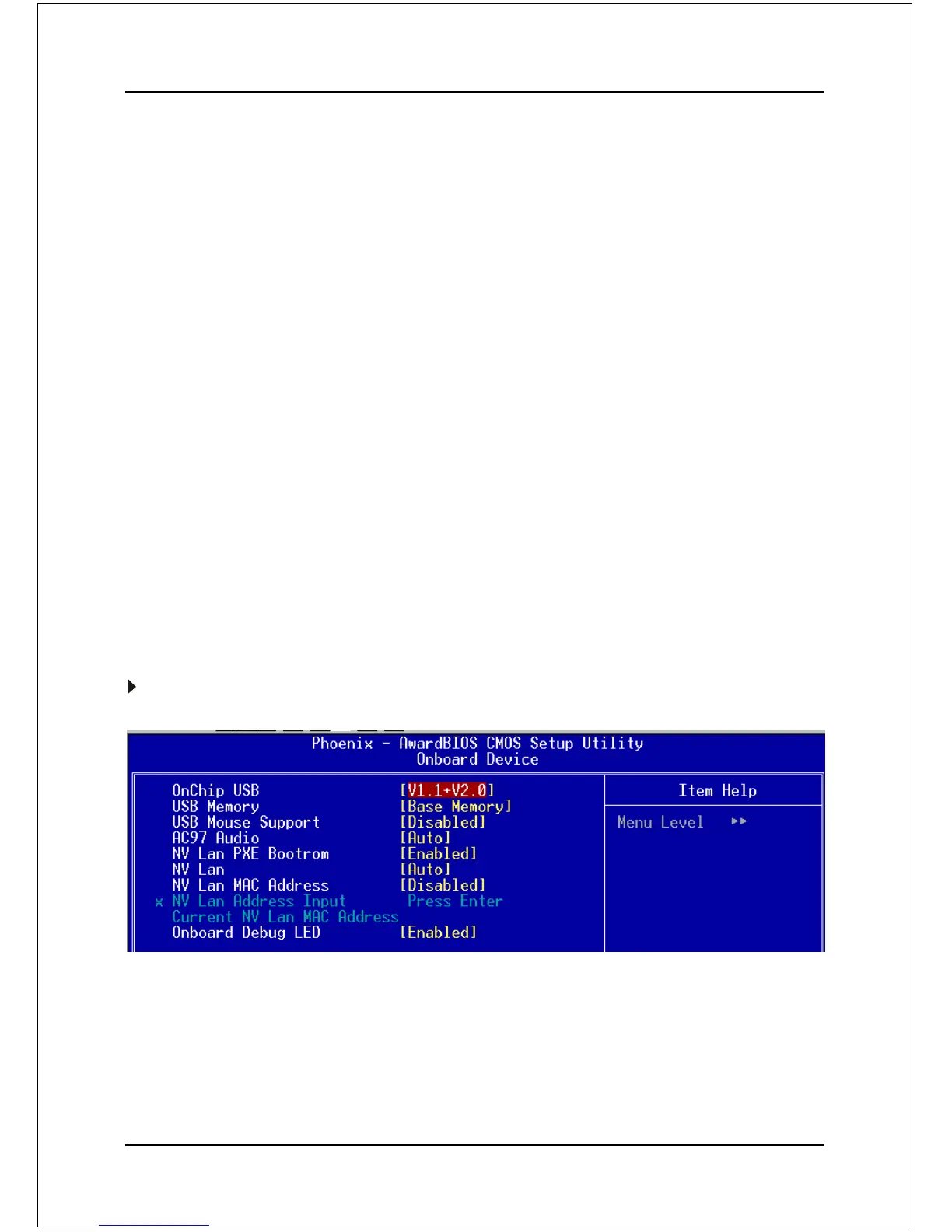
Onboard Device
Scroll to Onboard Device and press <Enter>. The following screen appears:
Onchip USB
Enables the USB controller.
Options: Disabled, V1.1+V2.0, V1.1.
USB KB/Storage Support
Enable/Disable support for USB keyboard/Storeage under DOS.
Options: Enabled, Disabled.



 To Next Page