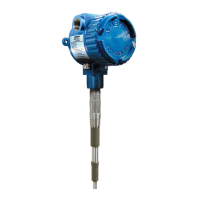
ThePoint Series
24
3.2 Testing Electronic Unit
Use the following steps to test the electronic unit:
1. Be sure environment is safe before removing lid from
housing.
2. Observe jumper on circuit board on top of electronic
unit (shown in Figure 2-6). Move jumper from current
setting to alternate setting [ to or vice versa].
Alarm & relay should change state.
3. If possible to access sensing element with material
below sensor, or remove ThePoint from vessel, touch tip
of sensor with your nger, while holding any bare metal
portion of instrument housing with other hand. Alarm &
relay should change state.
4. If ThePoint changes state while moving jumper, but not
while touching sensing element, in most cases, integral cable
is faulty. See Section - 3.6, Testing Integral Cable.
5. If ThePoint is stuck in one state:
A. Remove power.
B. Disconnect coax cable that joins sensing element to
electronic unit. See Section - 2.9, Sensing Element
Connection.
C. Apply power.
D. Repeat step 2.
E. If ThePoint changes state with sensing element
disconnected, in most cases, sensing element is faulty. See
Section - 3.1, Testing Sensing Element.
6. If there was no Change of state in either step 2 or step 3
and unit appears dead:
A. Remove and then reapply power.
B. Press (shown in Figure 2-6).
C. Observe the two LEDs ashing for about 60 seconds.
D. Green LED should be lit after 60 seconds.
E. Touch sensing element with your nger.
F. Alarm & relay should change state. If so, circuit board
is working properly.
G. Reinstall instrument and press .
7. If ThePoint fails all of above tests, in most cases instrument
is faulty. Use replacement electronic unit to determine the
fault. Consult factory.


 To Next Page
 Loading...