3-16 | 5830 Moisture Analyzer
Overview of keypad
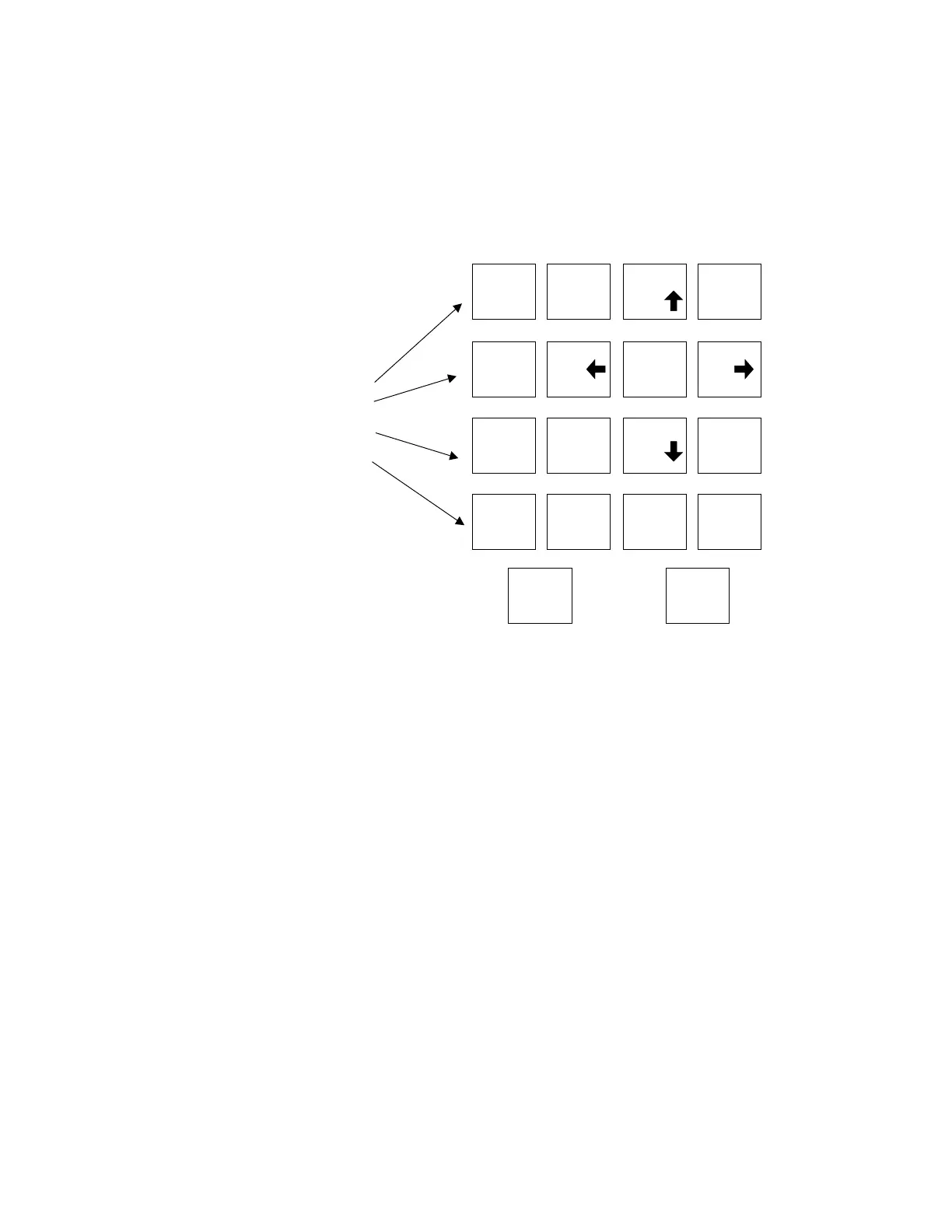
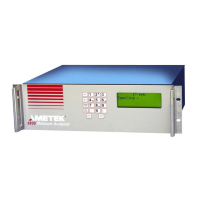
The Model 5830 Moisture Analyzer keypad (Figure 3-11) is used to access
menus and sub-menus and system values for the function keys, and to
set-up your analyzer parameters.
Function keys
Press one of the four function keys to access the main menu for that cat-
egory as well as sub-menus and system values.
ZERO Used to define on-demand zero settings,
and initiate a zero cycle.
ALARM Used to define alarm output settings.
ANALOG RANGE Used to scale the 4 to 20 mA output in pro-
portion to the moisture concentration.
TEST CONFIG Used to define device and communication
settings.
Arrow Keys (2, 4, 6, 8) Scroll up, down, left, and right through
menu items and system value lists.
Number Keys (0 through 9) Enter values. Use the (-) and (.) to enter
negative values or numbers that require a
decimal point.
Figure 3-11.
5830 analyzer keypad.
FUNCTION
KEYS
1
2
3
4
5
6
7
8
9
-
0
l
Test
Config
Analog
Range
Alarm
Zero
Cancel Enter


 To Next Page