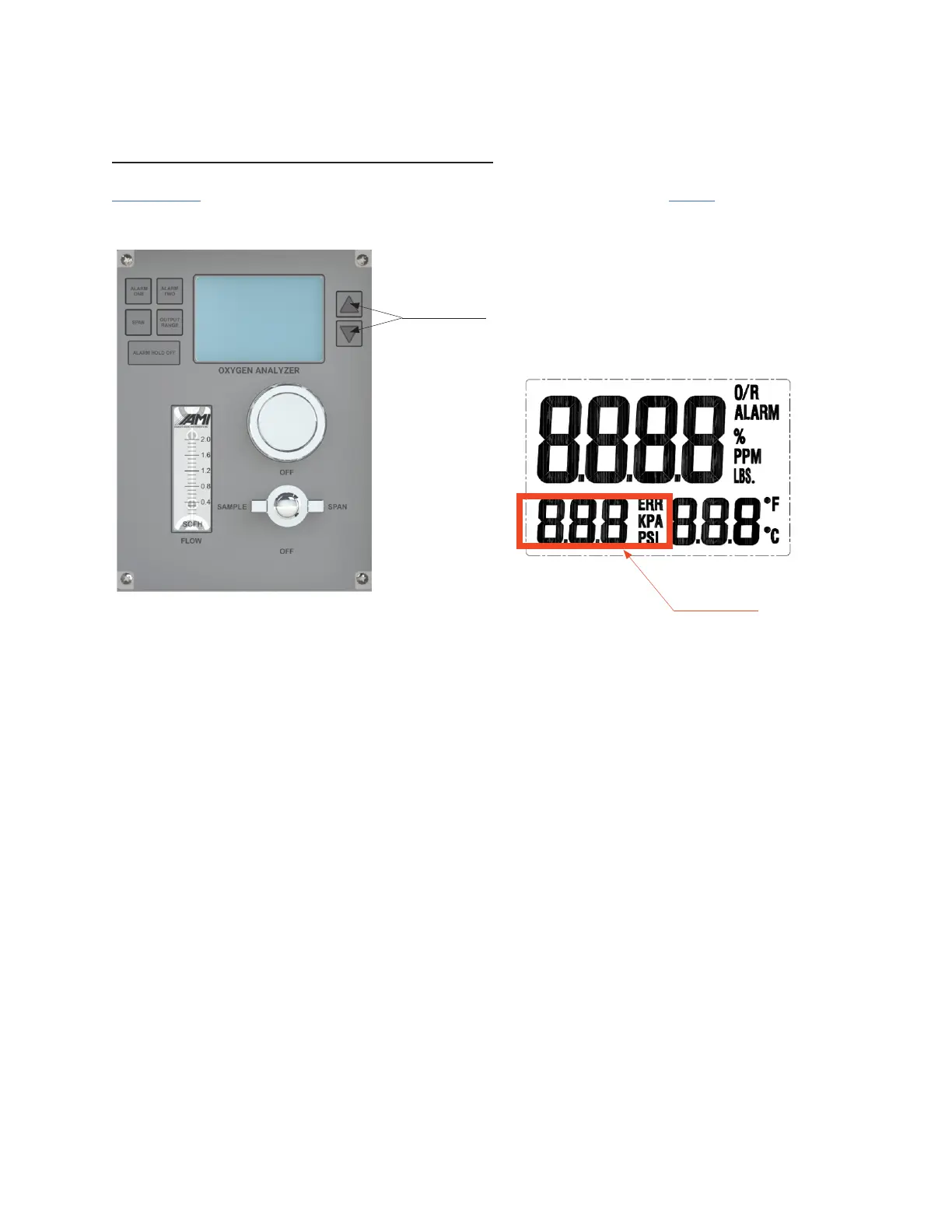
12. Press and hold the DOWN ARROW BUTTON until the 'PSI' indication on the LCD begins to blink
(this will take a few seconds).
INITIATION OF THE PRESSURE SENSOR
13. Then press the UP and DOWN ARROW BUTTONS until the pressure reading goes to a value
of '0.0 PSI'.
14. The LCD will revert back to operation mode in ~ 3 seconds when no buttons are pressed.
Up and Down
Arrow Buttons
Pressure Reading
IMPORTANT: YOU MUST CALIBRATE THE PRESSURE SENSOR READING TO 0.0 PRIOR TO ANY GAS
CONNECTIONS. THIS WILL CORRECT FOR ELEVATION VARIATIONS.
15



 To Next Page