12 TIME & DATE
If there is a need to adjust the real time clock, carry out the following procedure:
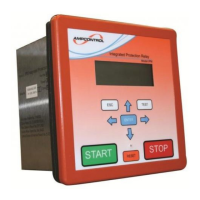
a. Using the Remote Display Module select the time and date information page (level 7, position 1)
to display the Day, Month, Year, Hours and Minutes.
_ _ _ _ _ _ _ _ _ _ _ _ _
MO
150599 09:46
b. Press the enter key. A “v” will appear in the top line above the minute section. This indicates the
number to be changed.
c. Use the left and right arrow keys to move the “v” to the desired position.
d. Press the enter key. The “v” now changes to a “?” The right arrow key is used to increment the
allowable value, once the desired value is obtained, press the enter key again. The “?” returns to
a “v”.
e. Repeat steps (c) and (d) until the correct time and date is displayed.
f. With the “v” showing press the lock push button. The “v” then changes to “E” (This is a prompt to
press the enter key).
g. Press the enter key. At that instant, the seconds are zeroed and the selected time/date
information is transferred to the internal clock.
If the battery voltage is low the time will zero and the date will reset to 1
st
January on power up. If the
battery is flat or faulty the relay is likely to trip on “main contactor fail” on power up.


 To Next Page