EasyManua.ls Logo

Ampcontrol IPD - User Manual

Ampcontrol IPD
96 pages
Print Icon
To Next Page IconTo Next Page
Loading...
Version: 14, September/2020
Designed and manufactured in Australia by Ampcontrol Pty Ltd
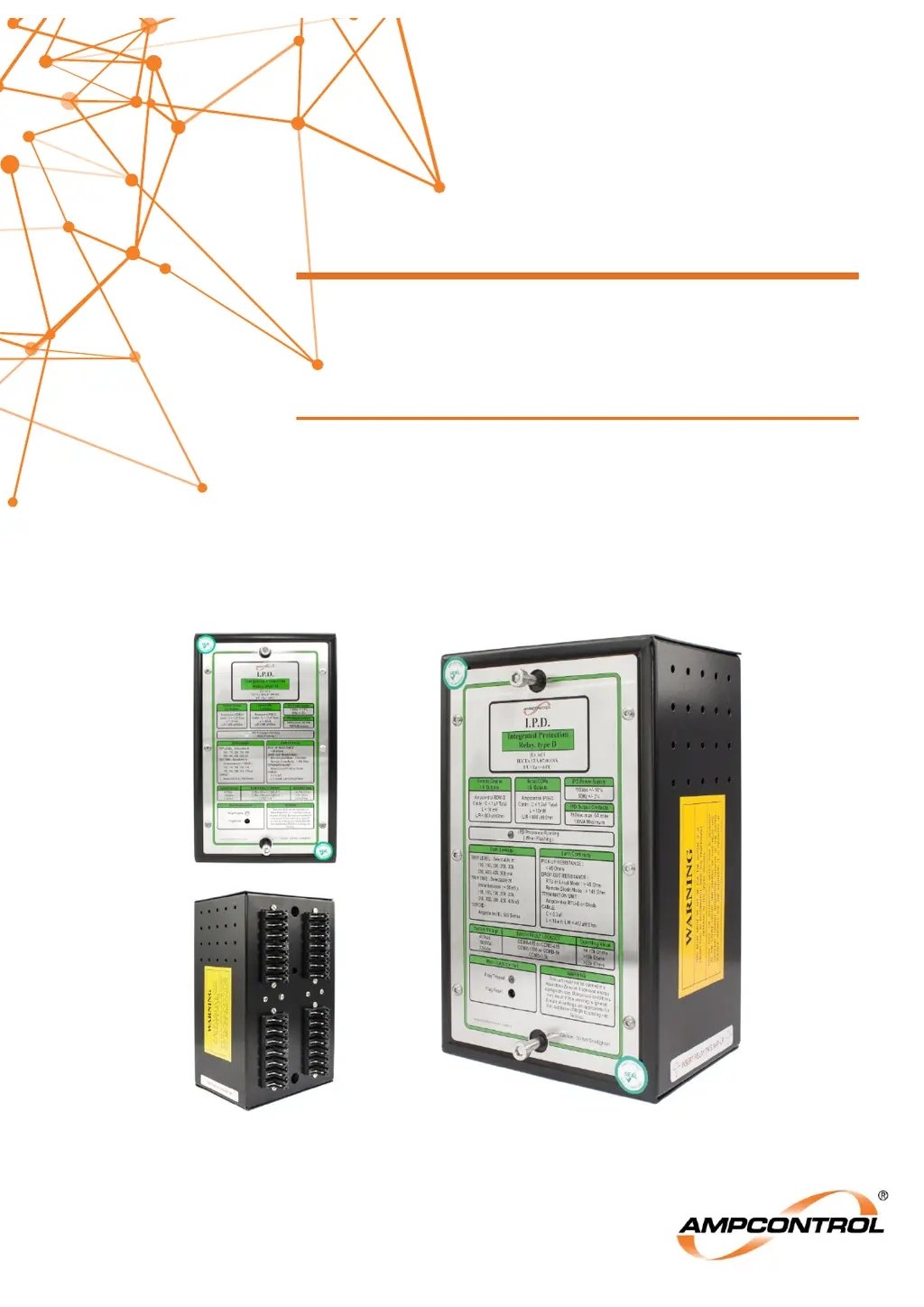
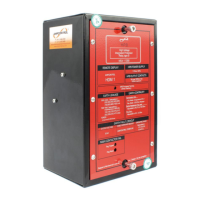
IPD
INTEGRATED PROTECTION RELAY
User Manual

Table of Contents

Questions and Answers

  • T
    thomaskimberlyAug 18, 2025
    Why won't my Ampcontrol Relay close and indicates an EC fault?
    • J
      James SnyderAug 18, 2025
      If an Ampcontrol Relay won't close and shows an EC fault, it could be due to a faulty pilot circuit, such as an open, high resistance, or shorted to earth. Try operating the relay with a dummy plug if in diode mode. If the issue persists, the pilot fuse should be checked. If the relay remains faulty after these checks, consider replacing it.
  • B
    brandon44Aug 20, 2025
    What to do if Ampcontrol Relay displays ‘Outlet Close Fail’ message?
    • W
      wgordonAug 20, 2025
      If an Ampcontrol Relay displays an 'Outlet Close Fail' message after start, it means the relay’s MCI input isn't closing within 5 seconds of the MCR relay pickup. Verify that the main contactor is closing. If it's not, inspect the circuit or replace the main contactor. Also, check the auxiliary contacts and wiring.
  • L
    Linda KnightAug 22, 2025
    Why does Ampcontrol Relay RDM display ‘Tripped-No Volts’ message?
    • A
      Anna CastroAug 23, 2025
      If the Ampcontrol Relay's RDM displays a 'Tripped-No Volts' message, the relay isn't receiving voltage feedback on one or more of the outlet phases when the contactor is closed. Check the system voltage display as the contactor closes and compare it with the undervoltage threshold. Also, check continuity from the relay, through the EFLO Test Module to power conductors by testing each phase to earth at the outlet, provided the circuit is isolated. A typical reading should be around 2655 kΩ.
  • A
    Alisha GillAug 25, 2025
    What causes Ampcontrol Relay to trip on MCF on power up?
    • C
      Charlotte FernandezAug 26, 2025
      If an Ampcontrol Relay trips on MCF during power up, it could be due to a main contactor fail condition, such as leakage across terminals or a frozen contactor. You should check the main contactor. Another potential cause is a flat or faulty battery; if this is the case, it is recommended that the relay be returned to Ampcontrol for battery replacement and full testing.
  • E
    Erika CastroAug 27, 2025
    How to troubleshoot a blank screen on Ampcontrol IPD remote display?
    • U
      uwelchAug 27, 2025
      If the remote display for your Ampcontrol Relay shows a blank screen and the RDM Healthy LED is off, it could be due to a loss of power to the display. Ensure the relay has power and is correctly plugged in, as the relay provides 15V DC to the RDM. Check the cable connecting the RDM and the relay. Another possibility is a faulty display module, which would require replacement.
  • M
    Makayla SmithAug 30, 2025
    What does 'Locked Out - Fan' status mean on Ampcontrol Relay?
    • B
      Brian ClarkAug 30, 2025
      If your Ampcontrol Relay displays a 'Locked Out - Fan' message, the relay is waiting for the fan interlocking system. If interlocking isn't needed, connect a 10 kΩ resistor between terminals 9 and 12. If fan interlocking is used, ensure the fan is running and the current threshold setting in the fan outlet’s RTU is correct. The Fan Outlet IPD should pick up its FID signal, which causes all other relays to pick up their FIR signal. Check these conditions at level 6, position 4. Also, check the wiring between the fan relay and other relays (terminal 9).
  • I
    ibaileySep 1, 2025
    How to fix Ampcontrol Relay RTU Memory Error?
    • K
      Kenneth GarrettSep 1, 2025
      If an Ampcontrol Relay displays an RTU Memory Error, it indicates that either the RTU is not online or the RTU’s non-volatile memory has been corrupted. First, check that the RTU is online (level 3, position 1), ensuring a healthy pilot loop. If the RTU is online, examine the Group 2 Settings stored in the RTU (level 9). If any settings show '???', reprogram the lost settings into the RTU memory.
  • L
    Lisa AnthonySep 4, 2025
    What does IPD Memory Error mean on Ampcontrol Relay in diode pilot mode?
    • S
      Sharon RamirezSep 4, 2025
      If your Ampcontrol Relay shows an IPD Memory Error in diode pilot mode, there may be corruption in the Group 1 or 2 settings stored in the IPD Relay. Examine the Group 1 and 2 Settings (level 8 and 9) to check the stored parameters in the non-volatile memory. Re-program lost settings into the memory.
  • T
    Tanya ButlerSep 6, 2025
    How to resolve IPD Memory Error on Ampcontrol Relay in RTU pilot mode?
    • M
      Megan WagnerSep 6, 2025
      If an Ampcontrol Relay displays an IPD Memory Error in RTU pilot mode, it indicates corruption in the Group 1 Settings in the IPD Relay. Examine the Group 1 Settings (level 8) to check the stored parameters in the non-volatile memory. Re-program lost settings into the memory.
  • C
    colin07Sep 9, 2025
    Why does Ampcontrol Relay time and date reset on power up?
    • J
      Jasmine MelendezSep 9, 2025
      If the time and date are incorrect and reset to 1/01/9? on power up for your Ampcontrol Relay, it is likely due to a low IS battery. It is recommended that the relay be returned to Ampcontrol for battery replacement and full testing.

Summary

Version History

IPD Hardware Version History

Details the evolution of the IPD relay's hardware versions and their release dates.

IPD Software Version History

Chronicles the software updates for the IPD relay, including changes and release dates.

RTU-D Version History

Tracks the development and changes in the RTU-D firmware versions.

Safety and Other Warnings

Safe Use of Equipment

Provides essential guidelines for the safe operation and handling of the IPD relay.

Operational Restrictions and Limits

Outlines the boundaries and conditions for safe and effective operation of the IPD relay.

Product Overview

IPD Integrated Protection Relay

Introduces the IPD relay, its microprocessor technology, and primary protection functions.

Accessories

Details the essential and optional accessories required for the IPD relay's functionality.

Installation

General Warnings

Emphasizes critical safety considerations and prerequisites before installing the IPD relay.

Mandatory Installation Practices

Specifies required procedures and standards for the correct and safe installation of the IPD.

Mechanical Installation Information

Covers physical mounting, enclosure requirements, and dimensional details for the IPD relay.

Electrical Installation Information

Details wiring techniques, grounding, and connections for intrinsically safe and high voltage circuits.

Commissioning and Calibration

Earth Leakage Test

Procedure for testing the earth leakage protection function with fault current injection.

Earth Fault Lockout Test

Details the test for earth fault lockout protection, including intrinsically safe and HV tests.

Over Current; Motor Overload Current Injection

Tests for over current and motor overload protection using secondary injection on CTs.

Short Circuit Current Injection

Procedure for testing the short circuit protection function via secondary injection.

Remote Display Module (RDM-D)

Trip; Status Messages

Lists and explains the twenty-nine status messages displayed by the RDM-D.

Last Trip Status Messages

Details messages displayed for non-latched trips saved in the IPD Relay's register.

Machine Communication

Remote Termination Unit (RTU-D)

Describes the RTU-D's role in machine communication, parameter storage, and I/O functions.

Machine Type Codes

Lists selectable machine type codes transmitted to identify connected machinery.

Machine Type Number

Explains the assignment and programming of machine numbers (1 to 40) via the RDM.

Earth Protection Functions

Earth Leakage Protection

Details the earth leakage protection function, its operation, and parameter settings.

Earth Fault Lockout Protection

Explains the earth fault lockout function, including insulation tests and operation.

Earth Continuity Protection

Describes the earth continuity test for earthing integrity via the pilot core.

Current Related Functions

General Information

Overview of how the IPD uses current transformers for protection functions.

Time Dependent Current Protection

Details Over-Current and Motor Overload protection characteristics and operation.

Short Circuit Protection

Explains the definite time characteristic of short circuit protection and its settings.

Phase Current Balance

Covers the phase current balance protection function and its measurement calculation.

Transient Overreach Compensation

Describes the 'START TRANSIENT' mode to compensate for spurious tripping.

Voltage Related Functions

Main Contactor Fail Protection

Details the Main Contactor Fail (MCF) protection operation and tests.

Under-Voltage Trip

Explains the under-voltage protection function and its trip level settings.

Voltage Metering

Describes how line voltages are displayed and used for metering and fault leakage.

Fan Control

Fan Interlocking

Details the fan interlocking facility to prevent outlet energisation until fans are operational.

Interlocking Sequence

Explains the step-by-step operation of the fan interlocking system.

User Adjustable Settings

Parameter Groups

Describes the two groups of adjustable settings stored in the IPD relay's memory.

Changing Parameter Settings

Provides the procedure for modifying settings via the Remote Display Module.

Changing the Time & Date Settings

Details the process for adjusting the real-time clock of the IPD relay.

System Control

Inputs and Outputs

Details the digital inputs and output relays (MCR, CBR) of the IPD relay.

Outlet Control

Explains how the outlet is energized via local or remote operation based on 'Remote Start'.

Operational Sequence

Describes the sequence of operations for starting, stopping, and uncommanded opens.

Service, Maintenance & Disposal

Equipment Service

Outlines routine inspections, both visual and hands-on, for equipment service.

Equipment Maintenance

Covers maintenance requirements, repair procedures, and testing intervals for the IPD.

Disposal

Provides guidance on the environmentally responsible disposal of electronic equipment.

Ampcontrol IPD Specifications

General IconGeneral
Operating Voltage24 VDC
Storage Temperature-40°C to +85°C
Relay TypeSolid State Relay
ApplicationIndustrial Control
Communication ProtocolModbus RTU
Contact ConfigurationSPST-NO
Insulation Resistance100MΩ min

Related product manuals