6.7 Short Circuit Current Injection
Test the Short Circuit protection by carrying out secondary injection on the CT terminals of the IPD.
Inject a current value relevant for the settings employed into one of the CT terminals and ensure that all
relevant tripping circuits operate successfully, in the time expected, and that latched trips may be reset in
the appropriate manner. Repeat on the second set of CT terminals.
6.8 Current Detection in CTs
Ensure the integrity of the current-detection CTs by injecting primary current into the CT aperture and
validating the reading on the RDM.
6.9 Main Contactor Fail
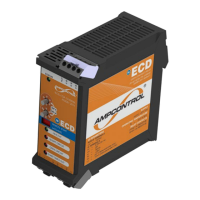
Validate the correct operation of the CCMD and MCF protection by applying a voltage on the load side of
the contactor. The voltage must be >10% of the rated voltage of the CCMD. Ensure that a CBR trip is
initiated by the IPD which can only be reset by pressing the MCF reset on the IPD relay.
6.10 Voltage Measurement
Validate the voltage measurement function of the IPD by checking the measured voltages on the RDM
when the main contactor is closed.
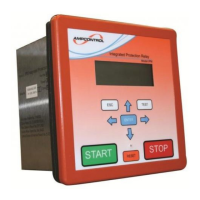
6.11 RDM
Ensure that the RDM is functioning correctly by operating the menu system and checking that the
corresponding trip indication LED is illuminated with each trip test conducted.
6.12 PLC Interface
The correct operation of the PLC interface is determined by polling the IPD relay from either a PLC or a
MODBUS capable PC, via the IPSI.
6.13 RTU
Validate the correct operation of the RTU by making changes to Group 2 settings, moving the machine
to a different outlet and ensuring that the correct settings are available on the new outlet.
6.14 Start, MCI and Stop Inputs
Ensure that the digital inputs to the IPD are operating correctly by initiating an outlet start via the START
input. Wait 10 seconds to ensure that the MCI input has been correctly operated, and then initiate a
contact open via the STOP input. Ensure that the outlet correctly de-energises.


 To Next Page