APPROVED FOR EXTERNAL DISTRIBUTION
– PROPERTY OF AMPCONTROL PTY LTD
– NOT TO BE REPRODUCED IN PART
13.2 Changing Parameter Settings
The procedure for adjusting the settings is independent of where the values are stored. The pilot mode
should be checked prior to making any other adjustments to be certain the changes are made to the
desired memory.
1. Ensure the outlet is stopped.
2. For Group 2 Settings in RTU Mode, ensure RTU is on line.
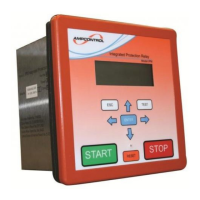
3. Display the parameter that has to be changed on the Remote Display Module’s liquid crystal
display.
4. Momentarily operate the lock push button. A warning message appears.
5. Press the enter button to acknowledge the warning message and to confirm that a change is
desired.
6. Use the left and right arrows to step through the allowable values until the desired new setting is
displayed. If the right arrow key is pressed when viewing the last parameter the display wraps
back around to show the first parameter.
7. Press the enter button to indicate that the value is the required setting.
8. Momentarily operate the lock push button. The display will show a confirming message then
return to the viewing level.
If the up or down keys are operated during the procedure the IPD Relay aborts the modifying sequence.
When changes have been made to the stored values, the old value and the new value are stored in the
event log.
A separate log immediately proceeds this recording the time and date that the change was made.
While in the diode mode the IPD Relay can be pre-set with operating
values in the Group 2 memory prior to switching to the RTU mode.
When in this mode the relay uses the Remote Termination Unit settings.
If the Remote Termination Unit is replaced with a diode and the “Pilot
Mode” switched back to diode, the settings will revert back to the values
pre-set in the IPD Relay.


 To Next Page