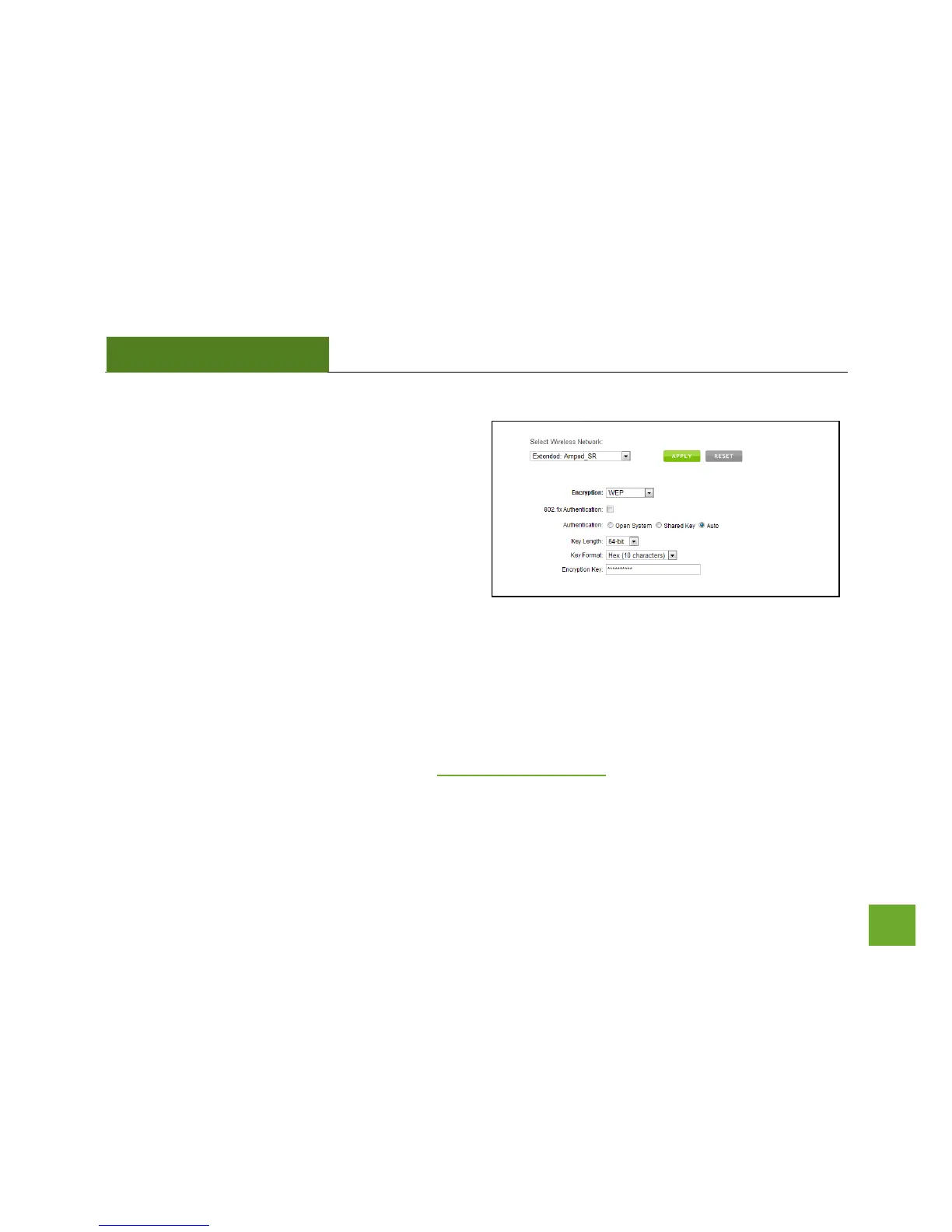
Wireless Settings: Security
Wireless security allows you to change the type of
wireless security settings for your Extended Network
or your Home Network.
Note: If you adjust the security in your Home Network
and it is incorrect, you will no longer have a successful
connection to your Home Network.
Using the drop down menu, you can select which network you wish to configure and may adjust the security
settings below.
If you are using the Multiple AP/SSID feature, you will be able to adjust the security settings for your additional
SSIDs here as well.
For more information on the differences between the types of Wi-Fi security available, please check the
Learning Center of the Amped Wireless website: www.ampedwireless.com


 To Next Page