AMYET S6 E-BIKE
9
2.Display Interface Switching
When the instrument is switched on, the instrument displays real-time speed (km/h) and
total mileage (km) by default. Short press the
M key to display information to switch
between total mileage (km), single mileage (km), maximum speed (km/h), and average
speed (km/h).
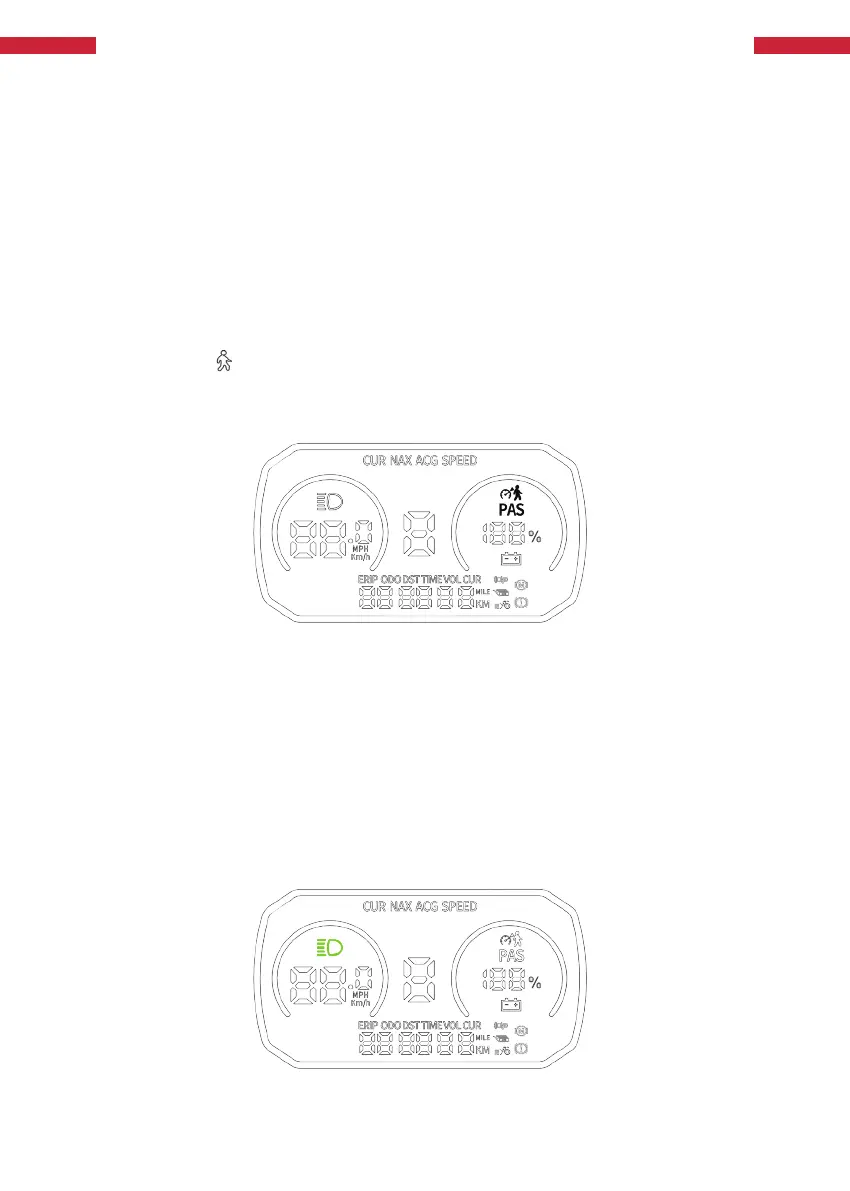
Long press when the electric vehicle is stationary For 2 seconds, the e-bike enters the
assisted travelling mode. The e-bike will travel at a fixed speed of 6 km/h. The display
shows and symbols Display. Release the button and the e-bike will exit the walk assist
mode. When the e-bike is in riding mode, long press the 2s enters the real-time cruise
mode and cancels the cruise if it is currently in cruise mode.
3.Assisted Push And Cruise Control
-
-
4.Switch On/Off The Headlights
+
The power push function can only be used when the user is pushing, please do not use it
while riding.
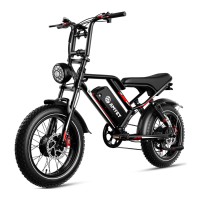
Long press key for 3 seconds to turn on the headlight, the instrument backlight is
dimmed; short press the key again to make the controller turn off the headlight,the
instrument backlight returns to brightness.
Figure 3 SX985 Functional Area Distribution Interface
Figure 4 SX985 Functional Area Distribution Interface


 To Next Page