EasyManua.ls Logo

Anden A320V3 - User Manual

Default Icon
20 pages
Print Icon
To Next Page IconTo Next Page
Loading...
DEHUMIDIFER CONTROL
ON/OFF BUTTON
USED TO TURN
DEHUMIDIFIER ON
AND OFF
UP/DOWN
BUTTONS USED TO
CHANGE HUMIDITY
SETTING
MODE BUTTON
USED FOR
OPTIONAL FEATURES
INLET
FILTER
OUTLET
SAFETY INSTRUCTIONS
WARNING
1. High voltage may cause serious injury from electric shock. Disconnect electrical power before starting installation or servicing. Leave power
disconnected until installation/service is completed.
2. Sharp edges may cause serious injury from cuts. Use care when cutting plenum openings and handling duct work.
3. Dropping may cause personal injury or equipment damage. Handle with care and follow installation instructions.
CAUTION
1. Read all instructions before beginning installation.
2. This appliance is not intended for use by persons (including children) with reduced physical, sensory or mental capabilities, or lack of
experience and knowledge, unless they have been given supervision or instruction concerning use of the appliance by a person responsible
for their safety. Children should be supervised to ensure that they do not play with the appliance.
3. Do not use in pool applications. Pool chemicals can damage the dehumidifier.
4. Do not use solvents or cleaners on or near the circuit board. Chemicals can damage circuit board components.
5. Wait 24 hours before running the unit if it was not shipped or stored in the upright position
6. If the supply cord is damaged, it must be replaced by the manufacturer, its service agent or similarly qualified persons in order to avoid a hazard.
READ AND SAVE THESE INSTRUCTIONS
Model A320V1 and A320V3 Dehumidifier
Installation and Operating Instructions
90-2432
10013678 B2208381E 10.21
English 1

Other manuals for Anden A320V3

Questions and Answers

  • A
    Adam ThompsonAug 18, 2025
    Why is my Anden A320V3 producing hot air?
    • J
      Jonathan OsborneAug 18, 2025
      It's normal for the Anden Dehumidifier to produce hot air. The air is reheated as it passes across the condenser coil, which causes the temperature to rise between the inlet and outlet.
  • M
    Mary PowersAug 20, 2025
    How to fix Anden Dehumidifier blower running but with little or no airflow?
    • J
      Julie SmithAug 20, 2025
      If your Anden Dehumidifier blower is running with little to no airflow, you should: * Check the dehumidifier's air filter and replace it if needed. * Inspect the ductwork for any blockages and clear them. * Make sure that the outlet collar with backflow damper is installed on the outlet side of the dehumidifier. * Check the backflow damper for any obstructions or if it's stuck, and remove any blockage.
  • M
    manningkennethAug 22, 2025
    What to do if my Anden A320V3 does not turn on?
    • P
      Patty Merritt MDAug 23, 2025
      If your Anden Dehumidifier is not turning on, make sure that: * The dehumidifier is properly plugged in. * The power switch is in the ON position. * The control is turned ON. * The circuit breaker hasn't tripped.
  • M
    Mary JordanAug 26, 2025
    Why is my Anden A320V3 Dehumidifier not draining properly?
    • J
      Jesus RhodesAug 26, 2025
      If your Anden Dehumidifier is not draining properly, first ensure that the unit is level. Then, check the drain line for any blockages and make sure it has a continuous downward slope.
  • E
    Eric RamirezAug 28, 2025
    How to stop coil frosting in my Anden A320V3 Dehumidifier?
    • S
      Sarah CobbAug 28, 2025
      If your Anden Dehumidifier's coil is frosting, it may be due to: * Lack of or reduced airflow: Check the air filter and wash or replace it. * Blocked ductwork: Inspect the ductwork for blockages. * Inlet air conditions below 60°F: Increase the humidity setting.
  • A
    Albert DickersonAug 30, 2025
    What causes the Anden A320V3 blower to run but the compressor not?
    • B
      Brenda PerezAug 30, 2025
      If the Anden Dehumidifier blower is running, but the compressor isn't, check the connections at the control board and empty the condensate pan if a float switch is installed. If there is no float switch installed, ensure the jumper is installed at the float switch terminals on the control board.
  • E
    Emily ParkerSep 2, 2025
    What does error E7 mean on my Anden A320V3 Dehumidifier and how do I fix it?
    • D
      deniseayersSep 2, 2025
      If the Anden Dehumidifier displays error code E7, you should empty the condensate pan and check the float switch connection at the control board. If you are not using a float switch, verify that the jumper is between the float switch terminals on the dehumidifier control board. If the problem continues, consider replacing the float switch.
  • T
    Taylor LewisSep 4, 2025
    How to troubleshoot error code E4 on Anden A320V3?
    • C
      Cathy DavisSep 4, 2025
      If the Anden Dehumidifier displays error code E4, check the frost sensor connection at the power board and ensure the terminal is fully seated. Remove the side access panel and verify that the sensor is secured to the suction line. Reset the fault by cycling power to the dehumidifier. Turn the humidity setting down (below room/home humidity level) to make a dehumidification call. Allow the fan and compressor to run for approximately 10-15 minutes and then enter diagnostic test mode. Record values and call Technical Support.
  • N
    Nicole MckinneySep 7, 2025
    What does error code E5 mean on my Anden Dehumidifier?
    • B
      bradley98Sep 7, 2025
      If the Anden Dehumidifier displays error code E5, check the high temperature sensor connection at the power board, ensuring the terminal is fully seated. Remove the side access panel and verify the sensor is not damaged and is connected to the refrigeration line coming from the compressor. It may need to be replaced with Part No. 5456 – contact Technical Support to confirm.
  • A
    Ann SheltonSep 9, 2025
    How do I fix error code E6 on my Anden A320V3?
    • B
      Bryan Thomas Jr.Sep 10, 2025
      If the Anden Dehumidifier displays error code E6, check the low temperature sensor connection at the power board. Remove the side access panel and verify the sensor is not damaged and connected to the suction line. It may need to be replaced with Part No. 5455 – contact Technical Support to confirm.

Summary

Safety Instructions

General Safety Warnings

Critical safety warnings regarding high voltage, sharp edges, and dropping hazards.

Operational Cautions

Important cautions for safe operation, including supervision, pool use, cleaning, and cord replacement.

Specifications

Drain Installation

Hard Wiring - Line Voltage

Hard Wiring Electrical Service

Step-by-step guide for hard-wiring the dehumidifier, including wire gauge and breaker size.

Start Up and Sequence of Operation

On-Board Control Operation

How to operate the dehumidifier using its internal control panel.

System Set-up & Checkout

Wiring and Set-up

Codes

Dehumidifier Error Codes

List of error codes and their corresponding failure modes for diagnostics.

Troubleshooting

Diagnostic Codes and Actions

Detailed table of diagnostic codes, failure modes, and recommended actions.

Overview

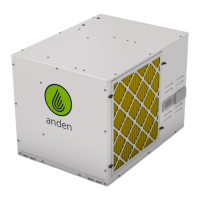
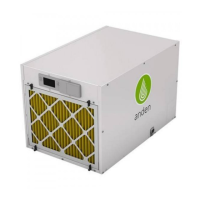
The Anden Model A320V1 and A320V3 Dehumidifiers are designed to control humidity levels in various environments. These units are capable of removing significant amounts of moisture from the air, contributing to improved air quality and preventing issues associated with high humidity.

Function Description:

The primary function of these devices is dehumidification. Air is drawn into the unit through an inlet, passes through a filter, and then over cooling coils where moisture condenses. The dehumidified air is then reheated and discharged through an outlet. The units feature an on-board control panel with an ON/OFF button to power the unit, UP/DOWN buttons to adjust the desired humidity setting, and a MODE button for accessing optional features and installer settings. The display shows the current humidity setting, measured humidity, and operational status (e.g., "AIR SAMPLING," "DEHUMIDIFYING," "REMOTE," "EXTERNAL").

The dehumidifiers can operate in two primary modes:

  1. Using the Dehumidifier Control: The unit samples the air, compares the measured humidity to the setpoint, and activates the compressor if the humidity is above the setpoint. It continues to dehumidify until the humidity drops 3% RH below the setpoint. The sampling rate can be adjusted in the installer set-up.
  2. Using an External Control (e.g., Model A77 or dry contact control): The dehumidifier can be wired to an external control that measures humidity and signals the unit to turn on or off. In this mode, the dehumidifier's on-board display will show "REMOTE" or "EXTERNAL," indicating that it is being controlled externally. This setup is particularly useful for precise humidity management in specific areas, such as near a plant canopy, and eliminates the need for the dehumidifier's blower to run solely for sampling.

Important Technical Specifications:

  • Environmental:
    • Operating Temperature Range: 50°F - 104°F
    • Operating Dew Point Lower Limit: 40°F
  • Electrical (Model A320V1):
    • Voltage: 208-240 VAC (~), 1ø, 60 HZ
    • Operating Current: 11.1A @ 80°F, 60% RH
    • Efficiency: 2.9 L/kW-hr (6.0 pints/kW-hr) @ 80°F, 60% RH
    • Recommended Breaker Size: 20A
    • Recommended Wire Gauge: 12 Gauge, Copper
    • Maximum Fuse or Breaker Size (MOCP): 30A or lower
    • Minimum Circuit Ampacity (MCA): 21.9A at 208V
  • Electrical (Model A320V3):
    • Voltage: 277 VAC (~), 1ø, 60 HZ
    • Operating Current: 9.1A @ 80°F, 60% RH
    • Efficiency: 2.6 L/kW-hr (5.5 pints/kW-hr) @ 80°F, 60% RH
    • Recommended Breaker Size: 20A
    • Recommended Wire Gauge: 12 Gauge, Copper
    • Maximum Fuse or Breaker Size (MOCP): 25A or lower
    • Minimum Circuit Ampacity (MCA): 18.5A at 277V
  • Mechanical:
    • Weight: 180 lbs (without packaging)
    • Drain Size: 3/4" FNPT
    • Capacity: 320 PPD @ 80°F, 60% RH
    • Filter: MERV 11
    • Airflow: 830 CFM (free flow)
  • Dimensions:
    • Height: 37 inches
    • Width: 25 inches
    • Depth: 24 inches

Usage Features:

  • Flexible Installation: The dehumidifiers can be floor-mounted (requiring a leveling feet kit, not included) or suspended using hanging brackets (included) and threaded rods. Proper leveling is crucial for effective drainage.
  • Ducting Capability: A duct kit (part number 5807, not included) can be used to integrate the dehumidifier into a ductwork system, allowing for remote air intake and discharge.
  • External Control Options: The units support control via the Anden Model A77 control or any alternative dry contact humidity control system. This allows for centralized or specialized humidity management.
  • Daisy Chain Wiring: Multiple dehumidifiers can be wired in a daisy chain configuration, controlled by a single Model A77 or dry contact dehumidistat. This enables synchronized operation of several units to manage humidity across larger or multiple areas.
  • Adjustable Humidity Setting: Users can set their desired relative humidity level using the UP/DOWN buttons on the control panel or external controls.
  • Installer Set-up Menu: A dedicated installer menu allows for configuration of settings such as air sampling rate and RH offset, and enables/disables external control.
  • Installer Test Mode: A four-minute test mode verifies proper wiring and operation of all components, including the compressor and blower.

Maintenance Features:

  • Filter Access: The MERV 11 filter is easily accessible for removal and replacement, requiring a minimum of 18 inches of clearance at the inlet side. Regular filter changes are essential for maintaining airflow and efficiency.
  • Drainage System: The unit includes a 3/4" FNPT drain for condensate removal. A P-trap (included) is required for proper draining, and a vacuum break is recommended if connecting to a condensate pump or shared drain line.
  • Float Switch Integration: A condensate overflow safety switch (float switch) can be wired to the dehumidifier's control board to prevent overflow in case of drainage issues.
  • Diagnostic Codes: The control panel displays error codes (E1-E8) to indicate specific failures such as sensor malfunctions, communication loss, insufficient capacity, or float switch open. These codes aid in troubleshooting and identifying the root cause of operational problems.
  • Troubleshooting Guide: The manual provides a comprehensive troubleshooting guide with common symptoms, possible reasons, and step-by-step procedures to resolve issues, including checks for power, filter condition, ductwork blockages, and unit leveling.
  • Service Parts List: A detailed list of service parts with corresponding part numbers is provided, facilitating easy identification and ordering of replacement components.

Anden A320V3 Specifications

General IconGeneral
ModelA320V3
Moisture Removal Capacity320 pints per day
Voltage115V
Power Supply115V/60Hz
RefrigerantR410A
Dimensions25.2" x 25.2" x 48.9"
Weight105 lbs
Auto RestartYes
Continuous DrainageYes
Warranty5 years

Related product manuals