12
following two ways:
You can add extra ingredients to the
baking pan with your basic ingredients
at the start of a programme. If you
choose to add the extra ingredients at
the start of the programme they will not
be kept whole but will add more avour
and depth to the bread.
Extra ingredients can also be placed in
the dispenser of the bread maker and
will be added to the dough
automacally at the correct me.
Please note that you can incorporate
ingredients into the dough before
shaping the dough and baking, by hand
using the Dough Only programme.
Using the appliance to make a loaf
1. Lay the appliance on a rm and even
surface. Place the baking pan in posion
and press down unl a click can be
heard. Once you have ed the baking
pan, aach the kneading blades to the
axis of the bread pan.
2. Prior to baking it is advised that you
grease the inside of the n with
margarine, this should be done before
placing the kneading blades on the axis.
This will stop the dough from scking to
the kneading blades and will make it
easier to remove.
Note: Before selecng a programme the
user needs to decide if the recipe will
require a large baking n or the two small
baking ns (sold separately).
Aenon: if you are using the two small
baking ns, It is possible to use the same
dough in both baking ns or use two
dierent dough’s however they need to
be able to bake on the same funcon. For
example you cannot bake bread and cake
at the same me.
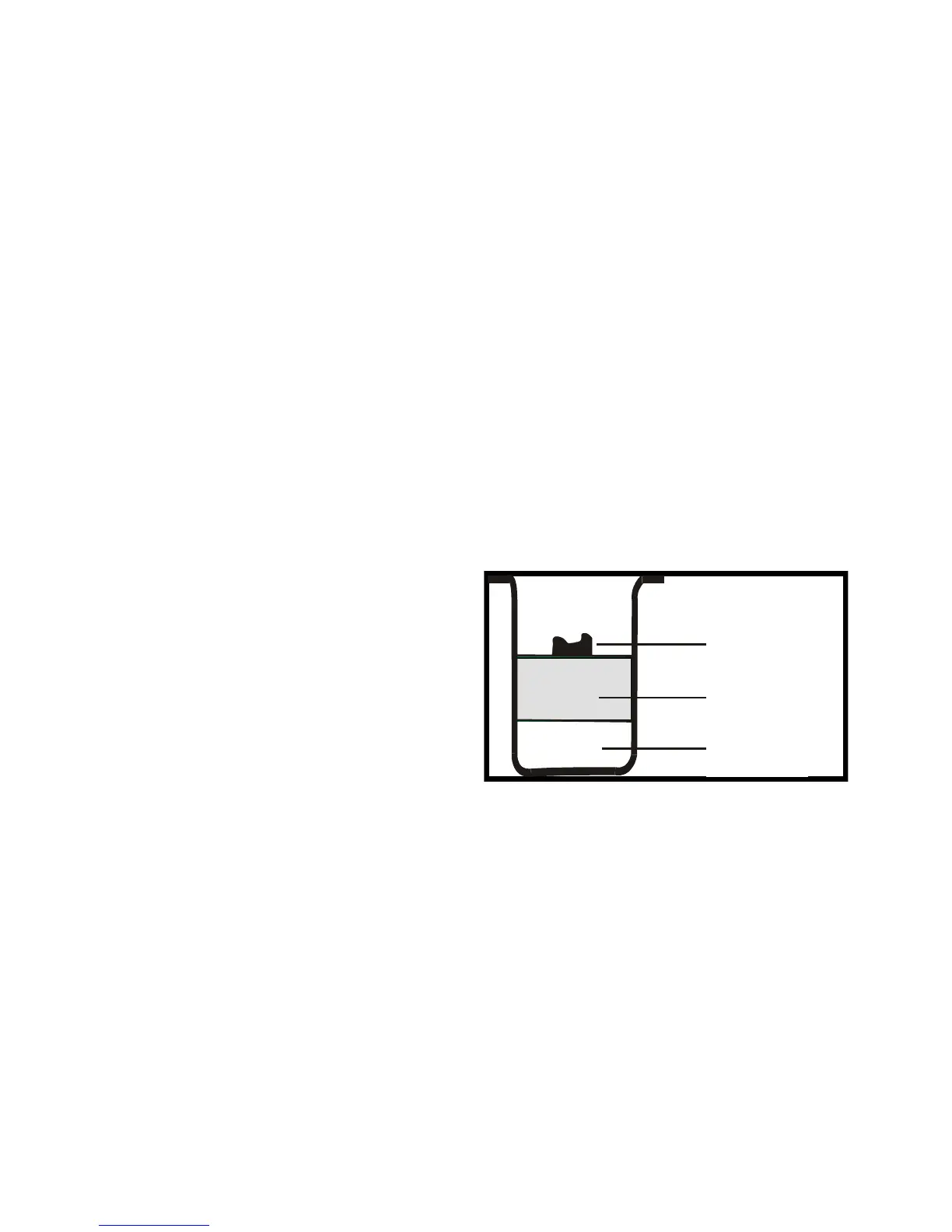
3. Place the ingredients into the bread
pan, pung the water in rst followed
by the sugar, salt and our. Always
add the yeast or baking powder last.
This should be done by placing a small
Indentaon in the our making sure it
avoids contact with the liquid or salt.
4. Close the lid gently and plug the
power cord into a wall outlet.
5. Press the MENU buon unl your
desired programme is selected. Press
the LOAF SIZE (if applicable) buon to
select the desired size.
6. Press the COLOUR (if applicable)
buon to select the desired crust
colour (if applicable).
8. Press the START/ STOP buon to start
水或液体
干的配料
酵母或苏
Yeast or soda
Dry ingredients
Water or liquid


 To Next Page