6
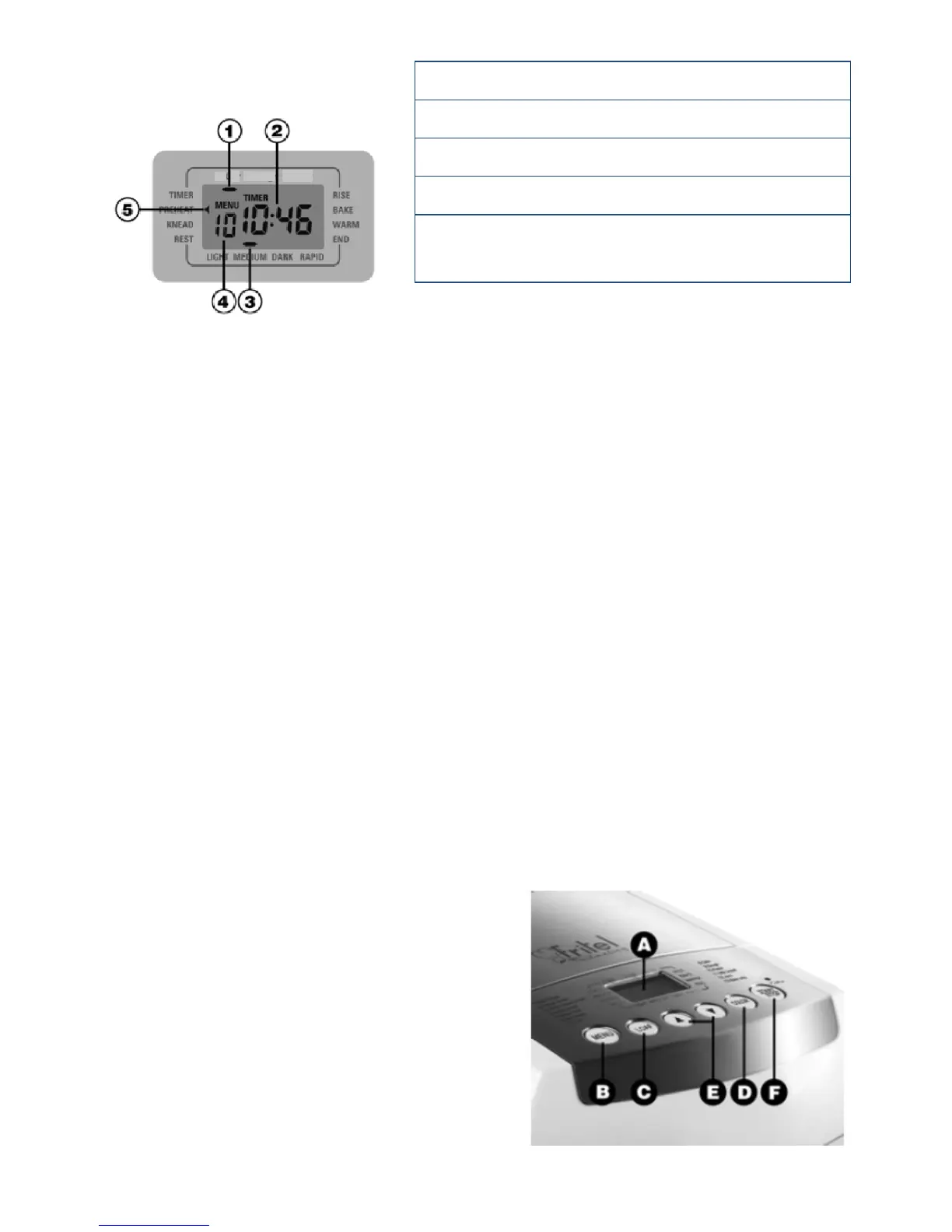
LCD Panel
1. Loaf size: M/L/XL
2. Baking me of the selected programme
3.. Crust colour: light/medium/dark/rapid
4. Programme choice: 1-13
5. Current stage of baking process: Preheat/
Knead/ Rest/ Rise/ Bake/ Warm/ End
Control panel
A. LCD screen
B. Menu – select between funcons 1-13
C. Loaf size– Select between M / L / XL,
available for funcons 1-6,8 and 11. The
selected loaf size and operaon me
will be displayed on the LCD screen.
D. Crust colour– Select between Light/
Medium/ Dark for funcons 1-6,8 and
11. The programme can also be used to
accelerate the baking me of funcons
1, 2 and 3 by pressing the “Colour”
buon to “Rapid”. The baking me will
then be reduced by one hour, this is due
to a shortening of the yeasng process.
E. Timer delay- To delay the start of the
programme. Select the programme and
use the arrows buons to increase the
nish me of the program by 10
minutes at a me. The delay funcon
can be used for programmes 1-4, 6 and
11. For example, if you would like your
bread to be ready in 5 hours me, rst
select the programme, loaf colour and
size (e.g. 1-Basic Bread, medium colour,
M size). The screen will show the
duraon of the programme (e.g. 3.23)
you can then use the up arrow to
increase the end me of the
programme to 5 hours.
F. Start/stop– This buon will start and
stop the programme. Once paused the
programme can be changed at any
point.
Control lamp– The lamp will turn red as
the bread maker is plugged in.
M
L
XL


 To Next Page