Bulletin 639510 May 2005 2-1
Section 2
Program Installation
2.1 Program Download and Installation
1. DownloadtheziplecontainingtheATC200-LitesetuplefromtheAndrewCorpora-
tionwebsite(www.andrew.com).ThisziplecanbeplacedinanydirectoryonthePC’s
localC:\drive.
2. UnzipthedownloadedletoextracttheATC200-Litesetupleanditssupportinginstal
-
lationdocumentation.
3. Doubleclickonthesetuple(eg.ATC200LiteSetup2_0.exe)tobegintheinstallationpro
-
cess.Notethatthenumbershowninthelename,following‘Setup’andprecedingthele
extension,representsthesoftwarereleaseversion.
During the program installation process, a single antenna denition le and additional
supportleswillself-extractintothesamedirectorywiththeprogramle,andaprogram
iconwillbeplacedonthePC’sdesktop.Theantennadenitionleequipstheprogram
withadropdownlistofantennascompatiblewiththeATC200-Litecontroller(alsosee
Section 3–Program Startup and Conguration). Tilt parameters for each antenna are
includedintheantennadenitionletoshowthetiltrangeforeachandtocommunicate
instructionstotheantenna/actuatorwhentiltadjustmentsaremadefromthecontroller.
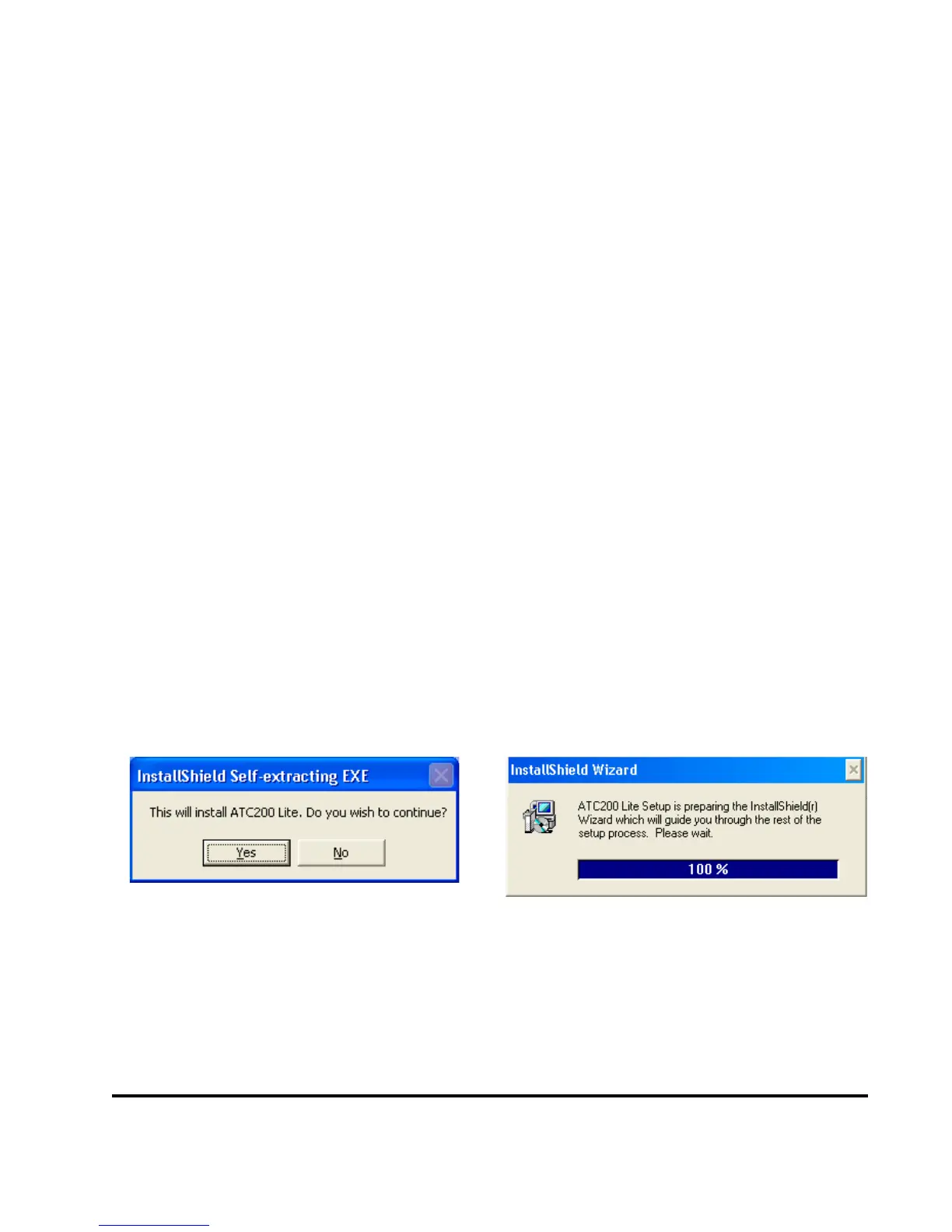
4. Followtheon-screenprompts,asshowninFigures2-1through2-5,tocompletetheinstal
-
lation.
Figure 2-1. Install Shield Initializes.
Figure 2-2. Install Shield Prepares to Launch
Wizard.



 To Next Page
 Loading...