Bulletin 639510 May 2005 5-1
Section 5
Device Configuration
After new devices are found and addressed in the ATC200-Lite program, each device is ready
to be congured. New devices, that have never been congured before, will display the status
as ‘Not Congured’ in the ‘Device Information’ list.
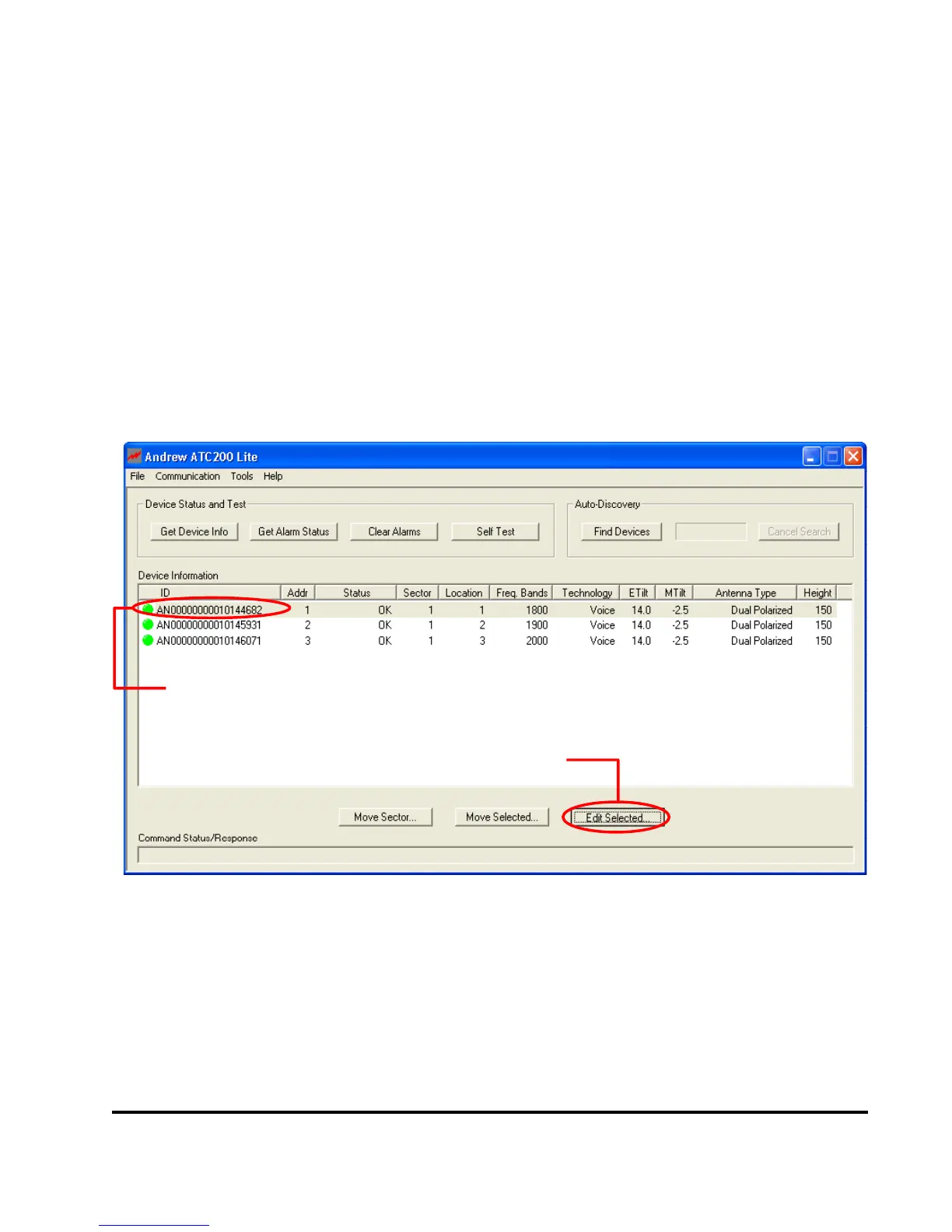
1. To begin device conguration, click on the device to be congured (Figure 5-1).
2. Click on ‘Edit Selected’ to open the ‘Device Conguration’ screen (Figures 5-1 and 5-2).
Figure 5-1. Selecting Device to be Configured.
1. Click on device to be configured.
2. Click ‘Edit Selected’.


 To Next Page
 Loading...