Section 8–Saving Site Report/Congurations ATC200-Lite Teletilt
®
Remote Control Downtilt System
8-8 May 2005 Bulletin 639510
8.3 Saving Configurations for Future Use.
Congurations can be saved to the hard drive for future use. At the time of this software re-
lease (Version 2.1), the ATC200-Lite program is not able to open a saved conguration. This
capability is planned for a future software release.
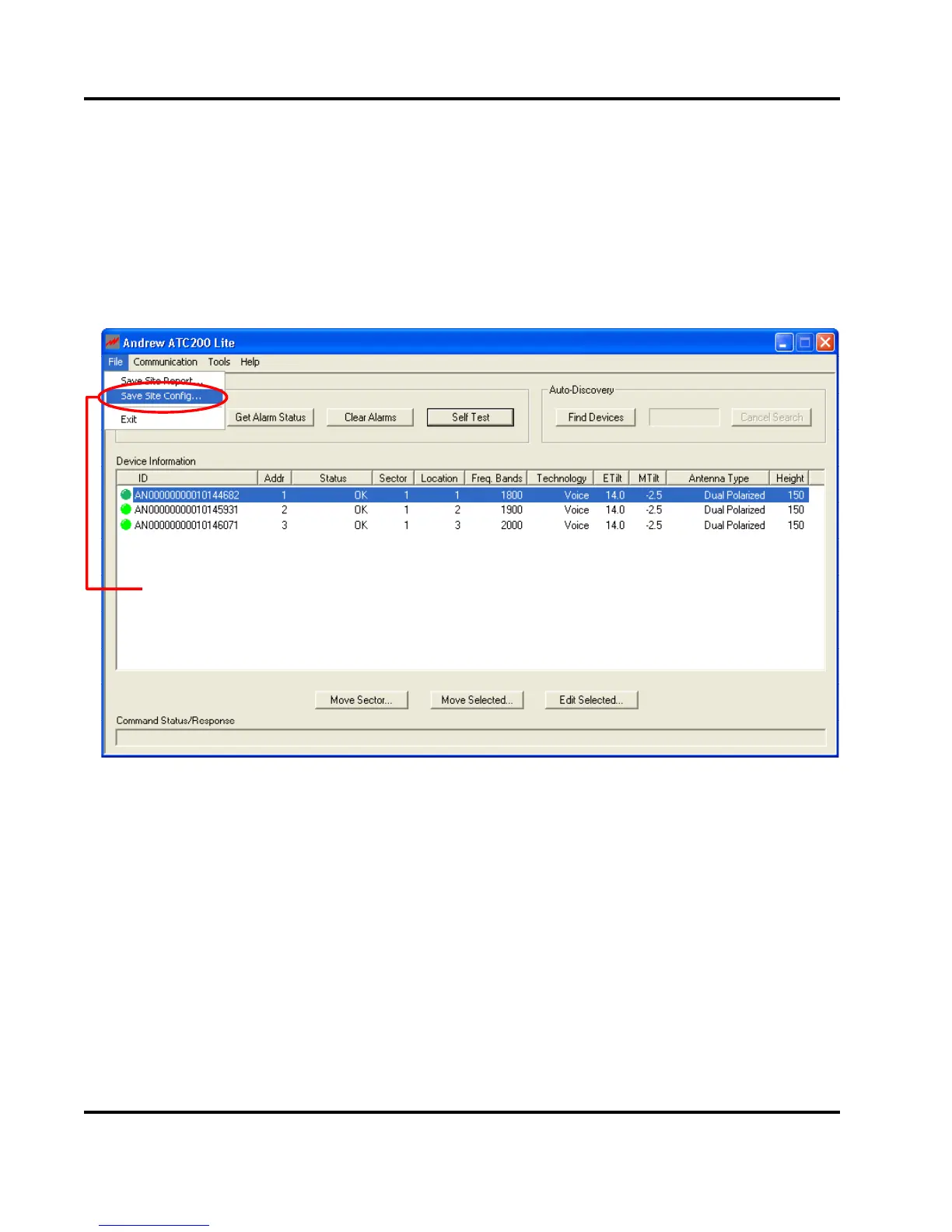
To save a conguration for future use, go to ‘File, Save Site Conguration’ from the main
menu (Figure 8-8).
A le will be saved to the ‘C:\ATC200_Site_Files’ directory on the computer hard drive.
Site configuration setup can also be saved to
disk for future use.
Figure 8-8. Saving Site Configurations to Hard Drive for Future Use.


 To Next Page
 Loading...