9
1-1 2-2 3-3 4-4 5-5 6-6 7-7 8-8
If only the xture and the computer are to be interconnected, no hubs or other active components are needed.
A cross-cable has to be used:
1-3 2-6 3-1 4-8 5-7 6-2 7-5 8-4
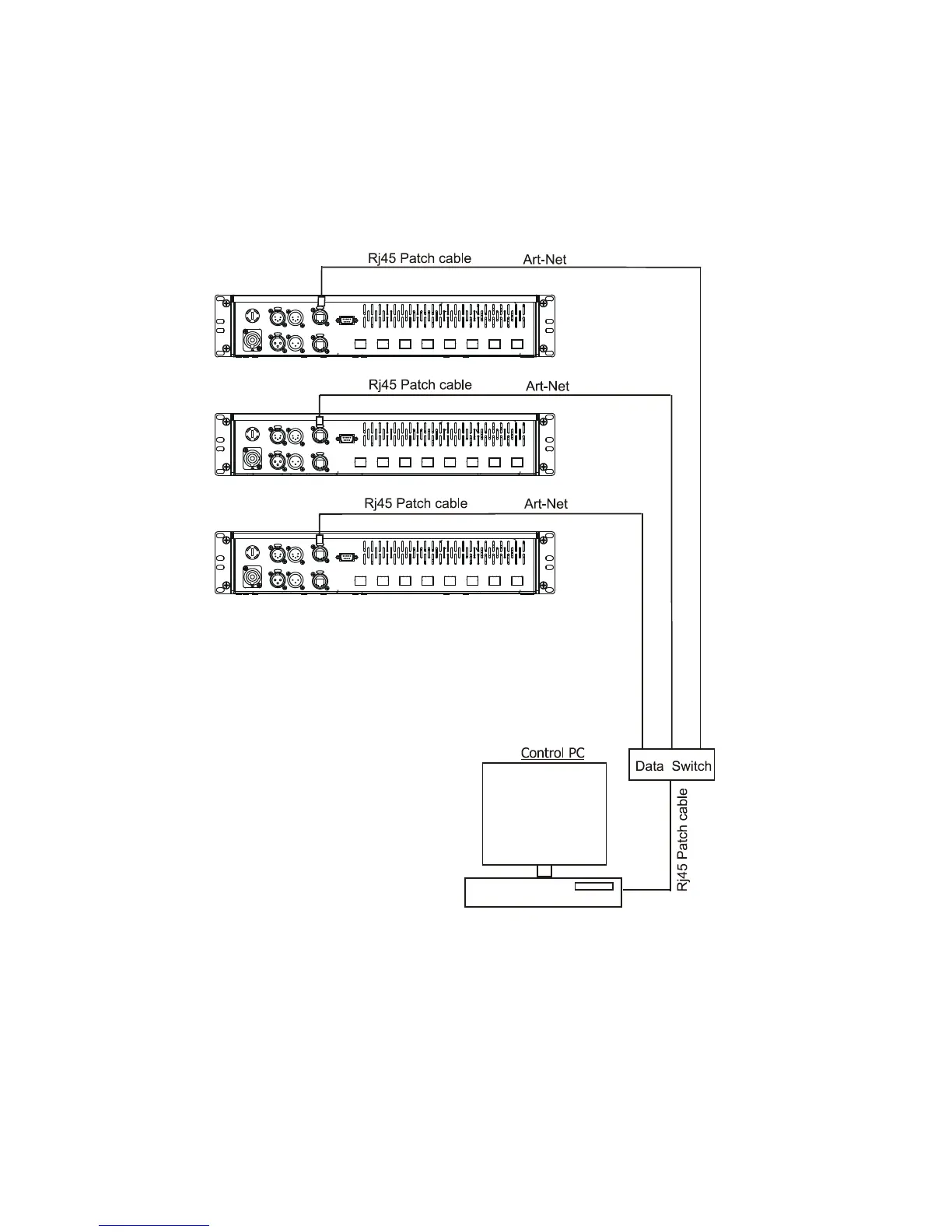
All xtures have to be connected to Ethernet via standard patch cables and a data switch.
The option “ Ethernet” has to be selected from the “Set Ethernet Mode” menu on each xture.
Set correct IP address and the Universe for each xture.


 To Next Page