17
Mode/Channel
Value Function Type of control
1 2 3 4 5 6
- - 34 - 50
0-31
32-63
64-95
96-127
128-143
144-159
160-191
192-223
224-255
Shutter/Strobe
Shutter closed
Shutter open
Strobe-eect from slow to fast
Shutter open
Opening pulses in sequences from slow to fast
Closing pulses in sequences from fast to slow
Shutter open
Random strobe-eects from slow to fast
Shutter open
step
step
proportional
step
proportional
proportional
step
proportional
step
- - 35 4 5 51
0-255
Dimmer
Dimmer intensity from 0% to 100% proportional
10. Fixture menu
The xture menu allows to set the xture according to your needs, obtain information on its operation, test its
various parts and lastly program it, if it has to be used in a Stand-alone mode.
Control elements on the front panel:
The ANS rotary wheel used to move between menu items on the same level or adjusts values.
The ESC button used to leave menu without saving changes.
The ENTER button used to enter menu, conrms adjusted values and leaves menu.
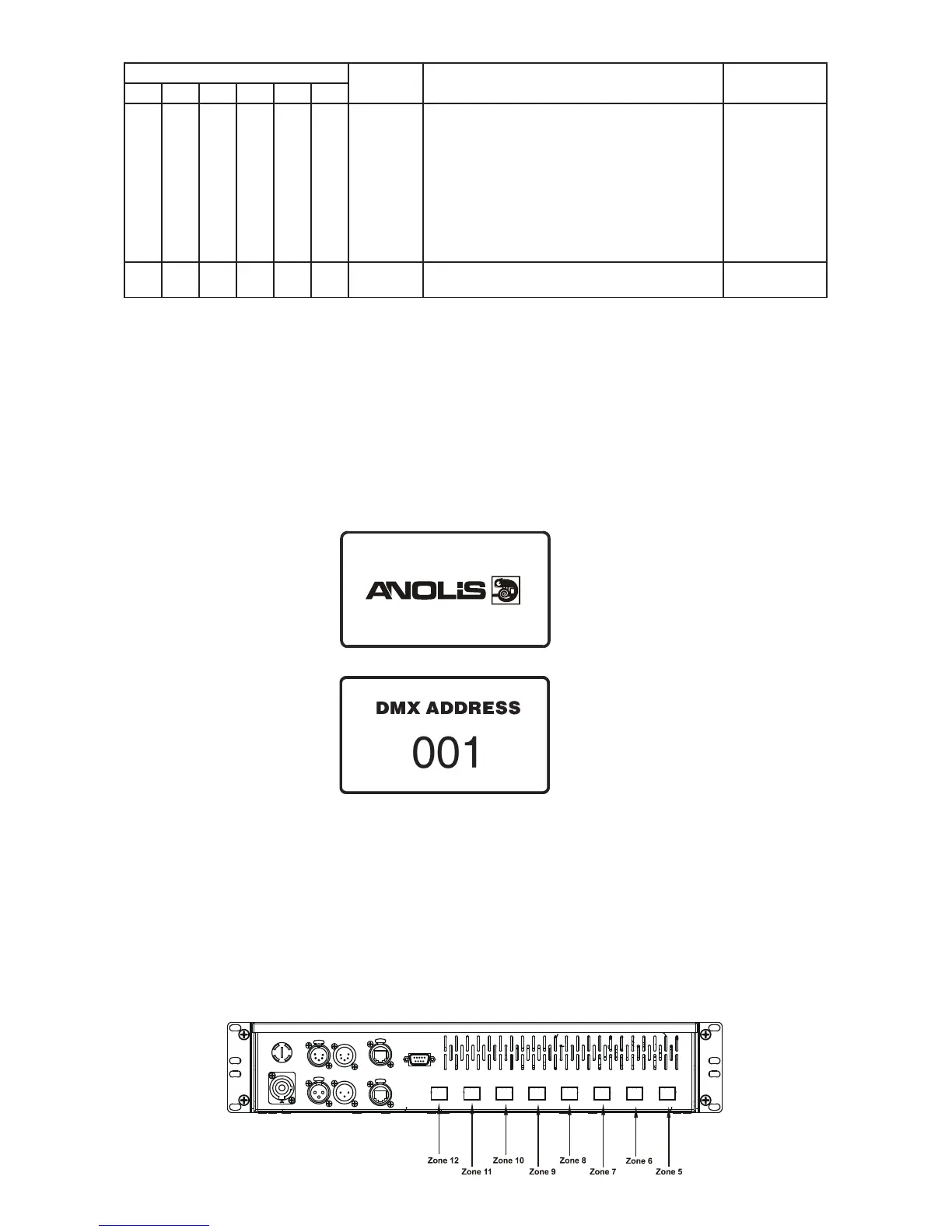
After switching the xture on, the display shows the initial screen:
Press the ENTER button, the display shows current address:
The main menu of the control panel is accessed by pressing the ENTER button. To browse through the menu,
rotate the ANS wheel. To select a menu item, press the ENTER button.
10.1 Fixture Address
DMX Address ---Use the menu to set the DMX start address of the xture, which is dened as the rst channel
from which the ArcPower 384 will respond to the controller.
Dynet zone --- The item allows to select desired Dynet zone which is assigned to the rst zone of the xture.
Note: If Dynet zone 0 is selected, dynet commands go to all LED outputs.
Example: Dynet zone = 5.


 To Next Page