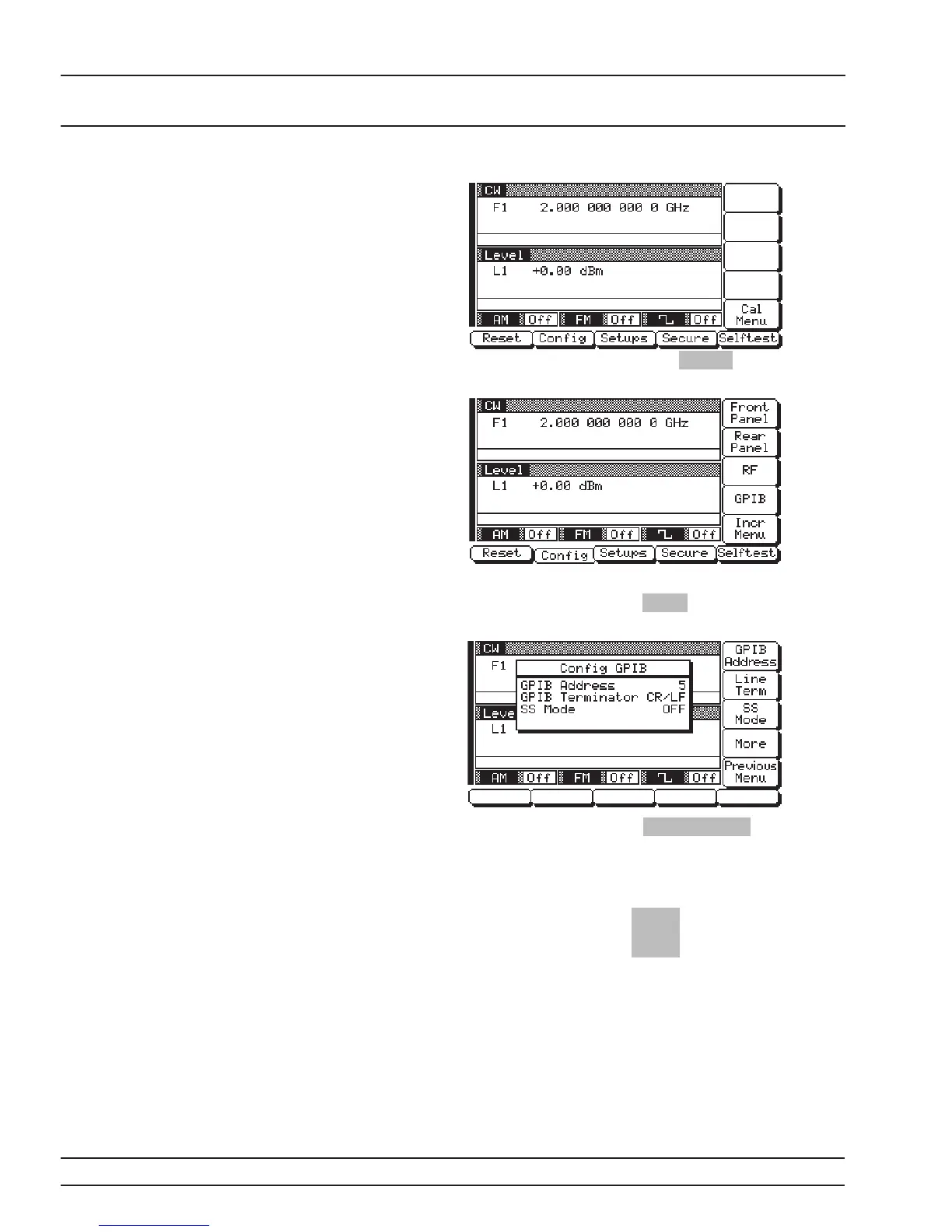
Now press the menu soft-key Config . The System
Configuration Menu (below) is displayed.
To go to the Configure GPIB menu from this menu,
press the menu soft-key GPIB . The Configure GPIB
Menu (below) is displayed.
Press the menu soft-key GPIB Address to change
the current GPIB address of the signal generator.
Enter a new address using the cursor control key or
the data entry keypad and the terminator key
Hz
ns
ADRS
The new GPIB address will now appear on the dis
-
play. The entry must be between 1 and 30 to be rec
-
ognized as a valid GPIB address.
2-8 681XXC OM
GPIB SETUP AND
INSTALLATION INTERCONNECTION









 To Next Page