Self-Testing
the 681XXC
The 681XXC firmware includes internal diagnostics
that self-test the instrument. These self-test diag
-
nostics perform a brief go/no-go test of most of the
PCBs and other internal assemblies. If the signal
generator fails self-test, an error message is dis
-
played on the data display. Error messages and de
-
scriptions are listed in the Operator Maintenance
chapter of this manual.
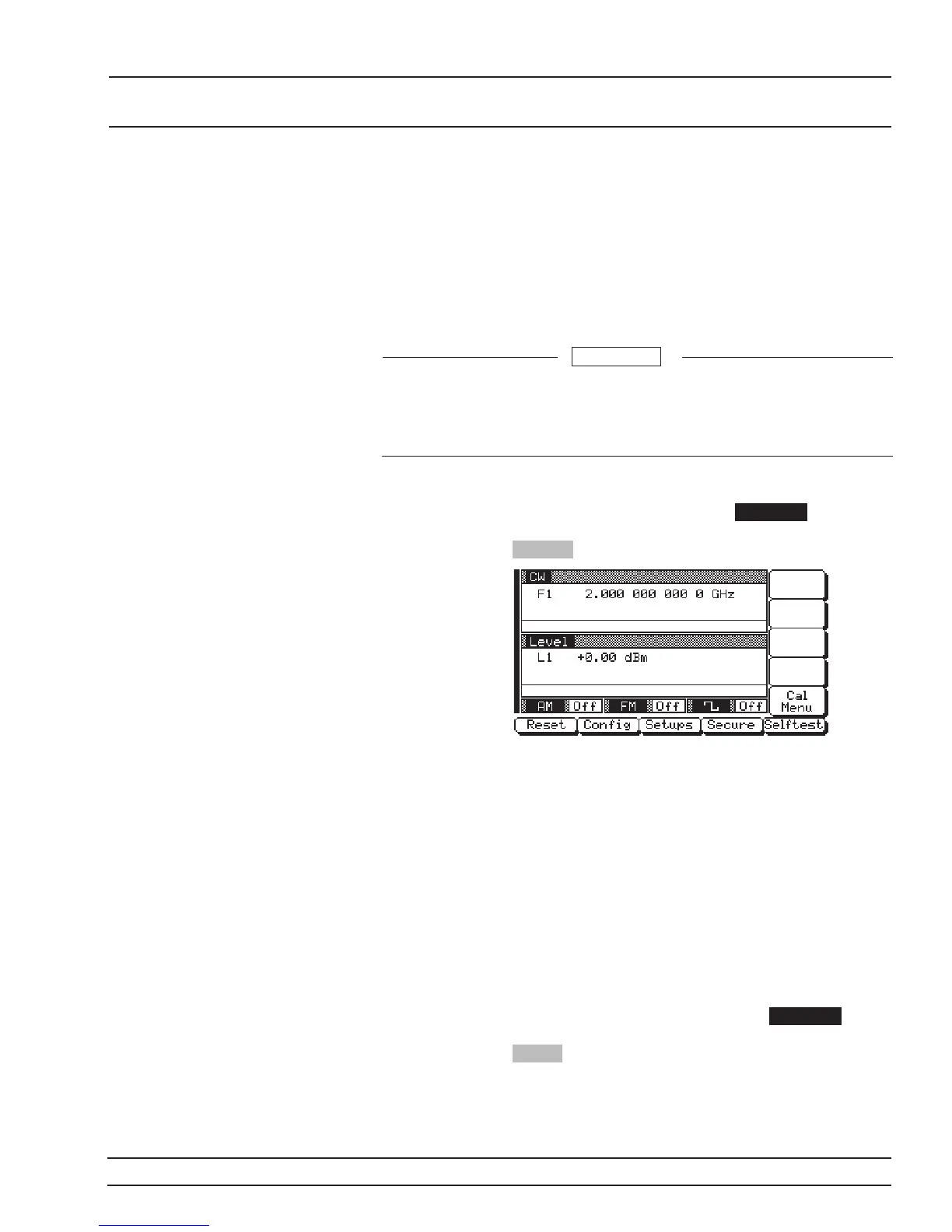
You can perform a self-test of the signal generator at
any time during normal operation. To perform a
self-test from any menu, press SYSTEM . Then,
when the System Menu (below) is displayed, press
Selftest .
Resetting to
Default
Parameters
You can reset the 681XXC to the factory-selected
default parameter values at any time during normal
operation. The default parameters are shown in
Table 3-1 on the following page.
NOTE
Resetting the instrument clears the setup
presently in place. If these parameter val
-
ues are needed for future testing, save
them as a stored setup before resetting
the signal generator. (For information on
saving/recalling instrument setups, refer
to paragraph 3-14.)
To reset the signal generator, press SYSTEM .
When the System Menu (above) is displayed, press
Reset .
681XXC OM 3-15
LOCAL (FRONT INSTRUMENT
PANEL) OPERATION START-UP
During self-test with RF OUTPUT set to ON, the output
power level is set to 0 dBm. Always disconnect sensitive
equipment from the unit before performing self-test.
CAUTION














 To Next Page