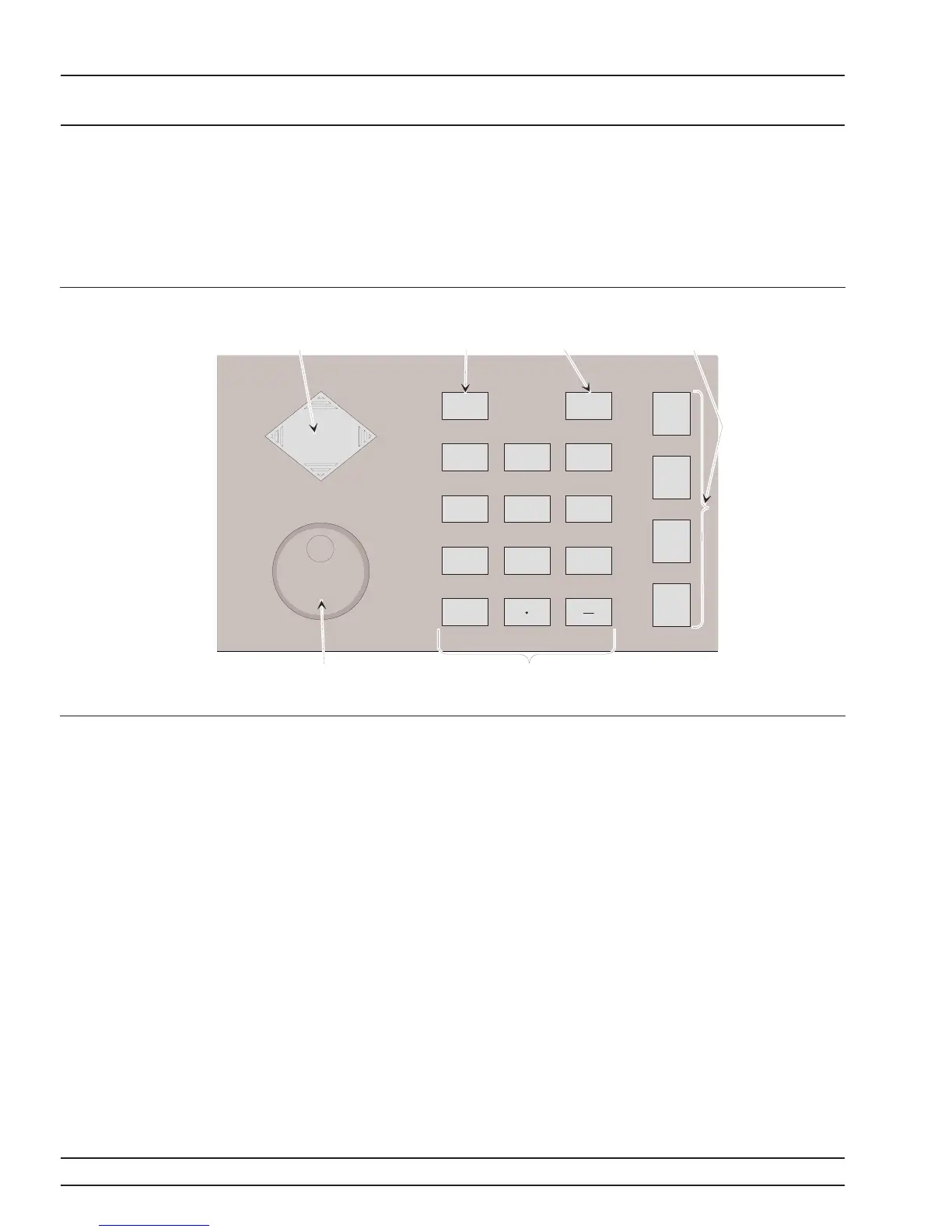
3-4 DATA ENTRY AREA The value of a selected 681XXC parameter can be changed using the
rotary data knob and/or keys of the data entry area. Each element of
the data entry area is identified in Figure 3-3 and described in the fol
-
lowing paragraphs.
Cursor Control Key
In general, this diamond-shaped key controls the
movement of the cursor on the display. When a pa
-
rameter is opened for editing, a cursor appears un
-
der the open parameter. Each time the < or > pad is
pressed, the cursor moves left or right by one digit.
The Ù or Ú pad can then be used to increase or de
-
crease the value of the parameter. The unit size of
the increase or decrease that occurs each time the Ù
or Ú pad is pressed is determined by the cursor posi
-
tion.
In addition, when editing frequency, power level,
and time parameters, the incremental size can be
set to a specific value using the system configura
-
tion increment menu (paragraph 3-13). Once set and
activated, each time the Ù or Ú pad is pressed, the
parameter’s value increases or decreases by the set
amount.
3-12 681XXC OM
LOCAL (FRONT DATA ENTRY
PANEL) OPERATION AREA
2
3
1
6
5
4
9
87
0
CLEAR
ENTRY
BACK
SPACE
dBm
Sec
GHz
dB
ms
MHz
kHz
s
m
STEPS
ADRS
ns
Hz
Rotary
Data
Knob
Clear
Entry
Key
Back
Space
Key
Cursor
Control
Key
Keypad
Terminator
Keys
Figure 3-3. Front Panel Data Entry Area














 To Next Page