most cases, when a menu soft-key is pressed, its
menu label changes appearance to visually show the
On/Off condition.
Window Display
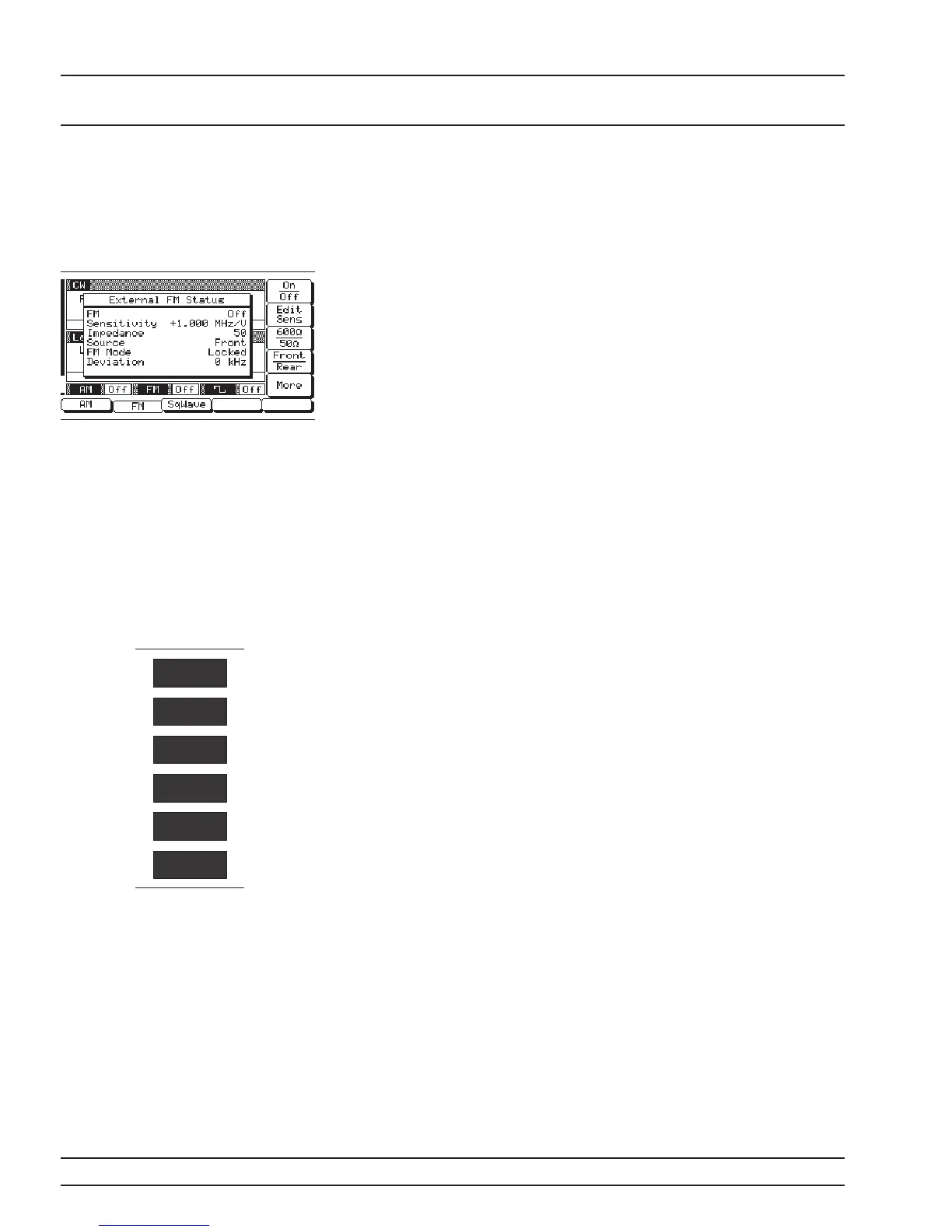
A window display that overlays a portion of the cur
-
rent menu display is used to (1) show the parameter
being edited; (2) display selection lists of preset fre
-
quencies, power levels, markers, etc.; (3) show the
modulation and system configuration choices and
current selections; or (4) show self-test error mes
-
sages. A typical window display is shown on the left.
Menu Keys As shown in Figure 3-2, there are two types of menu
keys that surround the data display—main menu
keys and menu soft-keys. The main menu keys are
positioned to the left of the data display. The menu
soft-keys are located at the bottom and to the right
of the data display.
Main Menu Keys
Each of the main menu keys, shown on the left, se-
lects a main (top-level) menu display. These menus
let you select the operating mode, operating pa-
rameters, and configuration of the instrument. A
brief functional description of each main menu fol-
lows.
q
CW/SWEEP SELECT—This menu lets you
select between CW, Analog, Step, Manual, and
List Sweep frequency modes.
q
FREQUENCY CONTROL—In CW frequency
mode, this menu lets you select the CW fre
-
quency parameter (F0-F9 or M0-M9) to use. In
the Analog, Step, or Manual Sweep frequency
mode, this menu lets you select the sweep
range parameters (Full, F1-F2, F3-F4, F5-dF,
or F6-dF) to use. In Analog or Step Sweep fre
-
quency mode, the menu also lets you select up
to 20 independent, pre-settable frequency
markers.
q
LEVEL/ALC SELECT—This menu lets you
select power level and ALC modes (Level,
Level Sweep, Level Offset, ALC on or off, inter
-
nal or external ALC, ALC/attenuator decou
-
pling, ALC slope, and user level flatness cor
-
rection).
q
LEVEL CONTROL—In Level mode, this
menu lets you select the level parameter (L0-
L9) to use for a CW frequency or a frequency
3-10 681XXC OM
LOCAL (FRONT DATA DISPLAY
PANEL) OPERATION AREA
SYSTEM
MODULATION
CW/SWEEP
SELECT
FREQUENCY
CONTROL
LEVEL/ALC
SELECT
LEVEL
CONTROL





 To Next Page