This menu lets you perform the following:
q
Select a sweep range (edit the sweep start and
stop frequency parameters).
q
Go to the sweep ramp menu (set the sweep
time and select a sweep trigger).
q
Select an output power level for the sweep.
q
Go to the alternate sweep menu.
Setting Sweep
Time
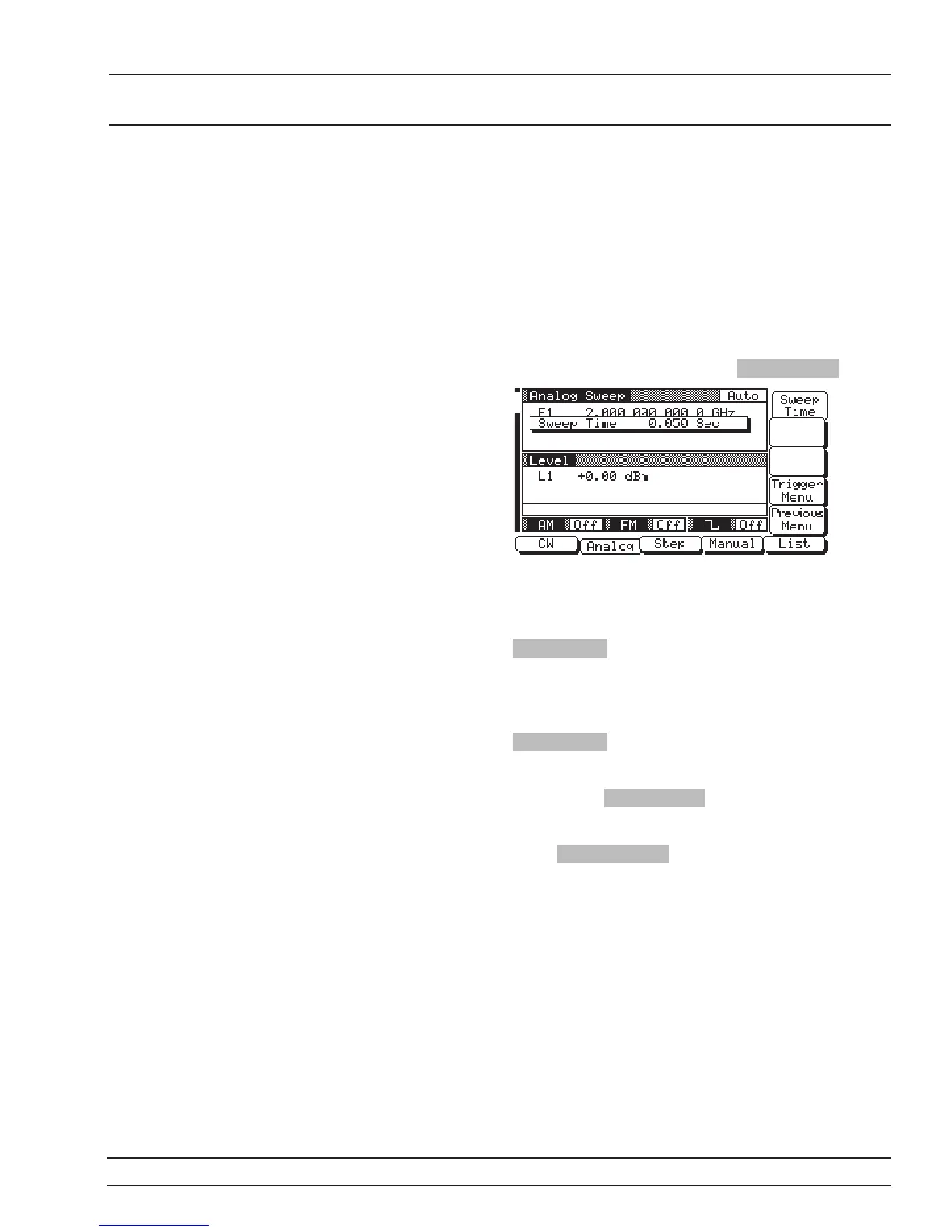
To go to the Analog Sweep Ramp menu (below) from
the Analog Sweep menu, press Sweep Ramp .
This menu lets you set the sweep time and go to the
trigger menu.
To open the sweep time parameter for editing, press
Sweep Time . Edit the current sweep time using the
cursor control key or the rotary data knob or enter a
new sweep time using the key pad and appropriate
termination key. To close the open sweep time pa-
rameter once you have set the desired time, press
Sweep Time or make another menu selection.
To go to the Analog Sweep Trigger menu from this
menu, press Trigger Menu . Sweep trigger is de
-
scribed on the next page.
Press Previous Menu to return to the Analog Sweep
Menu display.
681XXC OM 3-27
LOCAL (FRONT SWEEP FREQUENCY
PANEL) OPERATION OPERATION














 To Next Page