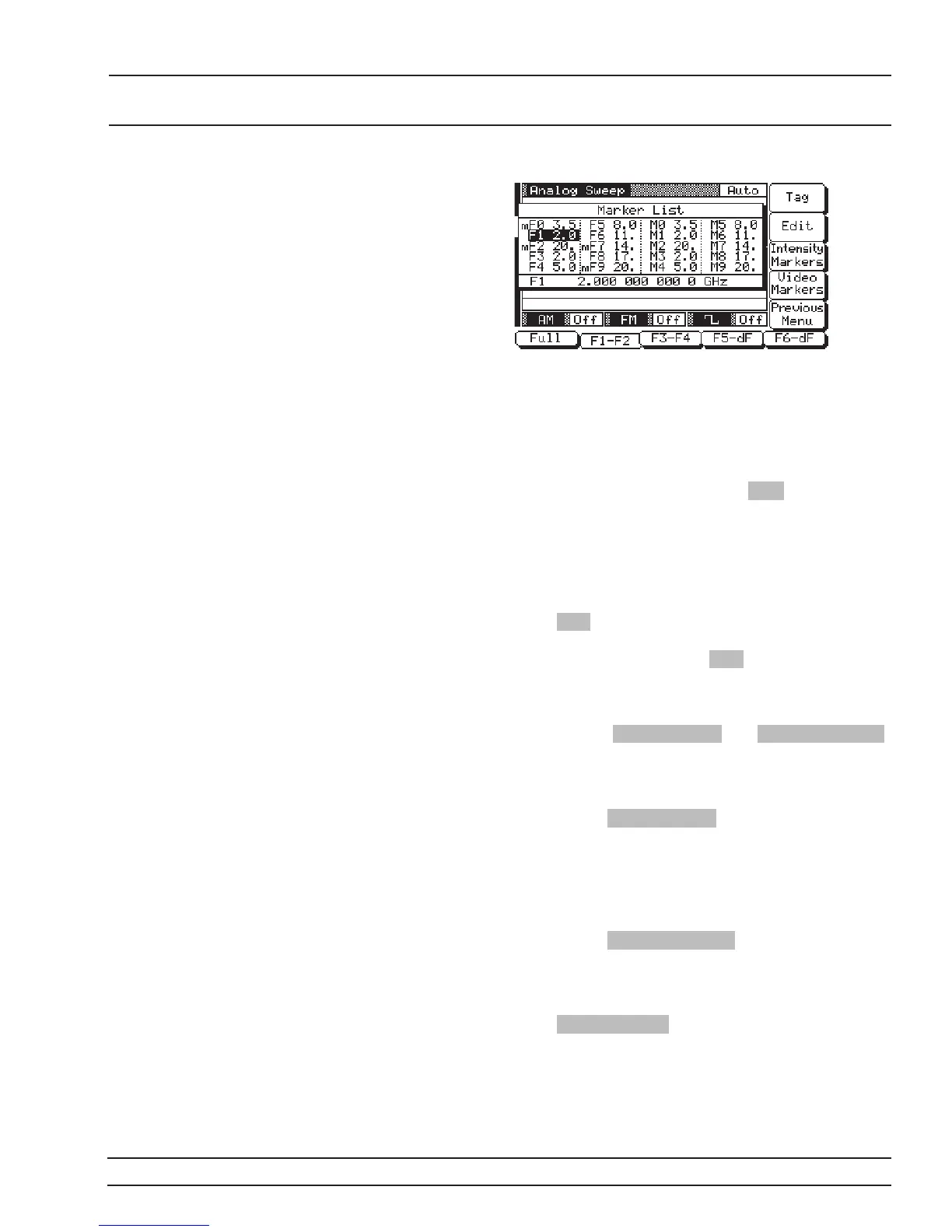
Use the cursor control key to select a frequency
parameter from the marker list. The selected fre
-
quency parameter is highlighted in reverse video
and displayed in full below the marker list.
Editing a Marker List Frequency
If you want to change a selected marker list fre
-
quency parameter’s value, press Edit to open the
frequency parameter, then edit the current fre
-
quency or enter a new frequency.
Tagging a Marker List Frequency
Only frequencies on the marker list that have been
tagged can be output as markers during a sweep.
Press Tag to tag a selected frequency parameter
(place an m in front of it). If a frequency parameter
is already tagged, pressing Tag will untag it (re-
move the m).
Activating Markers
The soft-keys Video Markers and Intensity Markers
toggle the markers on and off.
Video Markers–To output the tagged marker fre
-
quencies as video markers during an analog or step
sweep, press Video Markers . Video markers will be
displayed on the CRT for all tagged marker frequen
-
cies that are within the sweep frequency range.
Intensity Markers–(only available in analog sweep
frequency mode) To output the tagged marker fre
-
quencies as intensity markers during an analog
sweep, press Intensity Markers . Intensity markers
will be displayed on the CRT for all tagged marker
frequencies that are within the analog sweep fre
-
quency range.
Press Previous Menu to return to the Sweep Fre
-
quency Control Menu display.
681XXC OM 3-37
LOCAL (FRONT SWEEP FREQUENCY
PANEL) OPERATION OPERATION


 To Next Page
 Loading...






