and appropriate terminator key. To close the open
power level parameter, press Edit L1 or make an
-
other menu selection.
Selecting a Preset Power Level
To select one of the preset power levels for output,
press the main menu key
LEVEL
CONTROL
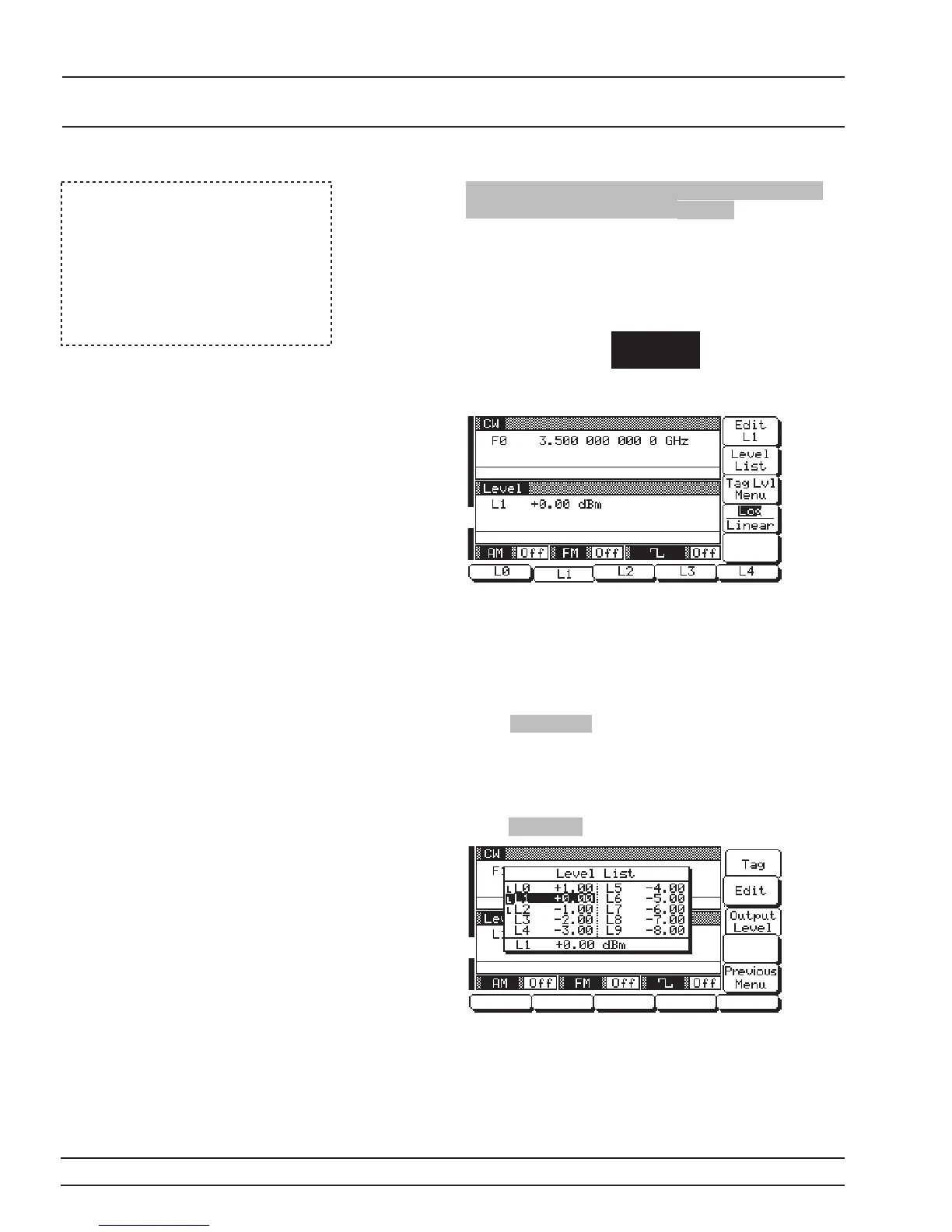
The Level Control menu (below) is displayed.
This menu lets you perform the following:
q
Select preset power levels L0, L1, L2, L3,orL4
for output.
q
Go to the Level List menu.
q
Go to the Tagged Levels menu.
Press Log/Linear to select power level units. When
Log is selected, units are in dBm; when Linear is se
-
lected, units are in mV. The soft-key label is high-
lighted (in reverse video) to reflect your selection.
Level List– To go to the Level List menu (below),
press Level List .
This menu lets you select a power level from the list
to tag, edit, or output.
3-50 681XXC OM
LOCAL (FRONT FIXED POWER
PANEL) OPERATION LEVEL OPERATION
NOTE
When Linear power level units are
selected, use the following termina
-
torkeysforpowerleveldataentries:
GHz / Sec / dBm for V
MHz/ms/dBfor mV
kHz / ms / STEPS for mV














 To Next Page