Chapter 5 — Option Verification 5-5 Mobile WiMAX Signal Analyzer Verification, Option 66 and 67
S412E MM PN: 10580-00324 Rev. N 5-13
Mobile WiMAX Residual EVM and Frequency Error Tests (Option 67)
The tests in this section verify the function of the optional Mobile WiMAX Signal Analyzer in Model S412E
LMR Master.
Equipment Required
• Anritsu MG3700A Vector Signal Generator
• Anritsu 15NN50-1.5C RF Coaxial Cable
• Anritsu PN 2000-1627-R BNC Coaxial Cable (2)
• 10 MHz Reference Standard
Setup
Procedure
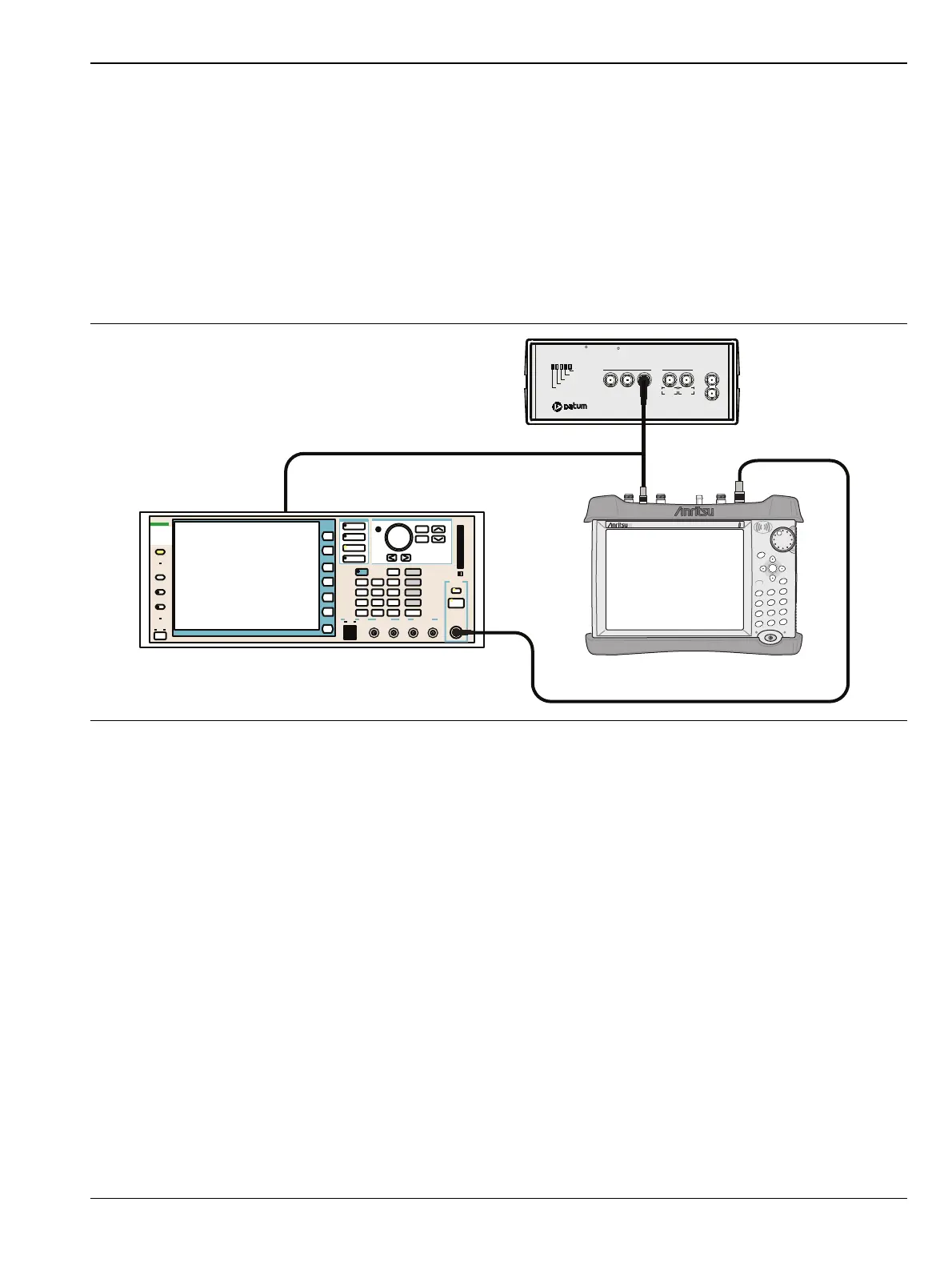
1. Connect the equipment as shown in Figure 5-3.
Residual EVM and Frequency Error (10 MHz Bandwidth and 10 ms Frame Length)
2. Set the MG3700A as follows:
a. Press the yellow Preset button (answer yes to the question).
b. Press the Set key
c. Press the (F1) soft key to select Load File to Memory.
d. Press the (F1) soft key again to select Select Package.
e. Using the Down Arrow key step through the selection list until mWiMax is highlighted.
f. Press the Set key.
g. Press the (F6) soft key Return.
h. Press the Set key. The Select Package list box will appear. Again select mWiMax and Set.
i. Another file list will appear. Select (highlight) 10m1024g8_0_10_cap.
j. Press the Set key.
Figure 5-3. Mobile WiMAX Residual EVM and Frequency Error Test Setup
MG3700A Vector Signal Generator
Function
Ethernet Control Input Modulation Input
Cursor/Edit
RF Output
3
MG3700
Vector Signal
Generator
250kHz-6GHz
S412E LMR Master
Power Charge
+/-
.
0
3
Sweep
2
Calibrate
1
Preset
6
Limit
5
Trace
4
Measure
9
Mode
8
System
7
File
Shift
Back
Enter
ESC
LMRMaster
S412E
Oscillator Warmup
Oscillator Ready
Failure
1 PPS Sync
1 PPS OUT
1 MH z 5 MHz 1 0 MH
5 MHz 10 MHz
Sine wave Out AUX
1 PPS IN
Power
TESTIME
PLUS
R
RubiSource T&M
R



 To Next Page