Chapter 7 — Assembly Replacement 7-12 Keypad and Keypad PCB Replacement
S412E MM PN: 10580-00324 Rev. N 7-15
7-12 Keypad and Keypad PCB Replacement
This procedure provides instructions for removing and replacing the keypad and the keypad PCB.
1. Open the case as described in Section 7-2 “Opening the S412E Case”.
2. Remove the Main/VNA PCB assembly from the front panel as described in Section 7-3 “PCB Assembly
Replacement”.
3. Perform Step 1 through Step 4 of Section 7-10 “LCD Assembly Replacement”.
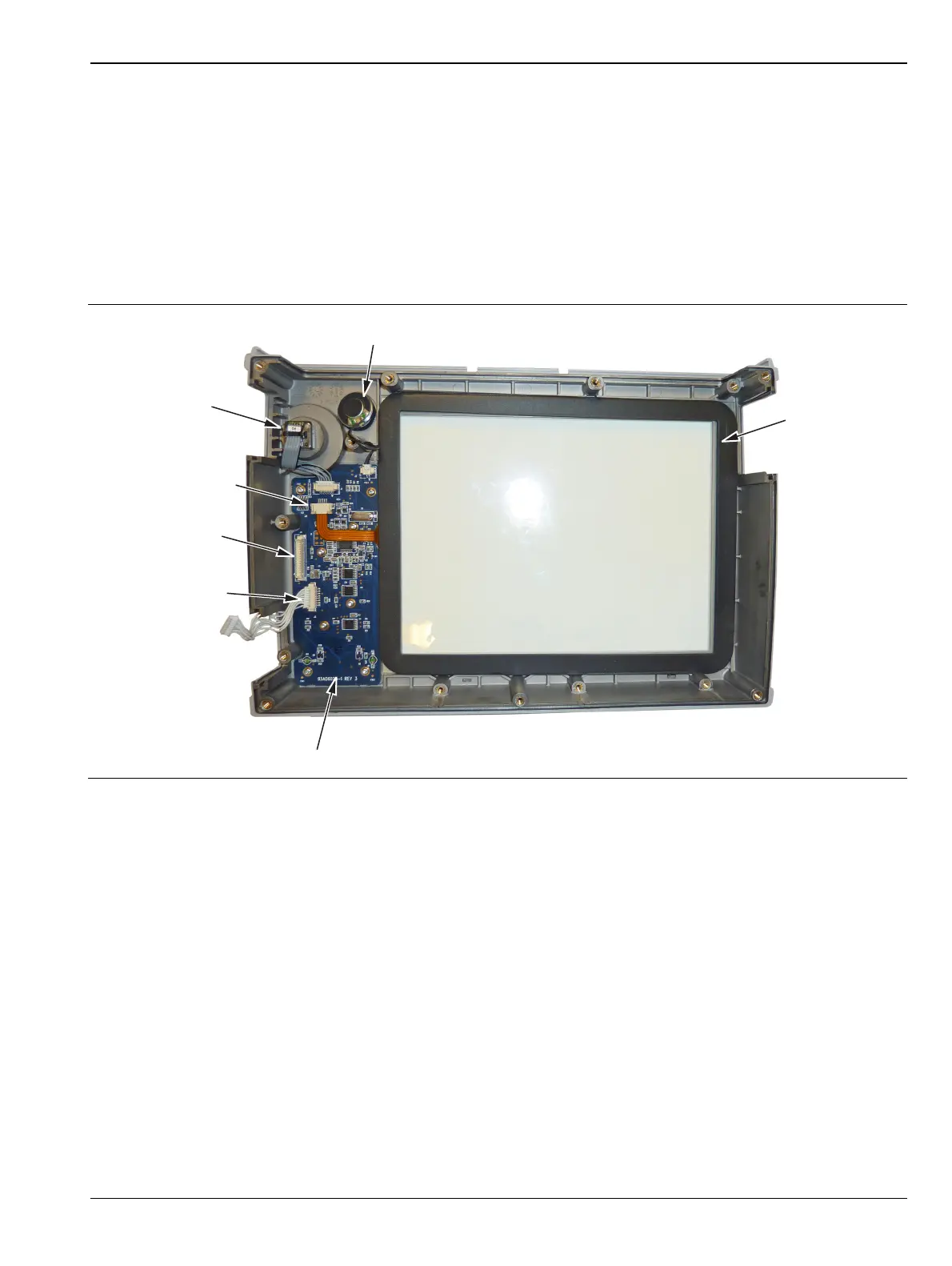
4. Remove the 8 screws and the cable connectors to remove the Keypad PCB (Figure 7-17). The Rubber
Keypad is located under the Keypad PCB.
5. Reverse the above steps to install the replacement Keypad and/or Keypad PCB.
6. The Keypad PCB stores the touchscreen calibration data. If the Keypad PCB is replaced, then a
touchscreen calibration must be performed. If no touchscreen calibration data is stored in the new
Keypad PCB when powering on a unit, it will stay at the boot up screen with the Anritsu logo shown and
a message at the bottom of the screen stating:
Failed to load touchscreen calibration data. Please reboot the instrument.
If this message is displayed, power off the unit and power the unit up in bootstrap mode by pressing and
holding down the Shift - 4 - 0 keys while pressing the power on button. Now the unit will boot up in
bootstrap mode and prompt you to perform a touchscreen calibration. After following the on-screen
calibration directions, power the unit off and it will boot up correctly on the next power cycle.
7. If the Keypad PCB was replaced with a PCB that has touchscreen calibration data, the unit will boot up
properly, but the touchscreen calibration data will be invalid. Perform a touchscreen calibration by
pressing the Shift key and then 0 key, and follow the touchscreen calibration directions on the screen.
Figure 7-17. Front Panel Keypad Bezel
Speaker
Rotary Knob
Encoder
Touch Screen
Connector
Touch Screen
Keypad Switch
Connector
Keypad PCB (Remove 8 Screws)
Backlight PCB
Connector



 To Next Page