Chapter 7 — Assembly Replacement 7-10 LCD Assembly Replacement
S412E MM PN: 10580-00324 Rev. N 7-13
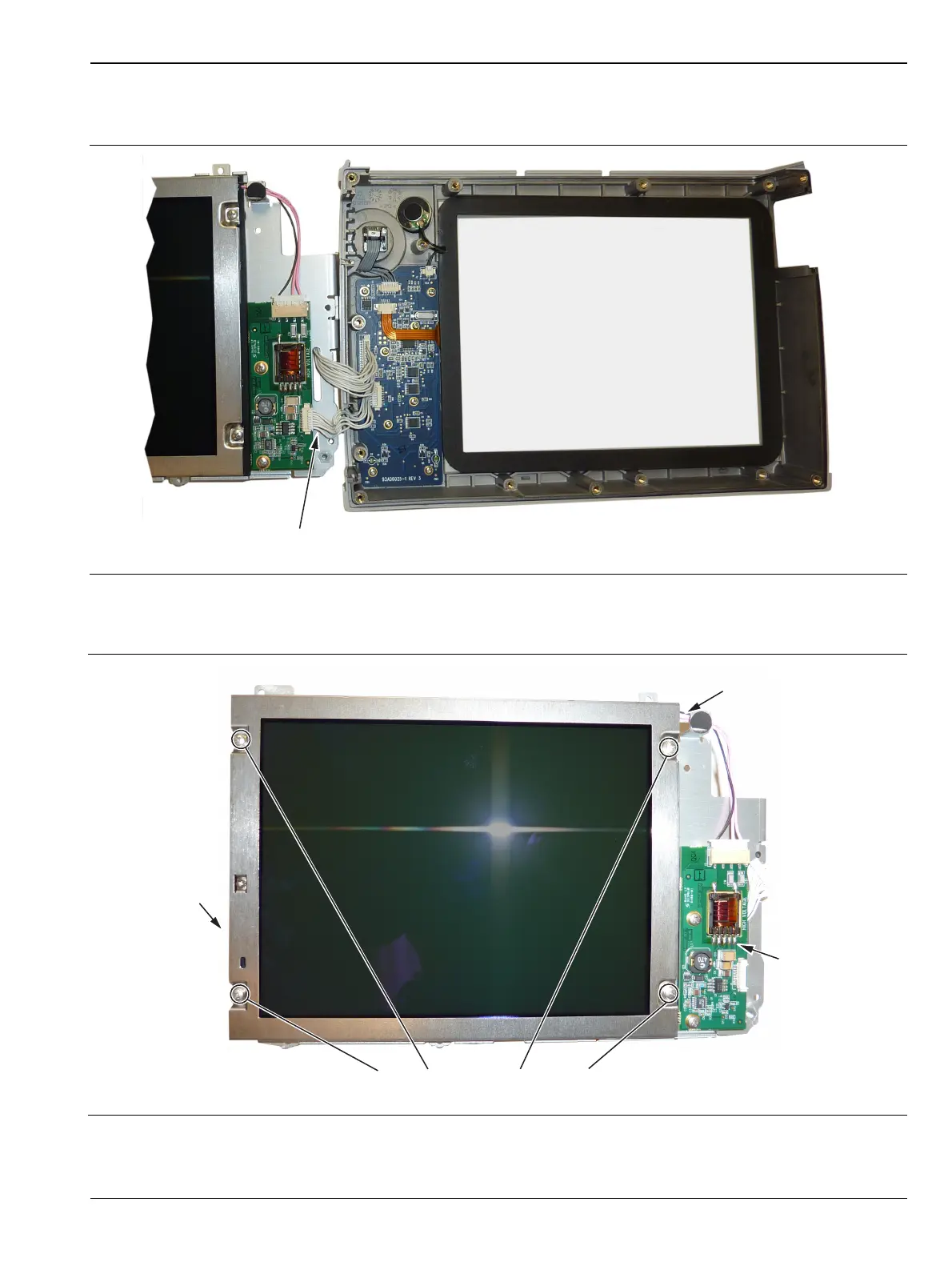
4. Turn the LCD assembly over and disconnect the front half of the case from the LCD Assembly
(Figure 7-14).
5. Use a Phillips screw driver to remove the four screws securing the LCD to the housing (Figure 7-15).
Figure 7-14. Replacing the LCD Assembly
Figure 7-15. Replacing the LCD
LCD Cable to
Motherboard
Remove 4 screws to replace LCD
LCD Backlight
Cable
LCD Backlight
PCB



 To Next Page