28
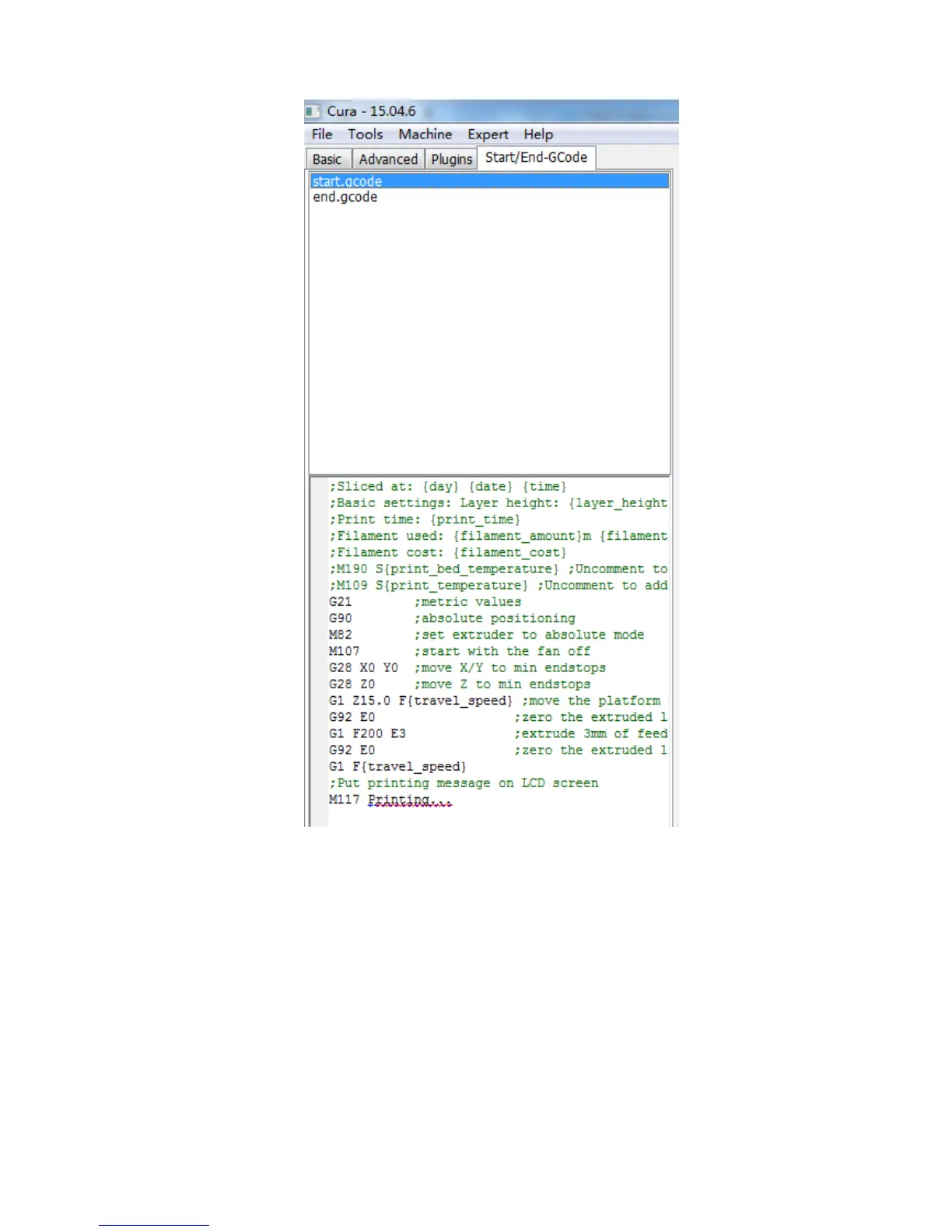
to start.gcode.
(Figure 30)
5.2.4 Printing by Cura
After parameter settings, customer can print online by Cura.
Click “File”--->“Print…” enter the printing window. If you have a simplified printing
window which is different from that in Fig. 31, please click “File”--->“Preferences…”
to choose the ‘Pronterface UI’ in “Printing window type” drop-down menu.
Click “Print” icon when it is available after auto connect with the printer. Then the













 To Next Page