32
7. Manual filament change
1. Feed the filament: click via the Home menu: “Tools”-->“Preheat”-->“Preheat PLA
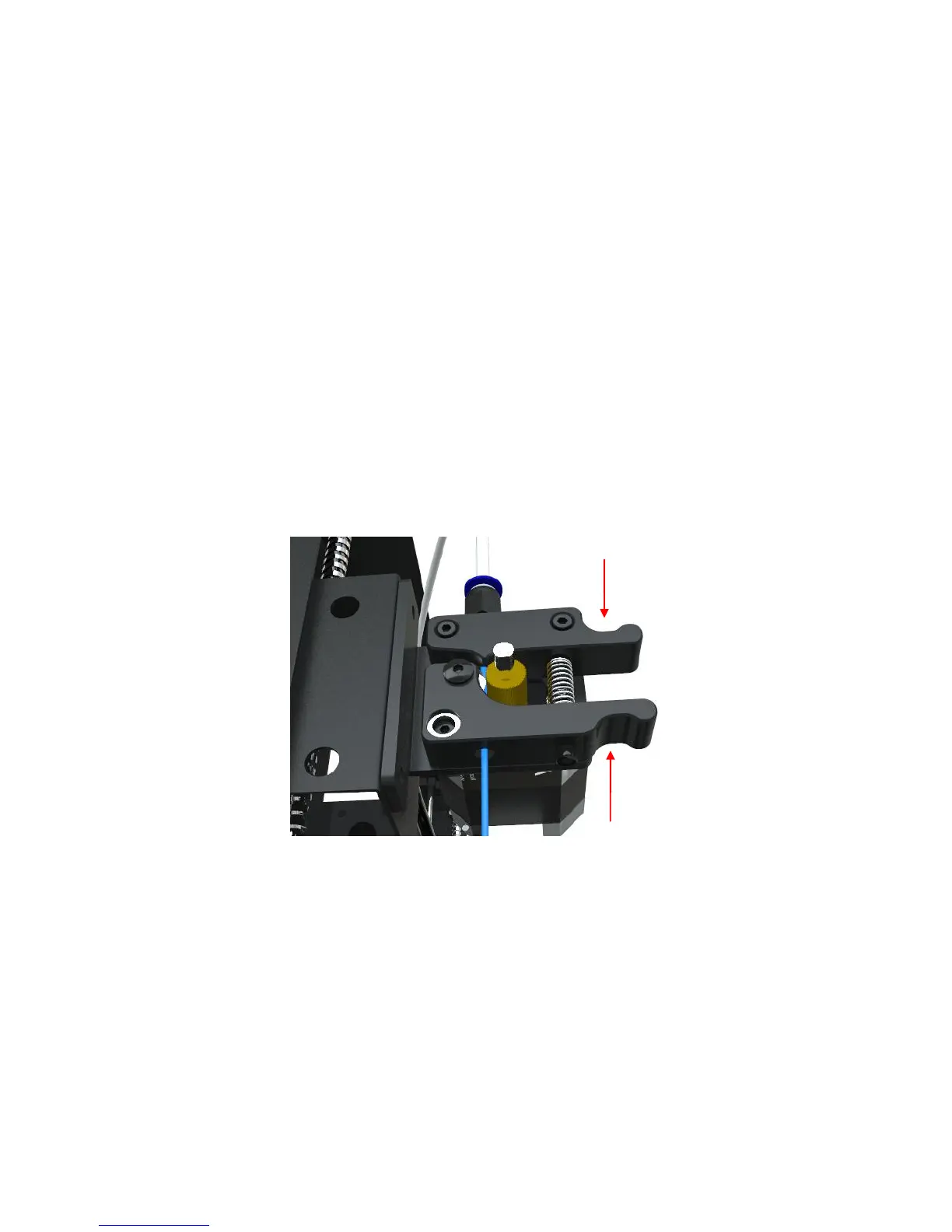
(for example)”. After it reaches to the target temperature, press down the handle at
the extruder as shown in Fig. 36, and manually push the filament through the Teflon
tubing till the hotend and there should be filament melt through the nozzle.
2. Remove the filament: click via the Home menu: “Tools”-->“Preheat”-->“Preheat
PLA (for example)”. After it reaches to the target temperature, press down the
handle at the extruder as shown in Fig. 36, and firstly manually push in the filament
until seeing the filament melt through the nozzle, then quickly remove/draw out the
filament.
(Figure 36)
Tips: For easy feeding the filament, it is suggested to cut off the bent tip of the filament.













 To Next Page