2
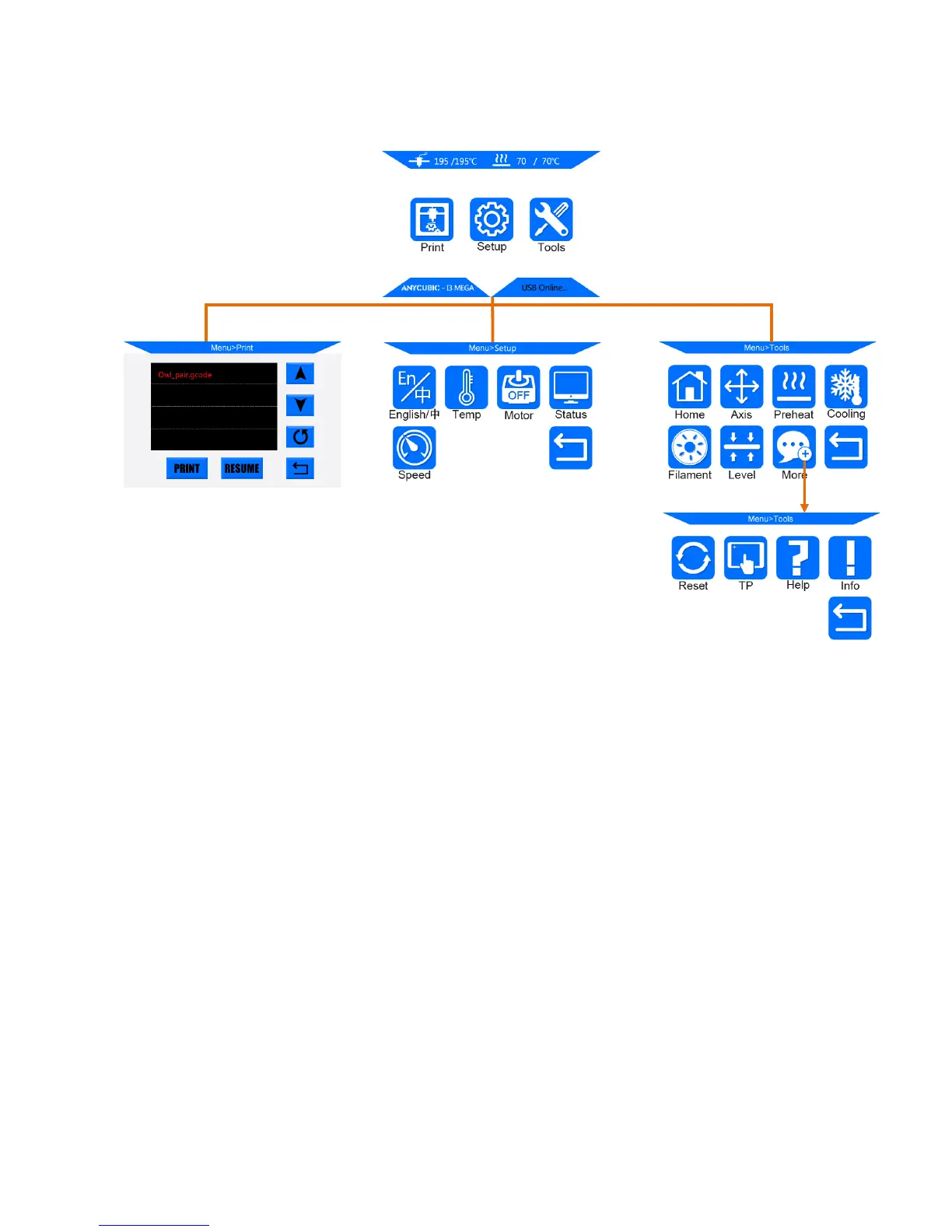
Home menu
Print: enter the print menu
Setup: enter the setup menu
Tools: enter the tools menu
(Other information: ①nozzle temperature ②heated bed temperature ③printer status)
Print
Print: print the selected files in SD card
Resume: Resume from outage (only valid for offline print)
(Other information: ①Page up and down ②Refresh ③Return to the home menu)
Setup
En/中: Language selection between English and Chinese
Temp: Enter the menu to adjust ① E0 (hotend) Temp (170-260°C) ②Bed Temp (0-120°C)













 To Next Page