EasyManua.ls Logo

AnyCubic MEGA ZERO - Page 35

AnyCubic MEGA ZERO
47 pages
Print Icon
To Next Page IconTo Next Page
To Previous Page IconTo Previous Page
Loading...
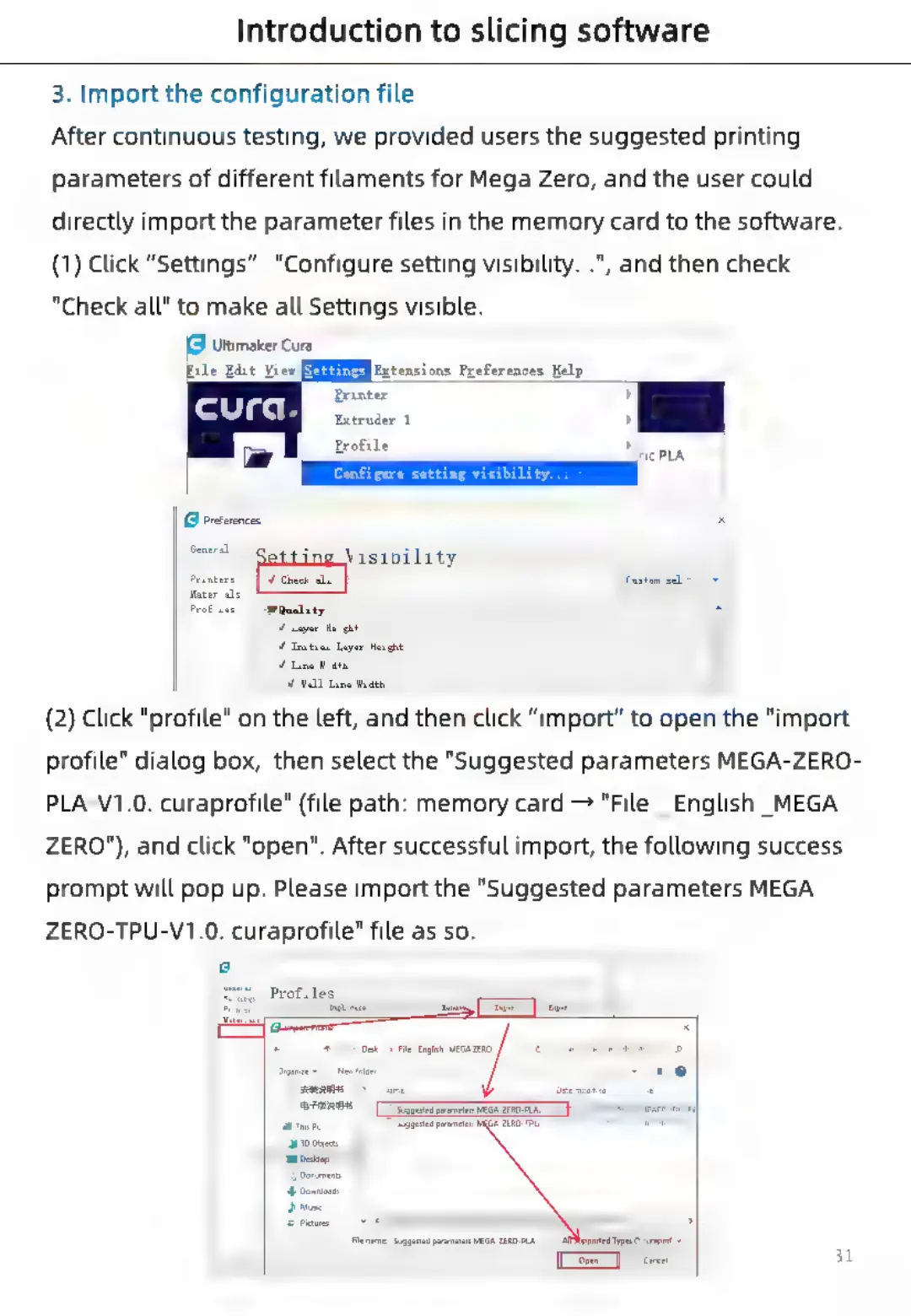
Introduction
to
slicing
software
3.
Import
the
configuration
file
After
continuous
testing,
we
provided
users
the
suggested
printing
parameters
of
different
filaments
for
Mega
Zero,
and
the
user
could
directly
import
the
parameter
files
in
the
memory
card
to
the
software.
(1)
Click
“Settings”-
"Configure
setting
visibility...",
and
then
check
"Check
all"
to
make
all
Settings
visible.
(9
Uttimaker
Cura
File
Edit
View
Extensions
Preferences
Help
Printer
>
Extruder
1
»
Profile
J)
Line
Hiaeh
val
Line
Hide
(2)
Click
"profile"
on the
left,
and
then
click
“import”
to
open
the
"import
profile"
dialog
box,
then
select
the
"Suggested
parameters
MEGA-ZERO-
PLA-V1.0.
curaprofile"
(file
path:
memory
card
"File
_
English
MEGA
ZERO"),
and
click
"open".
After
successful
import,
the
following
success
prompt
will
pop
up.
Please
import
the
"Suggested
parameters
MEGA-
ZERO-TPU-V1.0.
curaprofile"
file
as
so.
31

Related product manuals