EasyManua.ls Logo

AnyCubic MEGA ZERO - Page 37

AnyCubic MEGA ZERO
47 pages
Print Icon
To Next Page IconTo Next Page
To Previous Page IconTo Previous Page
Loading...
Introduction
to
slicing
software
4.
Manipulate
3D
model
in
Cura
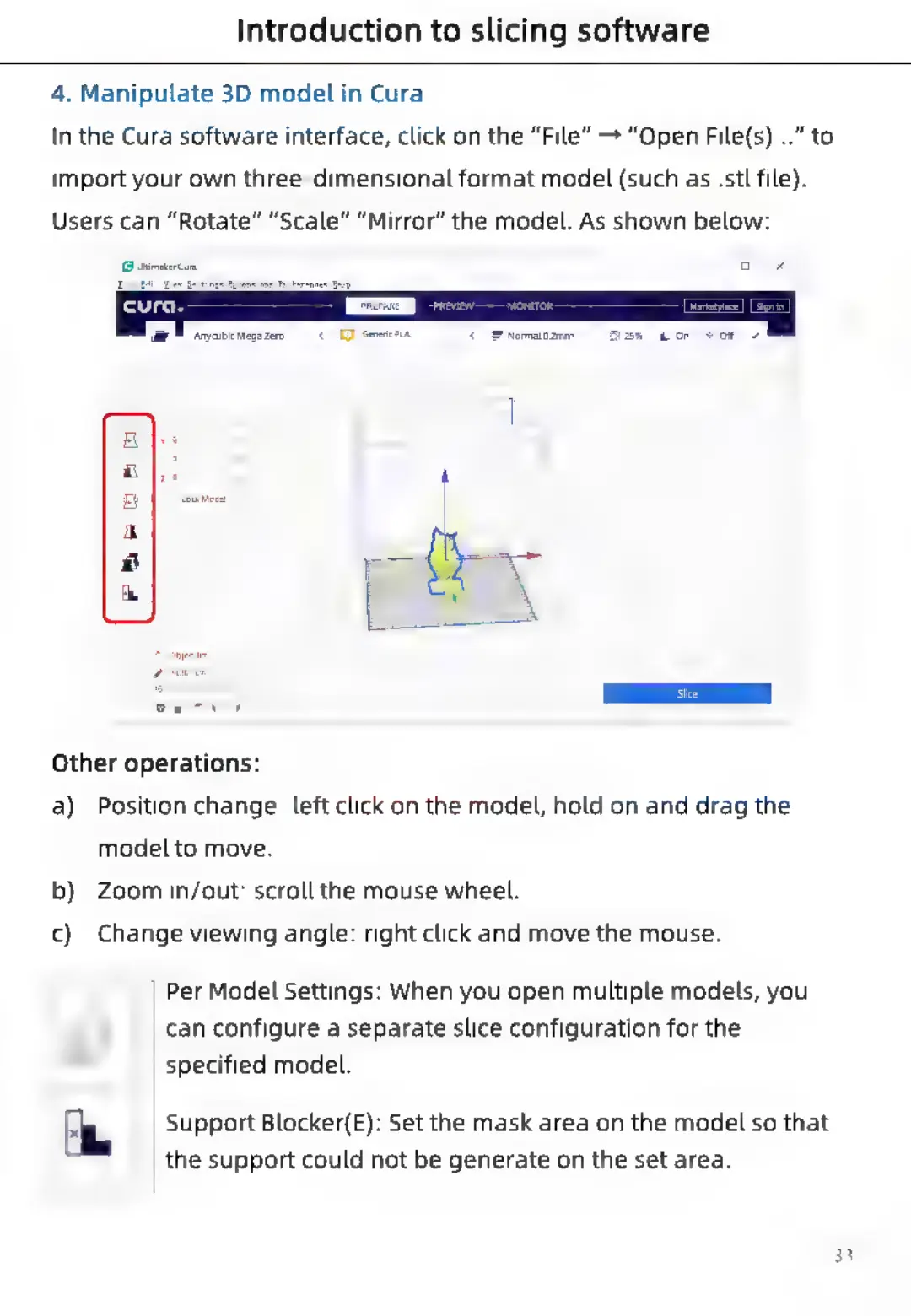
In
the
Cura
software
interface,
click
on
the
“File”
>
“Open
File(s)...”
to
import
your
own
three-dimensional
format
model
(such
as
.stl
file).
Users
can
“Rotate”
“Scale”
“Mirror”
the
model.
As
shown
below:
(ar
sayeuci
megs
zero
Normal
2mm
Other
operations:
a)
Position
change:
left
click
on the
model,
hold
on
and
drag
the
model
to
move.
b)
Zoom
in/out:
scroll
the
mouse
wheel.
c)
Change
viewing
angle:
right
click
and
move
the
mouse.
Per
Model
Settings:
When
you
open
multiple
models,
you
can
configure
a
separate
slice
configuration
for
the
specified
model.
4
Support
Blocker(E):
Set
the
mask
area
on the
model
so
that
the
support
could
not
be
generate
on
the
set
area.

Related product manuals