VOL: Volume level control
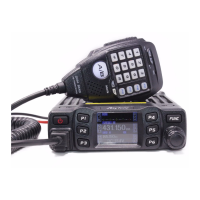
1、 short press【FUNC】key to choose programmed function group.
2、 short press【FPX】key which allocated as VOL function, LCD displays VOL: XX.
3、 Turn channel switch to adjust volume level.
4、 Press【PUSH】key or 【FUNC】key to store setting and exit, or wait 10s to
automatically store setting and exit.
SQL:
Short press: Squelch level control
1、 short press【FUNC】key to choose programmed function group..
2、 short press【FPX】key which allocated as SQL function, LCD displays SQ: XX.
3、 Turn channel switch to adjust S level.
4、 Press【PUSH】key or 【FUNC】key to store setting and exit, or wait 10s to
automatically store setting and exit.
Long press: ASQ level control
1、 short press【FUNC】key to choose programmed function group.
2、 Long press【FPX】key which allocated as ASQ function, LCD displays ASQ: XX.
3、 Turn channel switch to adjust ASQ level.
4、 Press【PUSH】key or 【FUNC】key to store setting and exit, or wait 10s to
automatically store setting and exit.
5、 Long press【FPX】key again to turn on SQL function.
DSP: Channel/Frequency display mode.
1、 short press【FUNC】key to choose programmed function group.
2、 short press【FPX】key which allocated as DSP function, LCD displays DSP:XX.
3、 Short press it again or turn channel switch to switch between CH→FRQ.
4、 Press【PUSH】key or 【FUNC】key to store setting and exit, or wait 10s to
automatically store setting and exit.
SCA:
Short press: Turn on scan function
1、 short press【FUNC】key to choose programmed function group..
2、 short press【FPX】key which allocated as SCA function, LCD displays“1S1”.
3、 During scanning, turn channel switch to change scan direction.
4、 Press【PUSH】key or 【FUNC】key exit scan.
Long press: add/delete scan list


 To Next Page
 Loading...