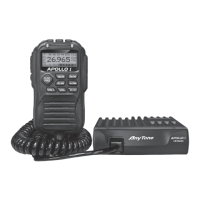
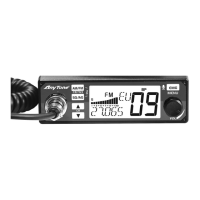
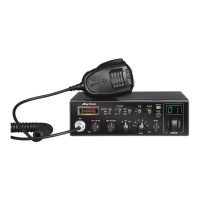
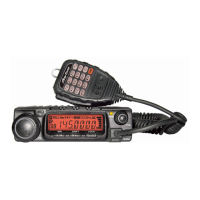
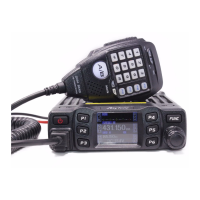
In channel mode, Long press 【FPX】key which allocated as SCA function to add or delete
channel from scan list.
1. When the LCD displays“1S1”means current channel is in scan list.
2. When the “1S1”disappear, means current channel is deleted from scan list.
Note: this function is same as the channel menu 2 control.
MEM:
Short press: use memory channel
1、 short press【FUNC】key to choose programmed function group.
2、 short press【FPX】key which allocated as MEM function to enter memory channel,
turn channel switch to choose memory channels.
3、 Short press it again to store setting and exit.
Long press: Memory channel store position
1、 Choose a channel
2、 short press【FUNC】key to choose programmed function group.
3、 Long press【FPX】key which allocated as MEM function , the LCD displays memory
channel number, turn channel switch to choose channel number(CH-01~CH-08), Long
press【MEM】key until LCD displays the stored channel.
Note:
①when the channel number is not flash, means the channel already stored into
memory channel.
②when the channel number is flash, means the channel is not into memory channel.
BND: Norms control
1、 short press【FUNC】key to choose programmed function group.
2、 short press【FPX】key which allocated as BND function, LCD displays BND:XX.
3、 short press it again or turn channel switch to wanted norms.
4、 Press【PUSH】key or 【FUNC】key to store setting and exit, or wait 10s to
automatically store setting and exit.
DW: Dual-watch control
1、 Choose first dual-watch channel
2、 short press【FUNC】key to choose programmed function group.
3、 short press【FPX】key which allocated as DW function, LCD flashes and displays
“1D1”
4、 turn channel switch to choose second channel, short press allocated【FPX】key
again to turn on DW function, LCD displays“1D1”
5、 Press【PUSH】key or 【FUNC】key to exit dual-watch function.


 To Next Page
 Loading...