B. Function menu control:
How to enter function menu:
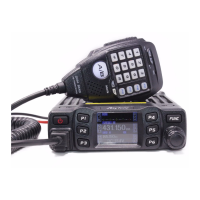
1、 Long press【FUNC】key to enter SELECT MENU interface.
2、 short press【FP4】key. 【FP6】key or turn channel switch to move cursor, to choose
menu, (Note: short press【FP5】key will fast turn menu page).
3、 Press【PUSH】key to enter FUNC MENU .
4、 short press【FP4】key. 【FP6】key or turn channel switch to move cursor to set for
choose function
1. BEEP: Beep sound
1、 Enter FUNC MENU, choose NO. 1 function menu.
2、 Press 【PUSH】key to enter function setting, the chosen menu value in LCD will turn
to green color.
3、 turn channel switch to choose wanted setting.
ON: turn on BEEP function.
OFF: turn off BEEP function.
4、 Press【PUSH】key or【FP3】key to confirm and exit..
2. TOT: Time out timer
1、 Enter FUNC MENU, choose NO. 2 function menu.
2、 Press 【PUSH】key to enter function setting, the chosen menu value in LCD will turn
to green color.
3、 turn channel switch to choose wanted setting. This radio has OFF~30Min, total
30minutes available. , OFF is turn off TOT function.
4、 Press【PUSH】key or【FP3】key to confirm and exit..
3. DIM: backlight level control
1、 Enter FUNC MENU, choose NO. 3 function menu.
2、 Press 【PUSH】key to enter function setting, the chosen menu value in LCD will turn
to green color.
3、 turn channel switch to choose wanted setting. This radio has 1,2,3 total 3 level
available.
4、 Press【PUSH】key or【FP3】key to confirm and exit..
4. VOL: Volume level control
1、 Enter FUNC MENU, choose NO. 4 function menu.
2、 Press 【PUSH】key to enter function setting, the chosen menu value in LCD will turn
to green color.
3、 Turn channel switch to choose wanted level, This radio has 1~56 total 56 levels


 To Next Page
 Loading...