Need help?
Do you have a question about the AOC CU32V3 and is the answer not in the manual?
Describes notational conventions like notes, cautions, and warnings used in the document.
Guidelines for operating the monitor safely with the correct power source and avoiding electrical hazards.
Safety considerations for monitor installation, including stand, placement, and ventilation.
Safe practices for cleaning the monitor, emphasizing caution with liquids and cleaning materials.
Important warnings about product smell, ventilation, vibration, and handling during operation or transport.
Lists all items included in the monitor package for initial setup.
Step-by-step instructions for assembling or disassembling the monitor stand and base.
Guidance on how to adjust the monitor's tilt angle for optimal viewing comfort.
Instructions for connecting the monitor to a PC, including power and signal cable connections.
Explanation of function keys (hotkeys) for quick adjustments and OSD navigation.
Details on how the Clear Vision feature enhances image quality by processing low-resolution images.
Adjusting monitor brightness, contrast, and other luminance-related parameters via OSD.
Configuration options for color temperature, DCB modes, and RGB gain adjustments.
Settings for Picture Boost feature, including bright frame, frame size, brightness, and contrast.
Customizing OSD language, timeout, position, transparency, and break reminders.
Advanced OSD settings like input select, auto config, image ratio, DDC/CI, and reset.
Instructions on how to exit the On-Screen Display (OSD) menu.
Explains the LED colors for Full Power Mode (White) and Active-off Mode (Orange).
Introduction to i-Menu for display adjustments and Screen+ for desktop splitting.
How to use e-Saver software for automatic monitor power shutdown based on PC status.
Addresses common issues like no power, no image, fuzzy picture, and color defects with possible solutions.
Technical details including model, display size, resolution, connectors, power, and environmental conditions.
Lists supported display resolutions, horizontal, and vertical frequencies for various modes.
Detailed pinout diagrams and signal names for HDMI and DisplayPort connectors.
Describes the monitor's VESA DDC2B capabilities for identity and capability communication.
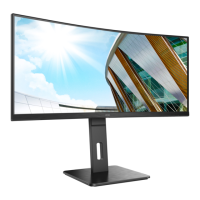
This document serves as the user manual for the AOC CU32V3 LCD Monitor, which features an LED backlight. It provides comprehensive instructions and safety guidelines for setting up, adjusting, and maintaining the monitor, ensuring optimal performance and user experience.
The AOC CU32V3 monitor is designed to deliver a high-quality visual experience, suitable for various applications from everyday computing to more demanding tasks. Its LED backlight technology contributes to energy efficiency and a vibrant display. The monitor is equipped with multiple connectivity options, including HDMI and DisplayPort, allowing for versatile integration with different computer systems and external devices. The ergonomic design permits adjustment of the viewing angle, enhancing user comfort during prolonged use.
For optimal usage, the manual details the setup process, starting with the contents of the box, which typically includes the monitor, stand, base, power cable, HDMI cable, DP cable, CD manual, and a warranty card. Users are guided through assembling the stand and base, a straightforward process that involves securing the base to the stand. Once assembled, the monitor can be placed on a stable surface. The manual emphasizes the importance of adjusting the viewing angle for comfort and to prevent strain. The monitor's tilt range is specified, allowing users to find their preferred ergonomic position. It is crucial to hold the stand firmly when adjusting the angle to avoid toppling the monitor and to refrain from touching the LCD screen directly, as this could cause damage.
Connecting the monitor to a PC is a critical step, and the manual provides clear instructions. It outlines the various ports available on the back of the monitor, including power, earphone, DisplayPort, HDMI-2, and HDMI-1. Users are advised to connect the power cord securely, turn off and unplug their computer, connect the appropriate display signal cable (HDMI or DisplayPort) to the computer's video connector, and then plug in both the computer and display power cords to a nearby outlet. Finally, turning on both the computer and display should result in an image, indicating successful installation. The manual also includes a troubleshooting section for common issues, such as no image on the screen or fuzzy pictures, guiding users through potential solutions like checking cable connections, adjusting display settings, or installing monitor drivers.
The AOC CU32V3 monitor features an intuitive On-Screen Display (OSD) system for adjusting various settings. The manual explains how to navigate the OSD using the monitor's control buttons. Hotkeys are provided for quick access to frequently used functions like Source/Exit/Up, Eco/DCR/Uniformity/Down, Clear Vision/Left, and Volume/Right. The OSD menu is structured into categories such as Luminance, Color Setup, Picture Boost, OSD Setup, and Extra.
Under the Luminance section, users can adjust contrast and brightness, select different Eco modes (Standard, Text, Internet, Game, Movie, Sports, Reading, Uniformity) to optimize power consumption and display quality for specific content, and fine-tune Gamma settings (Gamma1, Gamma2, Gamma3). The Dynamic Contrast Ratio (DCR) can be enabled or disabled, and Overdrive settings (Weak, Medium, Strong, Off) allow for adjustment of the response time, which is crucial for fast-paced content like gaming.
The Color Setup menu offers options to modify color temperature (Warm, Normal, Cool, sRGB, User), enabling users to achieve their desired color balance. It also includes DCB Mode settings (Full Enhance, Nature Skin, Green Field, Sky-blue, AutoDetect) and DCB Demo for demonstrating color enhancement features. Red, Green, and Blue gain can be adjusted individually. The LowBlue Mode feature (Multimedia, Internet, Office, Reading, Off) helps reduce blue light emissions, which can contribute to eye strain, by controlling the color temperature.
Picture Boost is a unique feature that allows users to enhance a specific area of the screen. Within this menu, users can turn Bright Frame on or off, adjust its size, brightness, contrast, and horizontal/vertical position. This feature is particularly useful for highlighting content or improving the viewing experience for certain applications.
The OSD Setup menu provides options for customizing the OSD itself, including language selection, timeout duration, and horizontal/vertical position. It also allows adjustment of OSD transparency and includes a "Break Reminder" feature, which can be set to remind users to take breaks after continuous work. DP Capability settings (1.1/1.2) are available for optimizing DisplayPort performance based on the video content.
The Extra menu contains additional settings such as Input Select for choosing the signal source, Auto Config for automatic picture adjustment (for D-Sub models), Off Timer for setting an automatic shutdown time, Image Ratio (Wide, 4:3, 1:1, Movie1, Movie2) for adjusting the aspect ratio, DDC/CI support toggle, and a Reset option to restore all settings to default.
Maintenance features are also covered in the manual. Regular cleaning of the monitor cabinet with a soft cloth and mild detergent is recommended, while strong detergents should be avoided to prevent damage. When cleaning, it's important to ensure no liquid leaks into the product and to disconnect the power cord. The cleaning cloth should not be too rough to avoid scratching the screen surface. The manual also provides general safety warnings, such as not overloading power strips, unplugging the unit during lightning storms, and ensuring proper ventilation around the monitor to prevent overheating.
The monitor's LED indicator provides visual cues about its status: white for full power mode and orange for active-off mode. For enhanced functionality, the AOC CU32V3 supports "i-Menu (Screen+)" software, which allows users to adjust monitor display settings via on-screen menus on their computer. This software is compatible with Windows 10, 8, and 7. Screen+ is a desktop splitting tool that divides the desktop into multiple panels, enabling users to organize and access different windows more efficiently, especially in multi-monitor setups. Another useful software feature is "e-Saver," a power management tool that allows users to set automatic shutdown times for the monitor based on the PC's status (On, Off, Sleep, or Screen Saver), contributing to energy conservation.
The AOC CU32V3 is designed with user safety and convenience in mind, incorporating features like Plug & Play DDC2B, which allows the monitor to communicate its capabilities to the host system, simplifying setup and configuration. The comprehensive nature of the manual ensures that users have all the necessary information to operate and maintain their monitor effectively, maximizing its lifespan and performance.
 General
| 3D | No |
|---|---|
| Panel type | VA |
| Color depth | 8 bit |
| Pixel pitch | 181.59 x 181.59 mm |
| Backlight type | W-LED |
| Display diagonal | 31.5 \ |
| Screen curvature | 1500 mm |
| Display technology | LED |
| Native aspect ratio | 16:9 |
| Maximum refresh rate | 60 Hz |
| Supported video modes | 2160p |
| Screen curvature rating | 1500R |
| Viewable size, vertical | 392.234 mm |
| Contrast ratio (dynamic) | 20000000:1 |
| Contrast ratio (typical) | - |
| Display number of colors | 16.78 million colors |
| Display diagonal (metric) | 80 cm |
| Viewable size, horizontal | 697.306 mm |
| Display brightness (typical) | 250 cd/m² |
| Supported graphics resolutions | 3840 x 2160 |
| Flicker-free technology | Yes |
| Feet color | Black/Silver |
| Certification | FCC |
| Product color | Black |
| Tilt angle range | -3.5 - 16.5 ° |
| Number of OSD languages | 16 |
| On Screen Display (OSD) languages | CHI (SIMPL), CHI (TR), CZE, DEU, DUT, ENG, ESP, FIN, FRE, ITA, JPN, KOR, POL, POR, RUS, SWE |
| DisplayPort version | 1.2 |
| VGA (D-Sub) ports quantity | 0 |
| Cables included | DisplayPort, HDMI |
| Power cable length | 1.8 m |
| Sustainability certificates | RoHS |
| AC input voltage | 100 - 240 V |
| AC input frequency | 50 - 60 Hz |
| Power consumption (standby) | 0.5 W |
| Power consumption (typical) | 41 W |
| Package type | Box |
| Package depth | 224 mm |
| Package width | 817 mm |
| Package height | 640 mm |
| Package weight | 9620 g |
 Weight and Dimensions
| Depth (with stand) | 205.8 mm |
|---|---|
| Width (with stand) | 708.8 mm |
| Height (with stand) | 524.6 mm |
| Weight (with stand) | 7710 g |

 To Next Page