13
INNI_USER MANUAL_191225PS
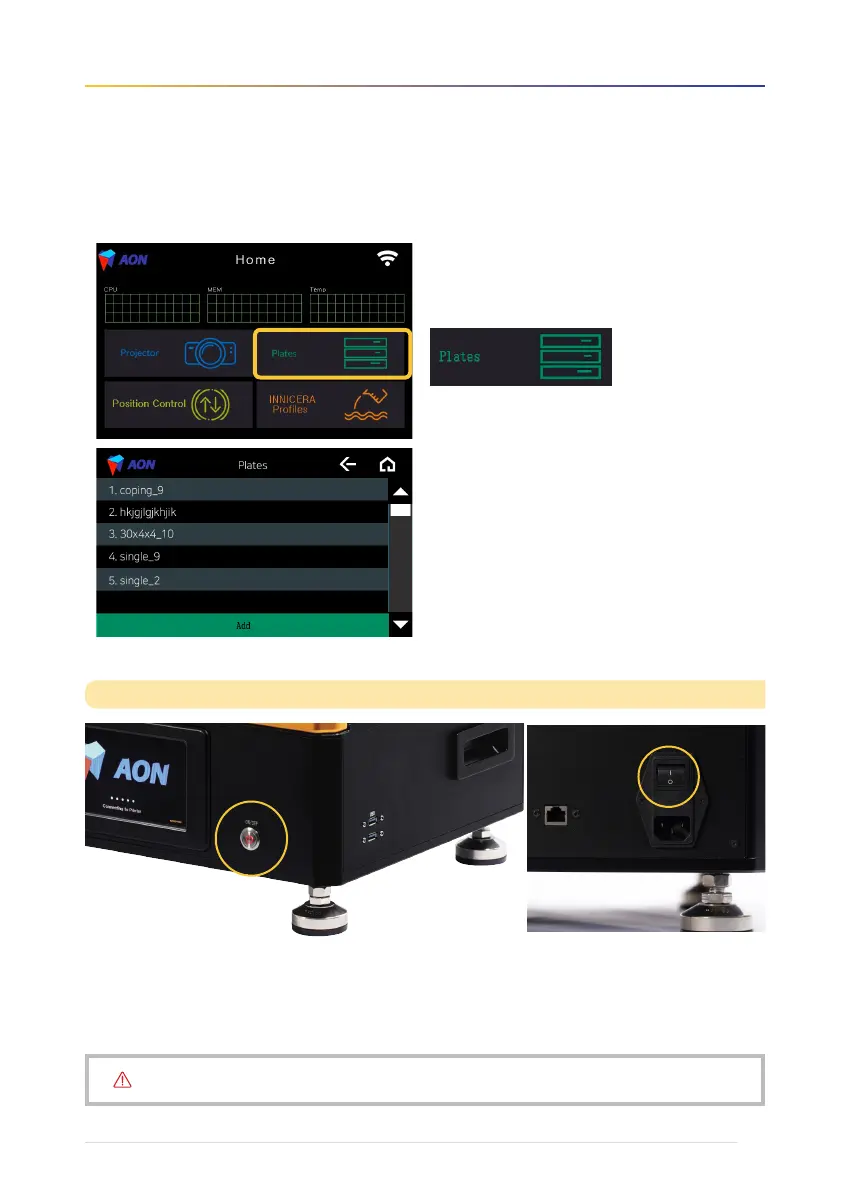
5. To select and print a file, go to Plates.
Press and hold the power button on the front of the printer for 3 seconds. The AON logo will disappear and the touch
screen will turn off.
※
If the back of the printer is powered on even after the screen is turned off, the front power button will flash red.
If you want to turn off the printer completely, flip OFF [ O ] the main power switch on the back of the printer.
Turning off the printer
• Plates screen
Choose file → Check model → Print
Do NOT turn off the printer while the printer is in operation.


 To Next Page