18
3. INNI 3D Printer Usage Guide
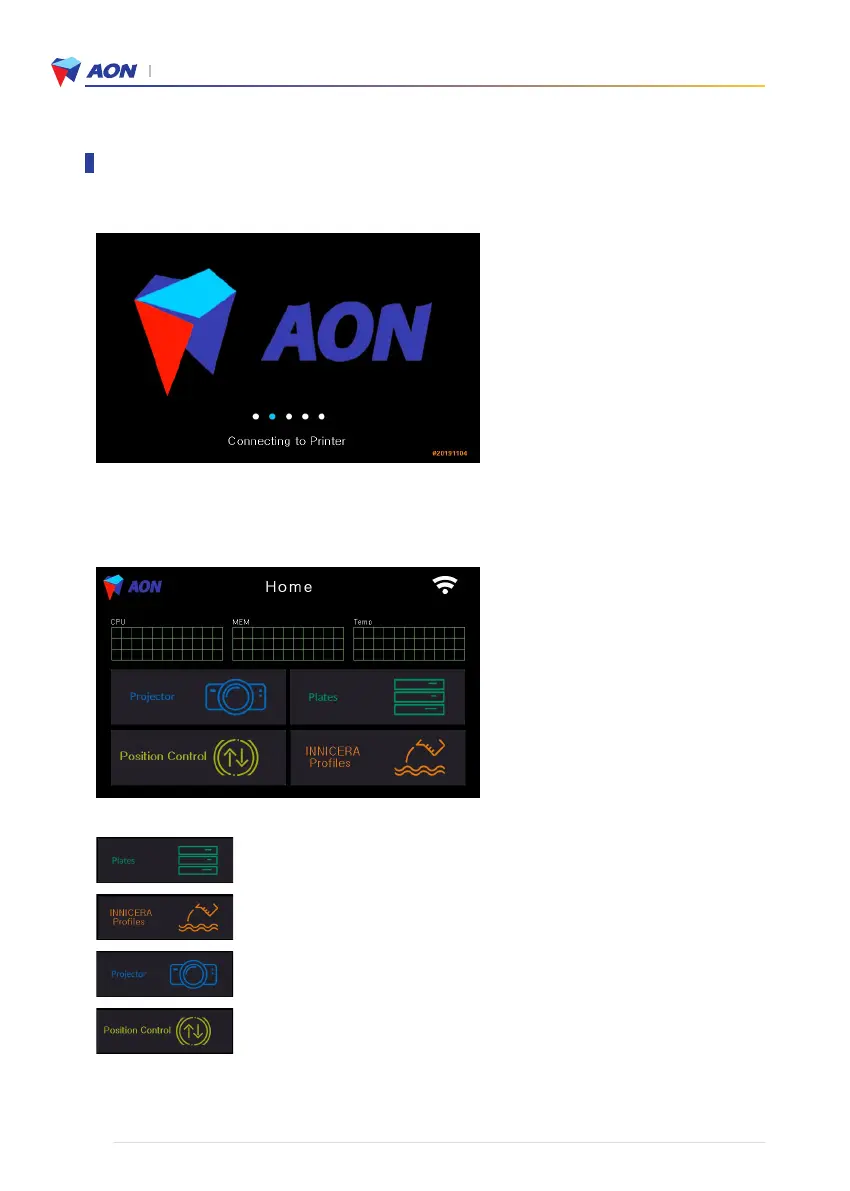
• Selection of stacked layers (Printing files)
• Selection of INNICERA profiles and/or conditions
• Status check for the inner printer panel (UV LCD projector)
• Controls for positioning the build platform
2. Home screen appears after system start-up. Select printer functions from this screen.
1. The display below appears when the power is turned on.
Using the touch screen functions


 To Next Page