23
INNI_USER MANUAL_191225PS
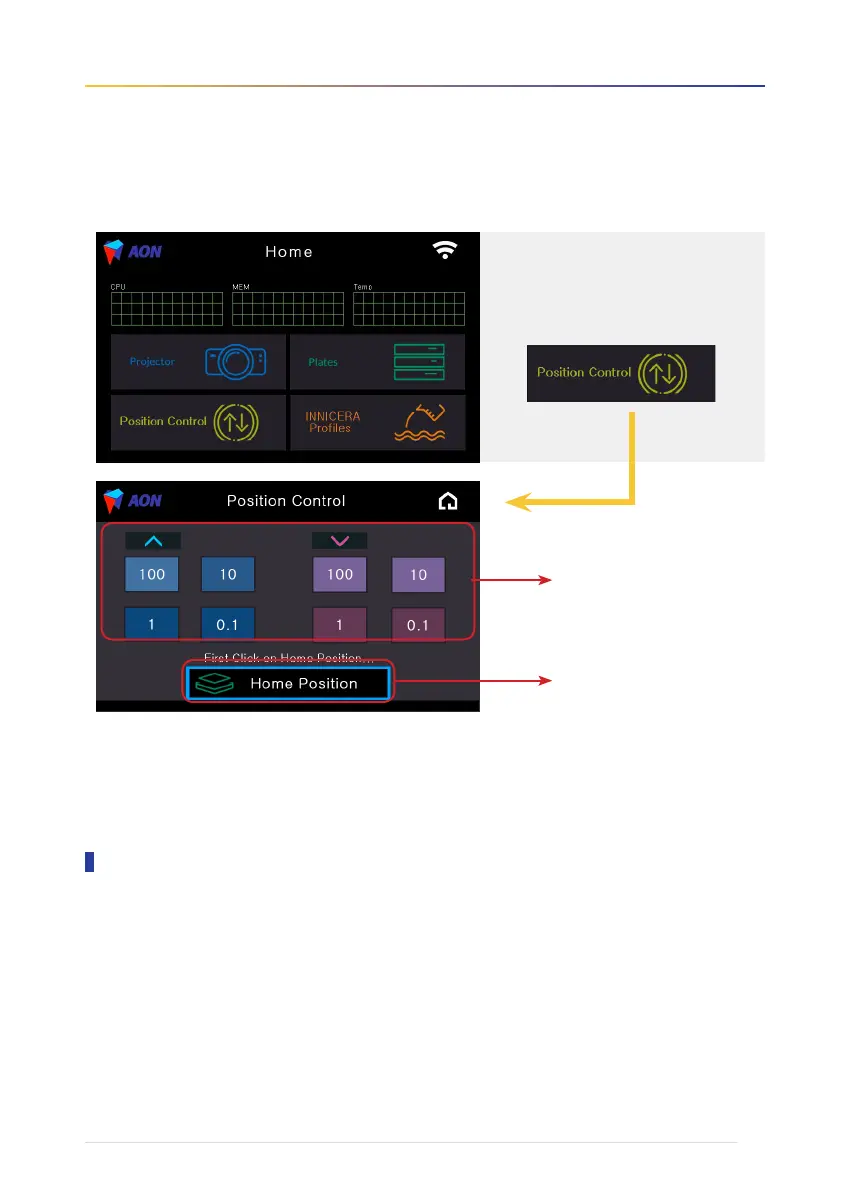
6. To use Position Control functions
Get the latest updates from our homepage at www.aoninni.com.
Download the relevant update (requires at least 8G of memory space) to your computer or other external drive
and install it to INNI 3D Printer. Please contact our Call Center (+82 70 4304 4996) or send us a message
through our Support page if any problem occurs during the update.
Touch the icon to begin.
Press to reset the build platform.
Press arrows to move the build
platform manually.
Software & Firmware Updates


 To Next Page