11
INNI_USER MANUAL_191225PS
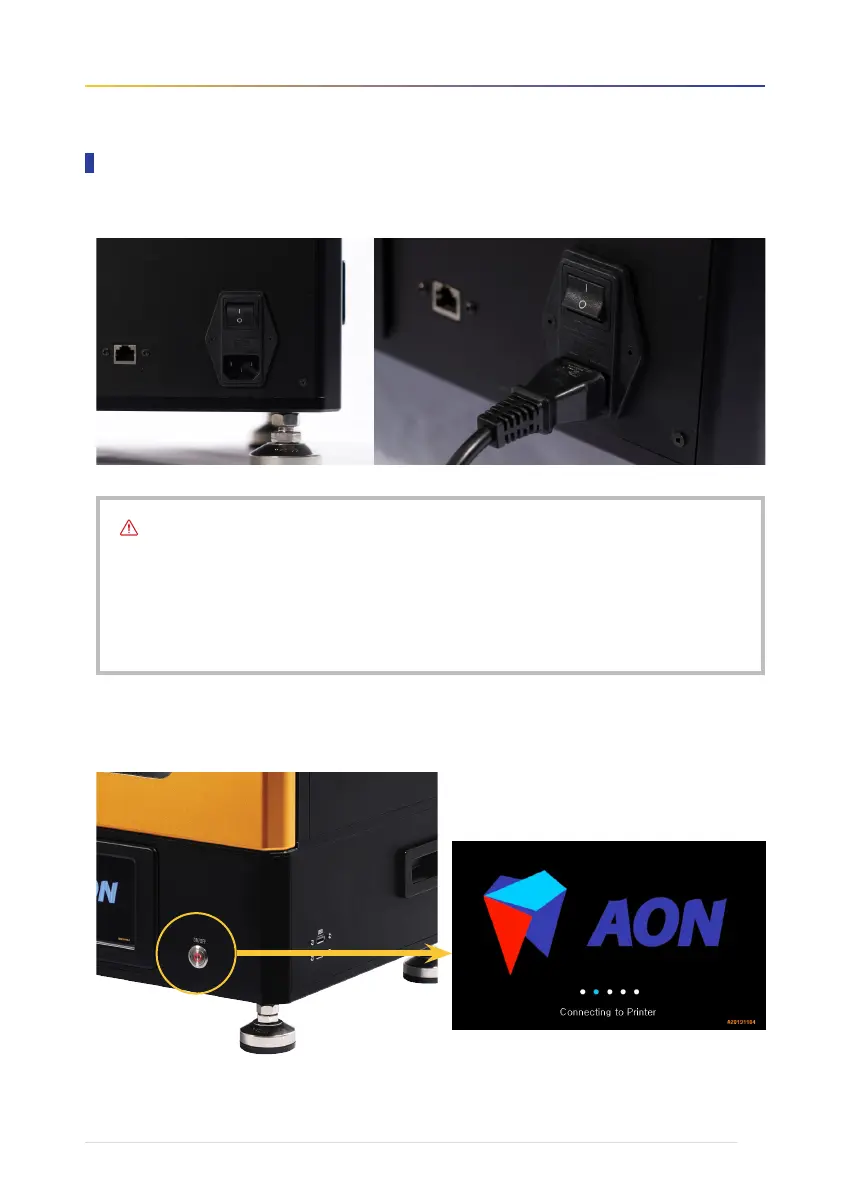
1. Plug in the power cable, connect it to a power source, and flip ON [ I ] the main power switch.
2. Press the power button next to the touch screen console on the front of the printer.
Hold and wait for the AON logo to appear.
Checklist
• Make sure the power cable and plug are free from defect/damage before connecting.
• Make sure the plug outlet is clear of any debris before connecting the power cable.
• Avoid twisting or bending the power cable as much as possible.
• Do not turn off the printer while in operation as this may cause defective printer output and/or malfunction.
• To disconnect, pull on the main body of the plug, not on the cable.
Setting up the printer


 To Next Page