19
INNI_USER MANUAL_191225PS
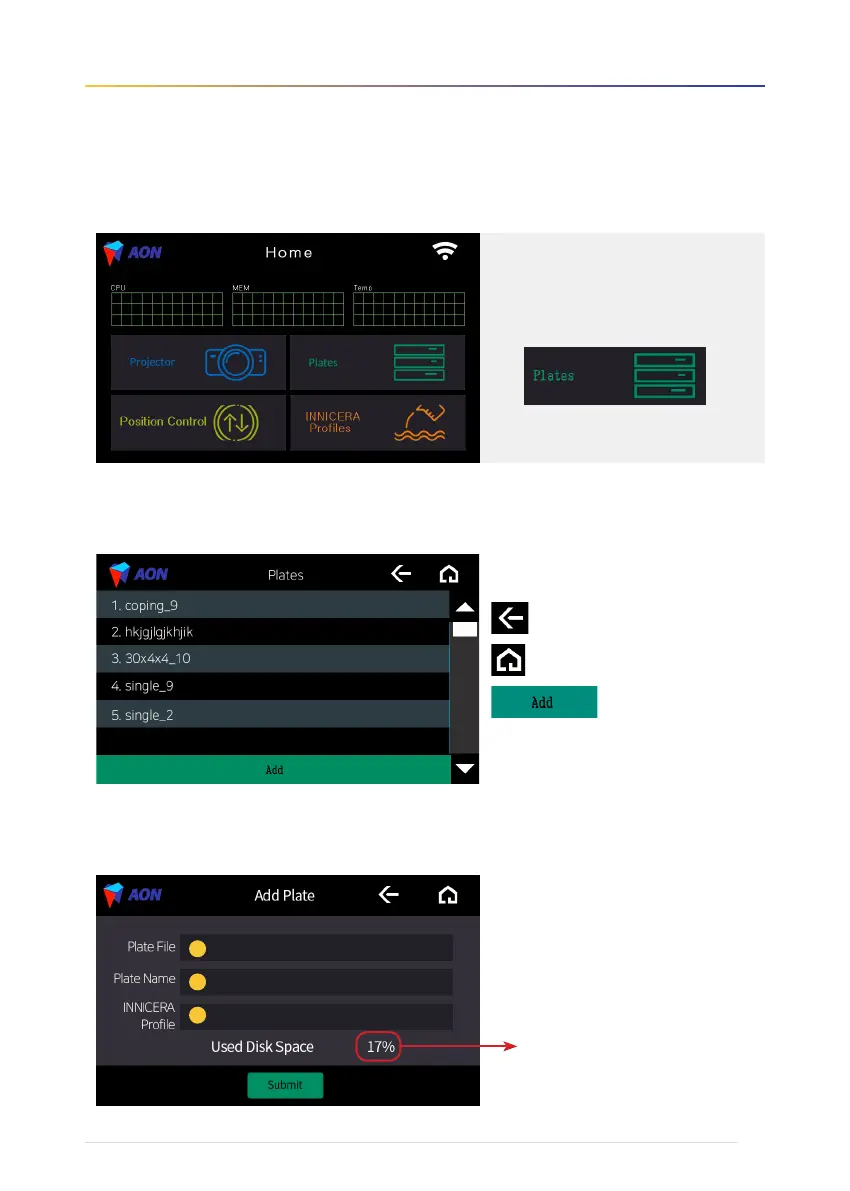
3. To use Plates functions
3-1. File selection screen
3-2 Add new printing file screen
• Return to the previous screen
• Return to Home screen
• Add files (*.stl) from external
storage (USB or Hard Disk)
❶ Plate File : Add files
❷ Plate Name : Input file name
❸ INNICERA Profile : Choose the condition
Check Used Disk Space when you import
files from USB
1
2
3
Touch the 'Plates' icon to begin.


 To Next Page