20
3. INNI 3D Printer Usage Guide
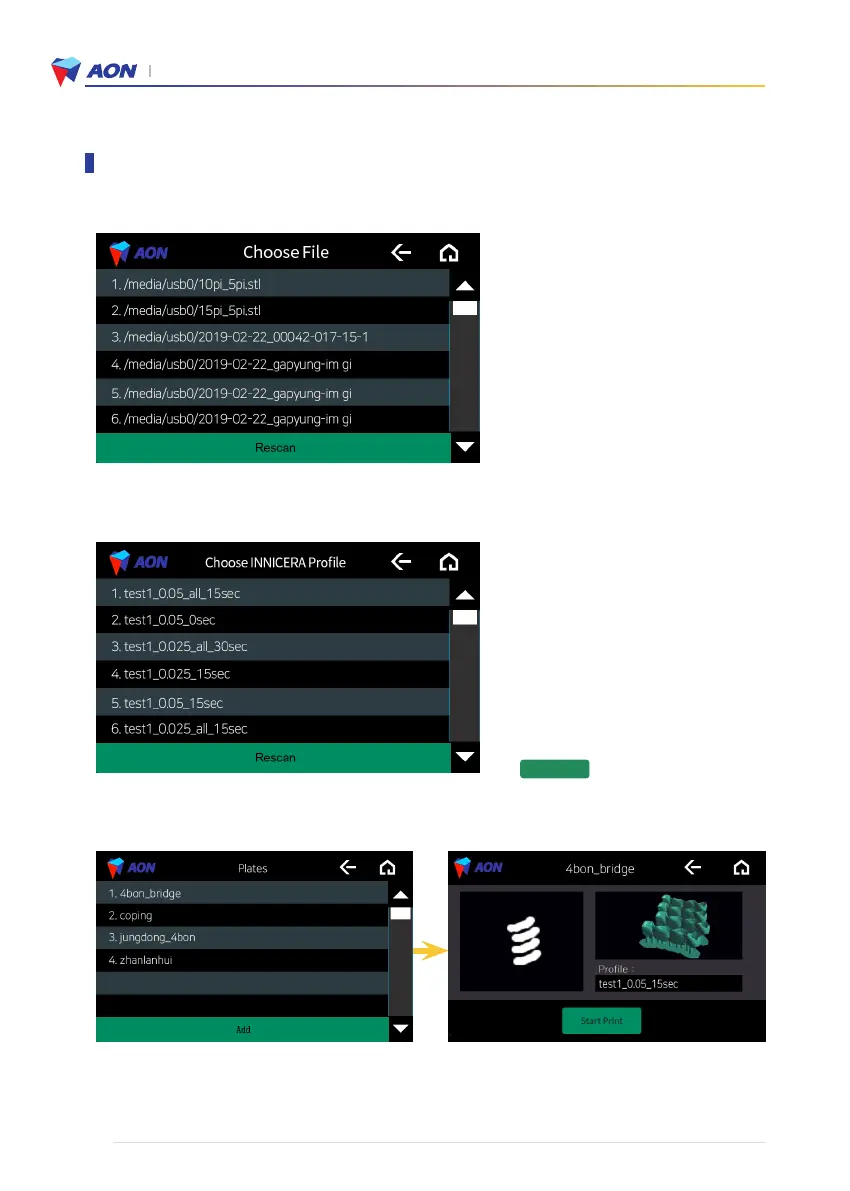
3-3. Choose the file you want to print.
3-4. Choose INNICERA Profile condition after selecting a file.
3-5. Preview your selection before printing.
(Check the file you added and start printing on the Plates screen.)
• ❶ After clicking the Plate file blank, choose
the file.
• ❸ After clicking the INNICERA Profile blank,
choose the condition.
• Choose the appropriate INNICERA profile
> > Completed.
* Important note : If you stop the printing process, then you have to turn off the printer and start everything from the
beginning.
Submit
Using the touch screen functions


 To Next Page