6
3: OPERATION
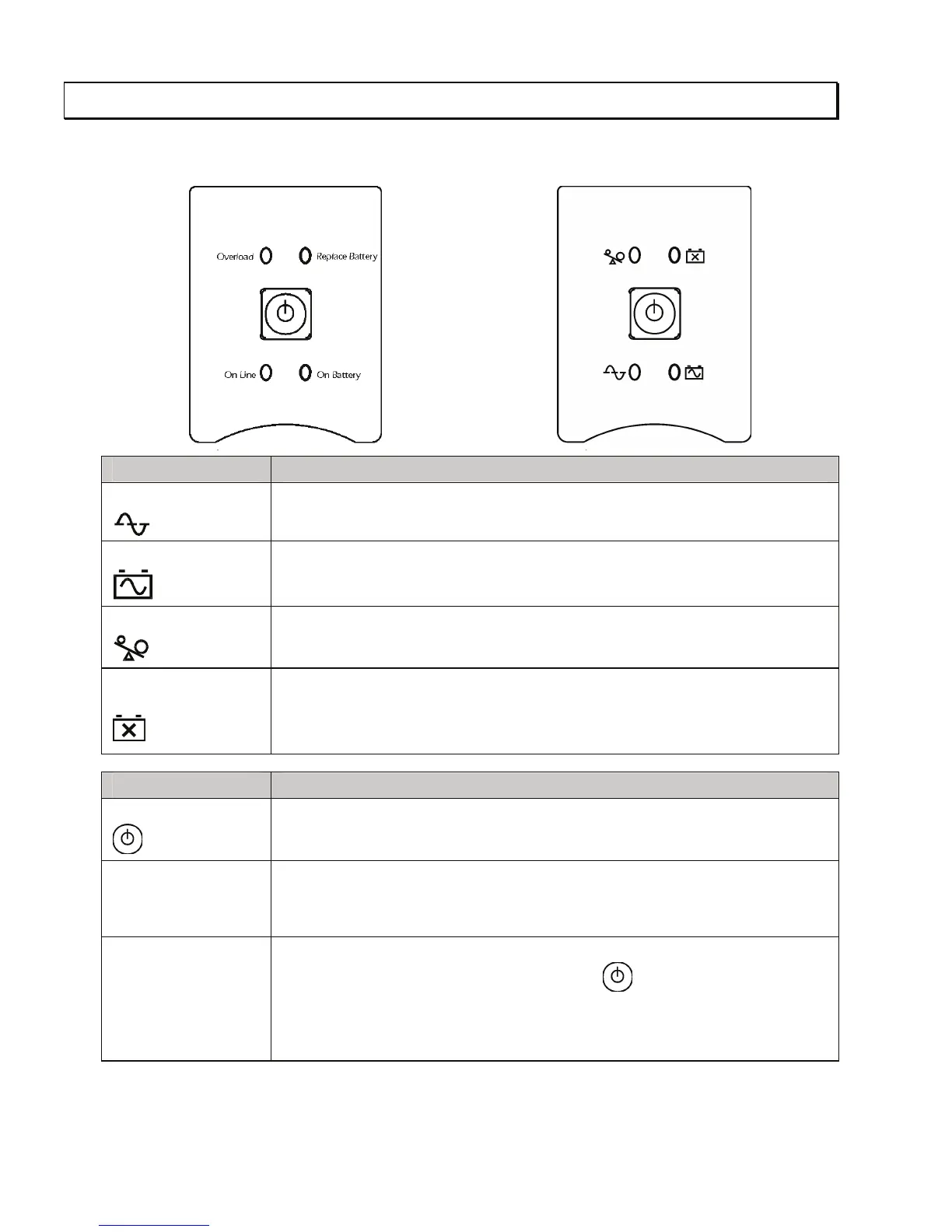
Front Display Panel
110/120 V 230 V
INDICATOR DESCRIPTION
On Line
The UPS is supplying utility power to the connected equipment.
On Battery
The UPS is supplying battery power to the connected equipment.
Overload
The connected loads are drawing more than the UPS power rating.
Replace Battery/
Battery Disconnected
The battery is disconnected or must be replaced.
FEATURE FUNCTION
Power On
Press this button to turn the UPS on or off. (Read on for additional capabilities.)
Self-Test The UPS performs a self-test automatically when turned on, and every two
weeks thereafter (by default). During the self-test, the UPS briefly operates the
connected equipment on battery.
Cold Start Supply battery power to the UPS and connected equipment in the absence of
utility voltage (see Troubleshooting). Press the button for one second and
release. The UPS will beep briefly and go quiet. Press and hold the button again,
but for approximately three seconds. The unit will emit a sustained beep. Re-
lease the button during this beep.


 To Next Page
 Loading...