5
C
ONNECTING POWER AND EQUIPMENT TO THE UPS
1. Hardwire the UPS (see Hardwiring).
2. Connect equipment to the UPS (cables not included for XLT/XLJ/XLTW models).
3. Turn on all connected equipment. To use the UPS as a master on/off switch, be sure that all
connected equipment is switched ON.
4. Press the
button on the front panel to power up the UPS.
• The battery charges to 90% capacity during the first three hours of normal operation. Do not
expect full battery run capability during this initial charge period.
5. Configure the Network Management Card (optional).
O
PTIONS
Refer to the APC Web site, www.apc.com
for available accessories.
External Battery Pack SURT192XLBP
Rail Kit SURTRK2
Isolation Transformer
Service Bypass Panel
C
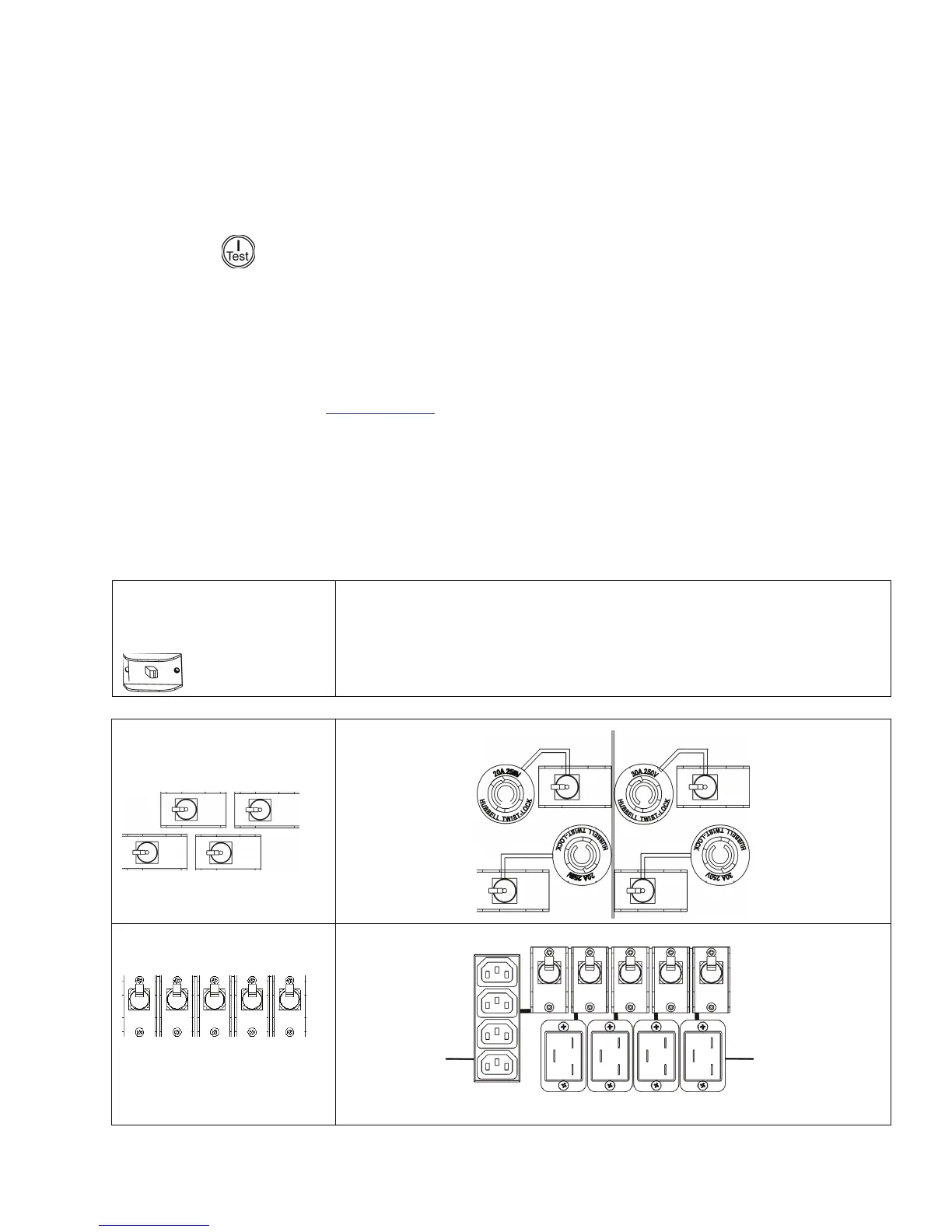
IRCUIT BREAKERS
Input Circuit Breaker
8000/10000 VA
XLI/XLJ/XLT/XLTW
The UPS is protected from extreme overloads when in ON position.
The breaker must be on for the UPS to operate.
Output Circuit Breaker
8000/10000 VA
XLJ/XLT/XLTW
Output Circuit Breaker
8000/10000 VA XLI
L6-30
250V 30A
L6-20
250V 20A
IEC 320-C19
16A for each
receptacle
IEC 320-C13
10 A total
current from four
receptacles



 To Next Page