12 Control
Control
Changing the Setpoint
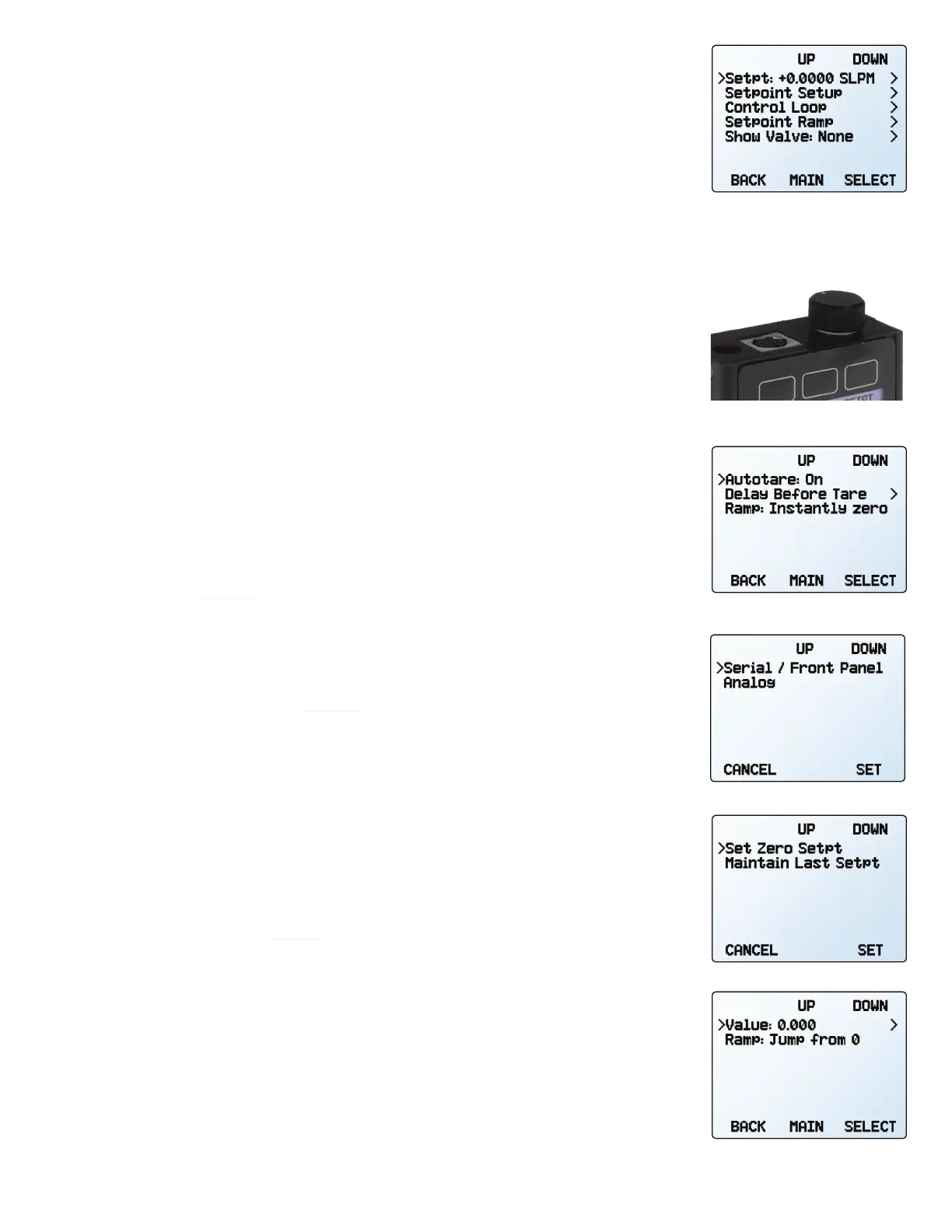
SETPT or MENU → CONTROL → Setpt:
The setpoint selection screen indicates the engineering units and maximum allowable
setpoint (e.g., PSIG: +10.000 Max). To cancel a setpoint, press CLEAR, then SET.
Adjusting Setpoint with an IPC
For controllers ordered with a potentiometer control knob (IPC), the setpoint source must be
set to analog for the controller to receive setpoint commands from the IPC (see “Changing
Between Setpoint Sources” below).
Leave the IPC knob at the midpoint when it is not in use.
Setpoint Setup
Using Autotare
CONTROL → Setpoint Setup → Zero Setpoint
When the setpoint is zero, the controller will automatically tare itself if autotare is enabled.
This menu also specifies how many seconds after a zero setpoint the controller will wait,
under
Delay Before Tare.
▲
Caution: Auto-tare is typically not recommended for pressure control applications.
Setpoint ramping (page 15) can either be set to honor the ramp rate limit or go to zero
as quickly as possible.
Changing Between Setpoint Sources
CONTROL → Setpoint Setup → Setpoint Source
Pressure controllers with RS-232 or RS-485 communication will accept setpoints from the
front panel and serial commands (page 20), or from an analog signal.
•
When the source is set to
Serial/Front Panel
, the controller will accept input from either
the front panel, or an RS-232/RS-485 connection. Neither source is a slave of the other,
so the controller will accept the most recent command from either source.
• When the source is set to
Analog, the device ignores serial setpoint commands and will
prevent setpoint input from the front panel.
Managing Setpoint with an Idle Modbus Connection
CONTROL → Setpoint Setup → On Modbus Timeout
If a Modbus connection is idle for a specified amount of time, the device can be configured
to set a zero setpoint, or maintain the previous setpoint. The idle time will be infinite by
default and can be adjusted (page 18).
Managing Setpoint on Power-Up
Power-Up Setpoint Value
CONTROL → Setpoint Setup → Power Up Setpoint → Value
By default, the controller remembers its last setpoint across power cycles. However, it
can be changed to give a specified setpoint upon power-up by selecting Fixed Setpoint
and entering in a value. If the setpoint will be digitally provided more often than every few
minutes, use a fixed setpoint on power-up to avoid wearing out the device’s non-volatile
memory.
The control menu.
An IPC knob atop a controller.
The zero setpoint (autotare) menu
with autotare on.
The setpoint source menu.
The modbus idle time menu.
The power-up setpoint menu.



 To Next Page