18 Setup
Configuring Serial Communications
MENU → SETUP → RS-232 Serial or RS-485 Serial
You can operate the pressure controller remotely via its data connection for easy streaming
and logging of all data. Before connecting the pressure controller to a computer, ensure
that it is ready to communicate with your computer by checking the options in this menu.
For more on how to issue commands from a computer, see page 20.
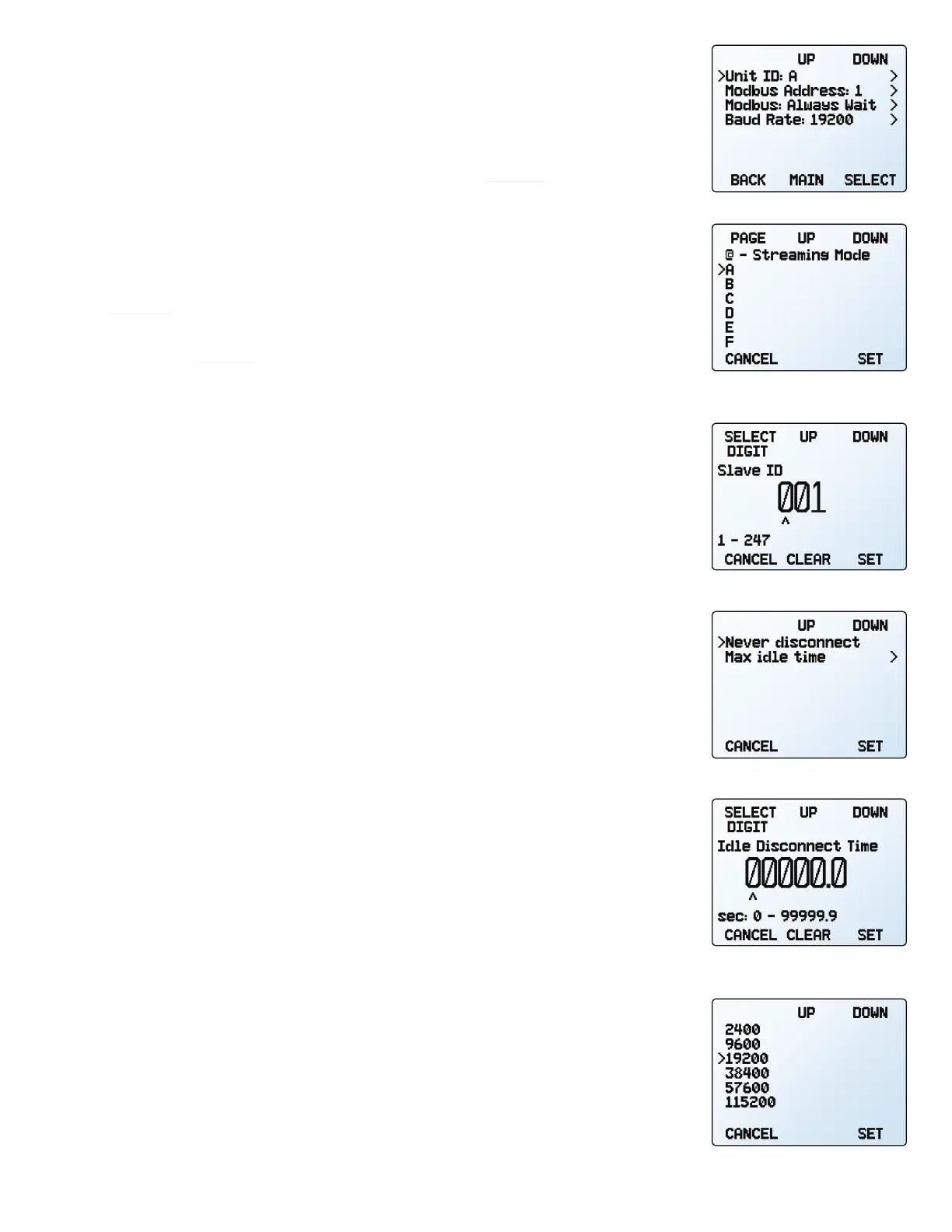
Unit ID
SETUP → RS-232 Serial or RS-485 Serial → Unit ID
The unit ID is the identifier that a computer uses to distinguish your device from other, similar
devices when connected to a network. Using the unit ID letters A–Z, you can connect up
to 26 devices to a computer at the same time via a single port. This is called polling
mode (page 20). Unit ID changes take eect when you select
SET.
If you select “
@” as the Unit ID, the pressure controller will enter streaming mode when
you exit the menu (page 21).
Modbus RTU Configuration
SETUP → RS-232 Serial or RS-485 Serial → Modbus Address
SETUP → RS-232 Serial or RS-485 Serial → Modbus
Modbus Address
The Modbus address is the identifier that a computer or programmable logic computer (PLC)
uses to distinguish your device from other devices when connected to a Modbus network.
Values of 1–247 are available for use.
Managing Setpoint with an Idle Modbus Connection
If a Modbus connection is idle for a specified amount of time, the device can be configured
to set a zero setpoint, or maintain the previous setpoint. The idle time will be infinite by
default and can be set in seconds up to 99999.9 seconds (1 day, 3 hours, 46 minutes, 39.9
seconds).
Baud Rate
SETUP → RS-232 Serial or RS-485 Serial → Baud Rate
Baud rate is the speed at which digital devices transfer information. The pressure controller
has a default baud rate of 19200 baud (bits per second). If your computer or software uses
a dierent baud rate, you must change the pressure controller’s baud rate in the BAUD menu
to ensure they match. Alternatively, you can change your computer’s baud rate in Windows®
Device Manager. Baud rate changes take eect once you press SET, but you may need to
restart the software for it to recognize the change.
The serial communication menu.
Choosing a unit ID, or streaming.
Baud rate options.
The Modbus address menu.
The Modbus idle menu.
Setting a Modbus idle disconnect
time.



 To Next Page