16 Device Information
Device Information
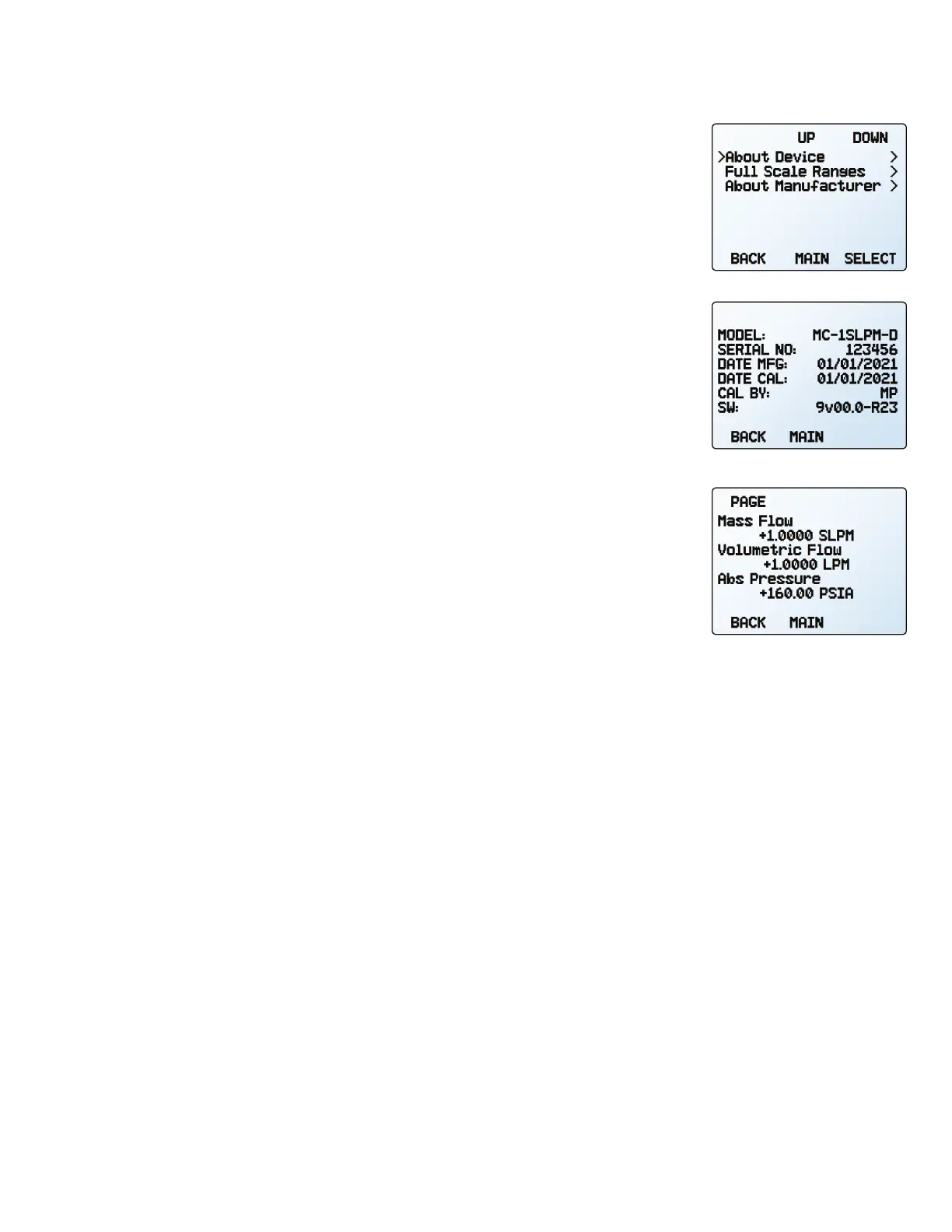
The ABOUT menu (MENU → ABOUT) contains useful information for setup, configuration, and
troubleshooting.
Basic Device Information
ABOUT → About Device
This includes information on the following:
•
MODEL: Device model
•
SERIAL NO: Serial number
•
DATE MFG: Manufacturing date
•
DATE CAL: Most-recent calibration date
•
CAL BY: Initials of the person who calibrated the device
•
SW: Firmware version
•
Display SW (color displays only): Firmware version of the display
Device Full Scale Ranges
ABOUT → Full Scale Ranges
This displays the maximum calibrated range of available pressure readings. Most will include
only one type of pressure. Devices equipped with an optional barometer will show absolute,
gauge, and barometric pressures.
Manufacturer Information
ABOUT → About Manufacturer
About Manufacturer
usually includes:
• Manufacturer name
• Web address
• Phone number
• Email address
The about device screen.
The full scale ranges screen.
The about menu.



 To Next Page